Project Time Tracking Software: From Timesheet to Invoice, Project by Project
Read article
Summary
 7 min
7 min
Project time tracking isn't about clocking in and out. It answers a sharper question: how many hours go into which project? If you bill by effort or quote fixed-price work, you need that number per project, not just a daily total.
A punch clock won't give you that. What you need is project time tracking software that ties every entry to a project and rolls the hours up automatically. Only then can you report on billable hours, budgets, and margins with any confidence.
This guide explains what project time tracking is, the value it delivers, and what to look for in a tool, from a lightweight project management timesheet software add-on to a full all-in-one platform, including a market overview and a practical example.
What is project time tracking?
Project time tracking means every block of working time is tied to a specific project, and usually to a task or activity as well. Instead of only knowing that someone worked eight hours, you know what those hours went toward.
That's the key difference from attendance tracking. A punch clock answers a labor-law question: when did someone work? Project time tracking answers a business question: which project was profitable, which one ran over, and which work is actually billable?
In practice the two overlap, but the focus is different. If you bill clients by effort, watch fixed-price projects against a budget, or want to see utilization per project, you can't avoid the project-level view. For agencies, consultancies, law firms, IT service providers, and trades, it's the real foundation of billing. That is what service business management software is built for: projects, hours and invoices in one system instead of a month-end hunt for the hours.
Project time tracking: what value does it deliver?
The effort of tracking only pays off if usable numbers come out the other end. Good project time tracking mainly delivers on four fronts:
- Accurate billing: Billable hours make it onto the invoice in full, instead of slipping through the cracks. That stops you from giving work away for free.
- Reliable estimates: Recorded actuals show whether a fixed price holds up. Your next quote is based on real numbers, not a gut feeling. Carrying those numbers straight into quoting software means the next proposal is priced from history, not from memory.
- Project transparency: Hours rolled up per project reveal when a project is going off the rails, early enough to course-correct.
- Reporting: Per-project reports give management, project leads, and clients a shared, factual basis to work from.
The weak spot is rarely the tracking itself; it's the gap that comes after. When hours live in a separate tool and have to be retyped for the invoice, you get errors and double entry. That's why project time tracking delivers the most value where hours, projects, and billing live in the same system.
Choosing project time tracking software: what to look for
The decision comes down less to the length of the feature list than to how well the tool fits your own project and billing process. These criteria help you compare:
- Project assignment: Can every time entry be tied directly to a project, and ideally a task, both via a timer and after the fact?
- Billing logic: Does the software support hourly rates, rounding increments, minimum durations, and billable versus non-billable hours?
- Path to the invoice: Do recorded hours become invoice line items, or do they only export to a separate accounting tool?
- Reporting: Are there per-project totals, filters, and PDF or Excel exports without anyone building spreadsheets by hand?
- Usability: Will the team actually use it day to day? The clunkier it is, the more gaps appear in the data.
- Integration: Does time tracking stand alone, or do you get project management with time tracking, CRM, and invoicing in one place?
- Pricing model: Most tools charge per user per month, though several offer free project time tracking for small teams. If you replace several point tools, compare the total cost, not just the headline price.
Market overview: what types of software are there?
Software for project time tracking isn't a single, uniform product category. Broadly, there are four groups with different priorities:
| Category | Examples | Strengths | Limitations | Native invoice |
|---|---|---|---|---|
| Standalone time trackers | Toggl Track, Clockify, Harvest | Quick to set up, simple timers, clean reporting per project and rate | No CRM, light project steering; feature depth varies widely by tool | Mixed: Harvest and Clockify yes, Toggl no |
| Billing-focused time tracking | Clockodo, TimeTac | Client, project, and task with hourly rates, budgets, and profitability; attendance often added on | No full project management or CRM; invoicing only by export to accounting | No, export only (e.g. to QuickBooks, DATEV) |
| Project management with time tracking | Asana, monday.com, ClickUp, Jira (with Tempo) | Hours attach directly to tasks and boards; strong project overview | Weak billing; hourly rates and invoices missing or via add-ons | No |
| All-in-one business platforms | Odoo, Unusual Suite | Shared data: time, projects, CRM, and invoicing in one system | Broader scope than a pure time tool, so a bit more onboarding | Yes |
As of June 2026. Information about third-party tools is based on publicly available sources and vendor information and may have changed.
One detail decides more in practice than most feature lists: nearly every tool shows billable hours, but only a few turn them into a finished invoice. Clockodo, TimeTac, and project management tools export their hours to separate accounting. The ones that create a real invoice in the tool itself are Harvest, Clockify, and all-in-one platforms like Odoo or Unusual Suite.
Pure attendance and HR systems are deliberately left out here: they capture working time and leave for payroll and the HR team, but they aren't built for analyzing projects.
Which category fits depends on your priority. If you only need to log hours, a lean time tool is plenty. If you also want to bill from those hours and steer projects, an integrated platform pays off, one where time tracking and project management belong together.
Track hours where the projects already live
Would you rather not track hours in an isolated tool, but right where projects, clients, and invoices already live? Unusual Suite combines CRM with project management, project time tracking, and invoicing in one platform.
Try for freePractical example: project time tracking in Unusual Suite
Unusual Suite shows how an integrated tool changes the workflow. Time entries are always created in the project context, and the path from a logged hour to a finished report looks like this:
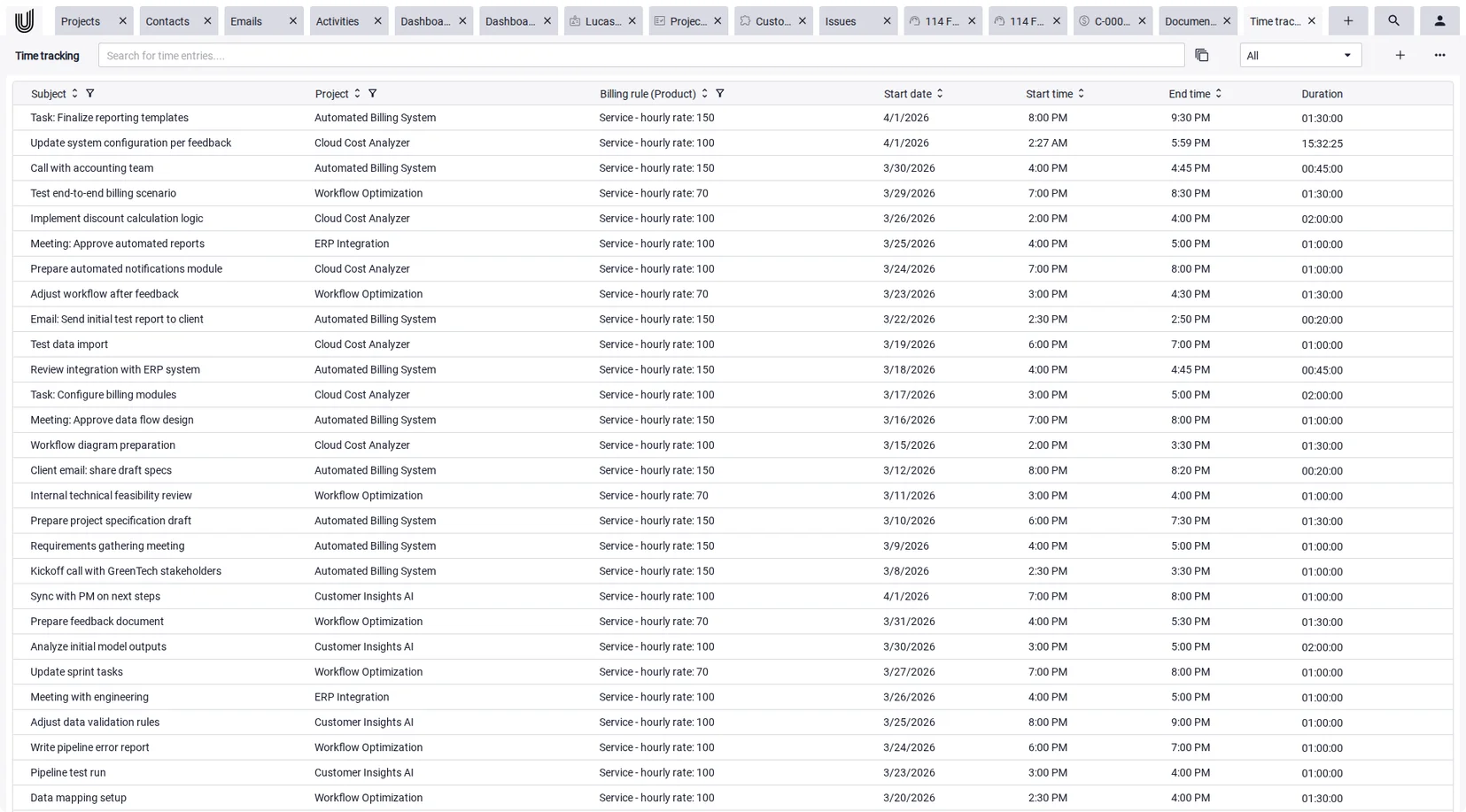
- Create a time entry: Add a subject, link the entry to a project, optionally set a billing type and owner, then start the timer. Stopped entries can be edited; running ones can't.
- Set the billing rules: Products and billing rules define how recorded time is calculated, for example via an hour equivalent, rounding increments, minimums, or a maximum per day.
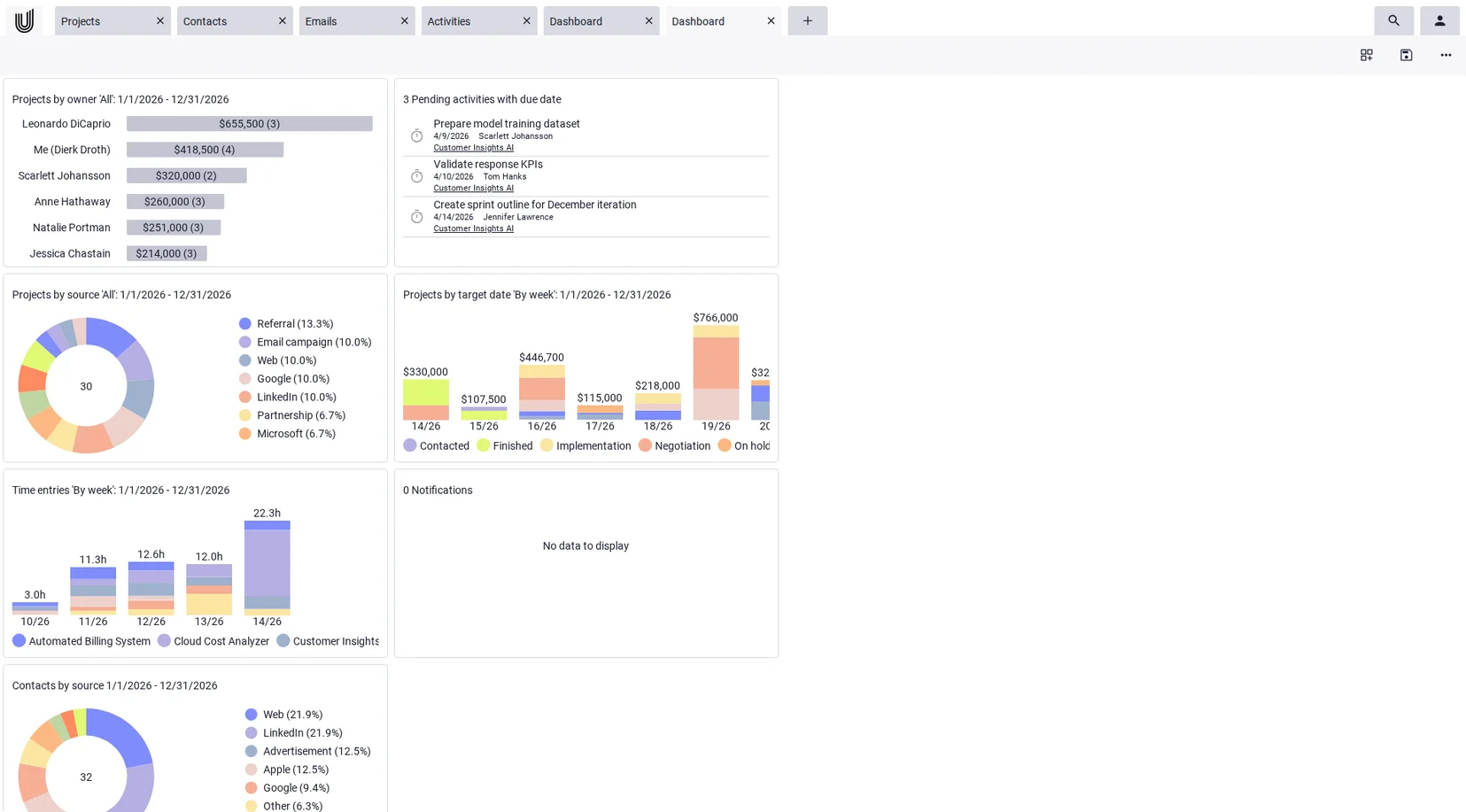
- Roll up the hours: In the project view, all time is aggregated per project. The total of billable hours is visible, can be filtered, and updates dynamically.
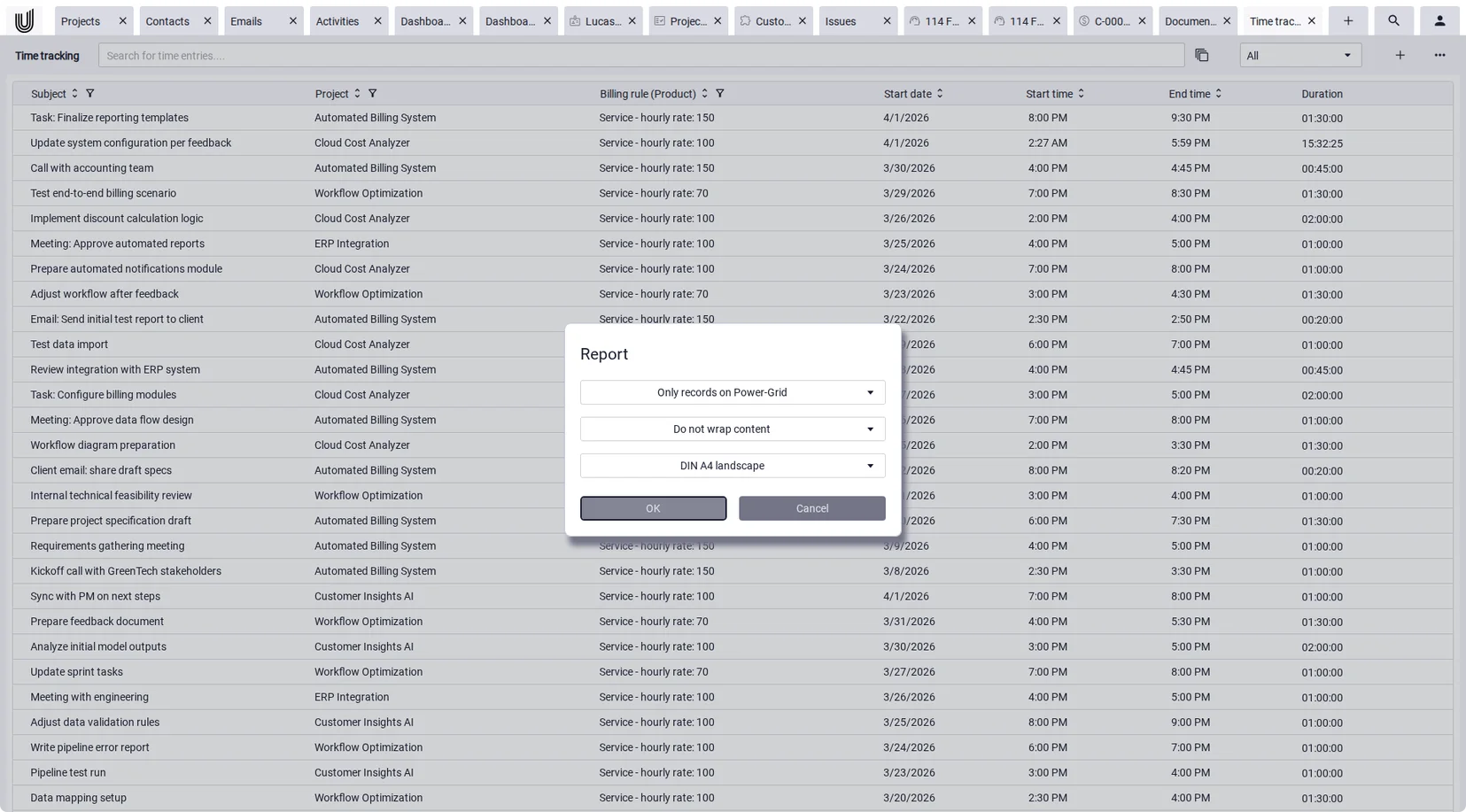
- Report and share: Per-project time reports can be saved as a PDF or exported as Excel with per-project worksheets. Power-Chat lets you tailor exports and save a layout as a template.
- Turn hours into invoices: Unusual Suite creates invoice line items from the recorded hours: pick the project and time range, set the rounding, done. Logged hours become billable items with no manual retyping.
Time tracking is included in both the Free and Pro editions. For how an invoicing software turns those hours into a finished invoice day to day, see the linked page.
Conclusion: project time tracking as the basis for billing and steering
Project time tracking is more than logging hours. It's the data foundation for billing, estimating, and steering projects. Track time per project and you know which projects carry their weight and which work actually gets invoiced.
When choosing software, look past the timer itself. What matters is what happens to the hours afterward: project time tracking only pays off when the hours flow into reporting and invoicing without a break in the chain.
If you already run several separate tools for projects, time, and billing, it's worth checking whether one integrated platform simplifies the process, instead of adding yet another tool to the pile.
Projects, time, and billing in one platform
Want to bring project time tracking, project steering, and invoicing together? Unusual Suite is a project management software that connects time tracking, CRM, and invoicing. See pricing here.
Try for freeFAQ on project time tracking
Project time tracking software records working time with a direct link to a project, and usually to a task or activity as well. Unlike pure attendance tracking, it answers not just when work happened but what it went toward. That makes it the basis for effort-based billing, project estimating, and per-project reporting.
A punch clock records attendance, when people arrive and leave, mainly to meet legal working-time requirements. Project time tracking distributes working time across projects, so you can see how much effort goes into each one. The two views can complement each other, but they serve different goals.
Yes. Tools like Clockify, Toggl, and ClickUp offer free tiers that work well for solo users or small teams, usually with limits on reporting, users, or integrations. Unusual Suite includes time tracking in its Free edition. Free plans are a good way to start, but check whether billing, invoicing, and deeper project features are included or locked behind a paid tier, since that's where free project time tracking often stops.
It depends on your priority. Standalone trackers like Toggl, Clockify, or Harvest are quick to start, and Harvest and Clockify can even invoice. Project management tools like Asana or ClickUp attach hours to tasks but don't bill. All-in-one platforms like Odoo or Unusual Suite connect time tracking, projects, and invoicing in one system, which pays off above all for service businesses that bill by effort.
In integrated tools, recorded hours become invoice line items directly. In Unusual Suite, for example, products and billing rules control how time is calculated, via an hour equivalent, rounding increments, or minimum durations. To invoice, you select the project and time range, and the billable hours are pulled in as line items automatically, with no manual retyping.