AI Project Management Tools: AI-Powered Software in Practice
Read article
Summary
 8 min.
Artificial intelligence is changing how teams plan, execute, and review projects. Instead of compiling status updates by hand or copying information out of email threads, AI project management tools increasingly handle the repetitive work, from automatic document summaries to extracting contacts and activities. For small and mid-sized companies, the value of AI-powered project management tools lies less in flashy forecasts and more in real day-to-day relief: less manual data maintenance, a faster overview across projects, and a single place to access internal knowledge. Just as important: setting realistic expectations. Project management with AI doesn't replace project leadership — it supports it by handling recurring tasks. This article shows which activities can reasonably be automated, where the limits are, and what to look for when choosing AI tools for project management.
What Is AI Project Management Software?
AI project management software is the use of algorithms, mostly based on large language models, to support common project work. Typical tasks include text processing, data analysis, classifying information, and automatically generating summaries and replies.
Unlike classic project management software, which follows preset rules, AI can interpret unstructured content and respond in context. An email with a customer request isn't just filed away — it's interpreted, linked to a contact, and can automatically turn into an activity or task.
While AI in CRM primarily analyzes customer information, the focus in project management is on supporting task handling, documentation, and communication. Common use cases include:
- Task management: automatically creating, assigning, and prioritizing tasks
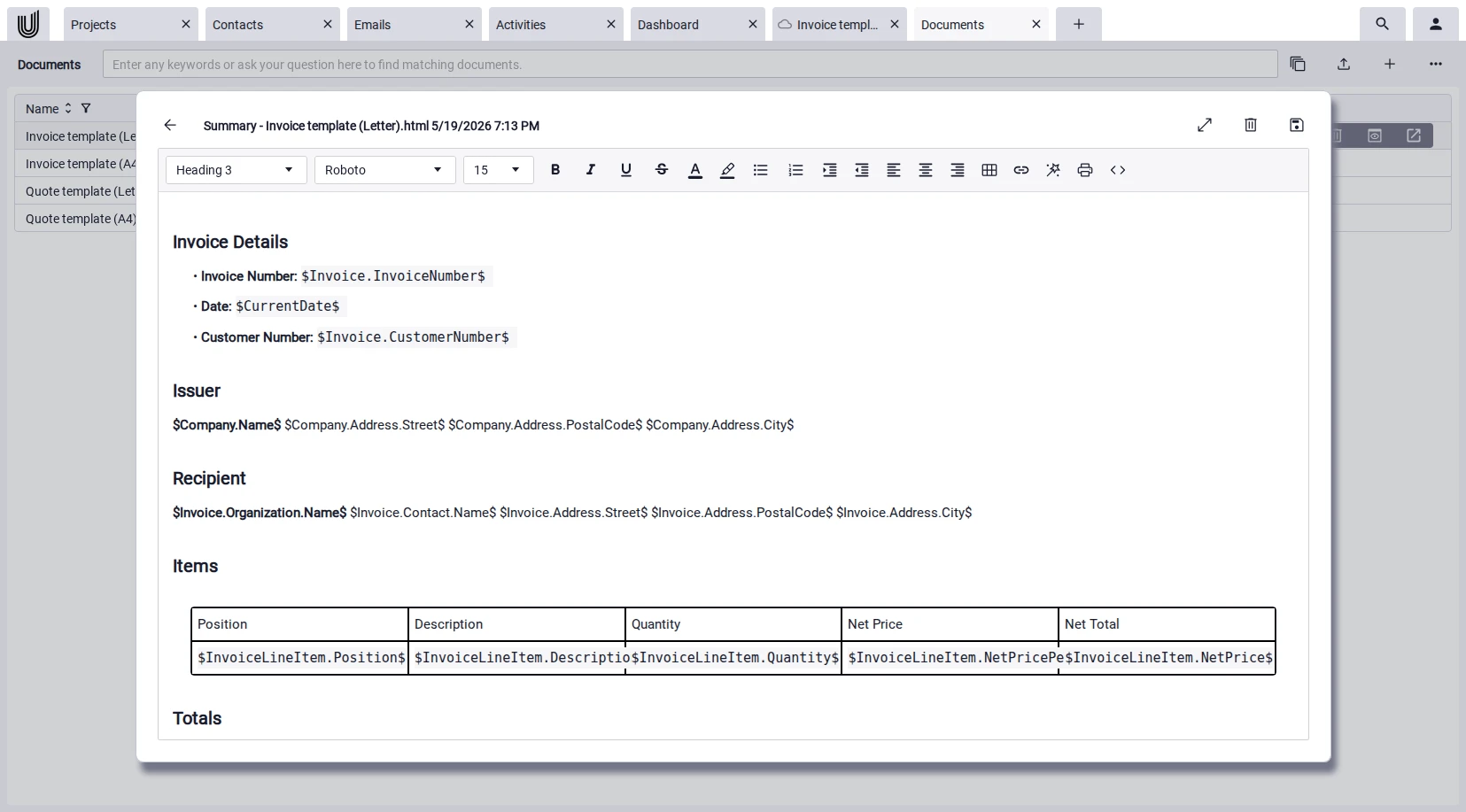
- Document handling: summarizing long documents and wikis
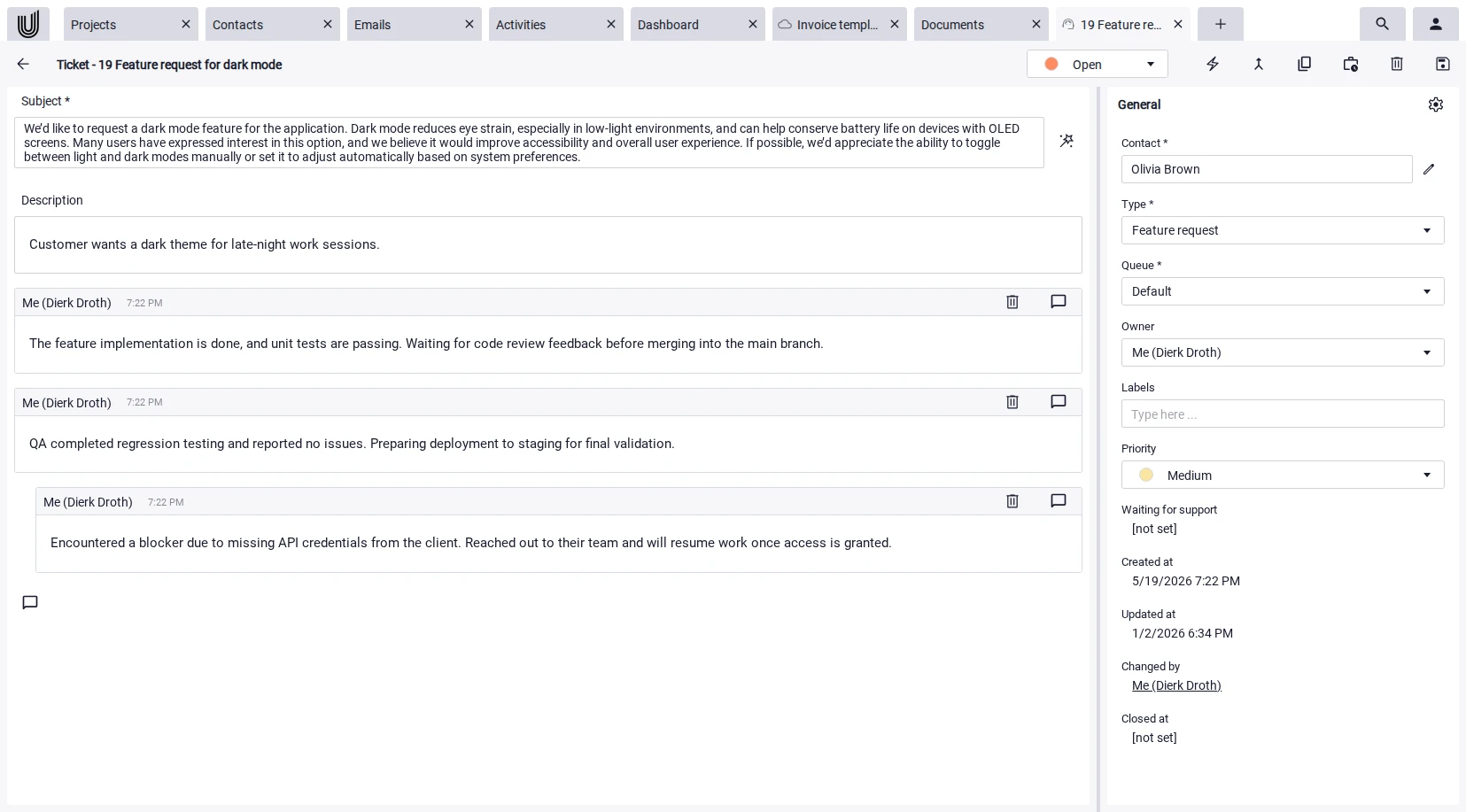
- Customer communication: suggested replies for tickets and emails
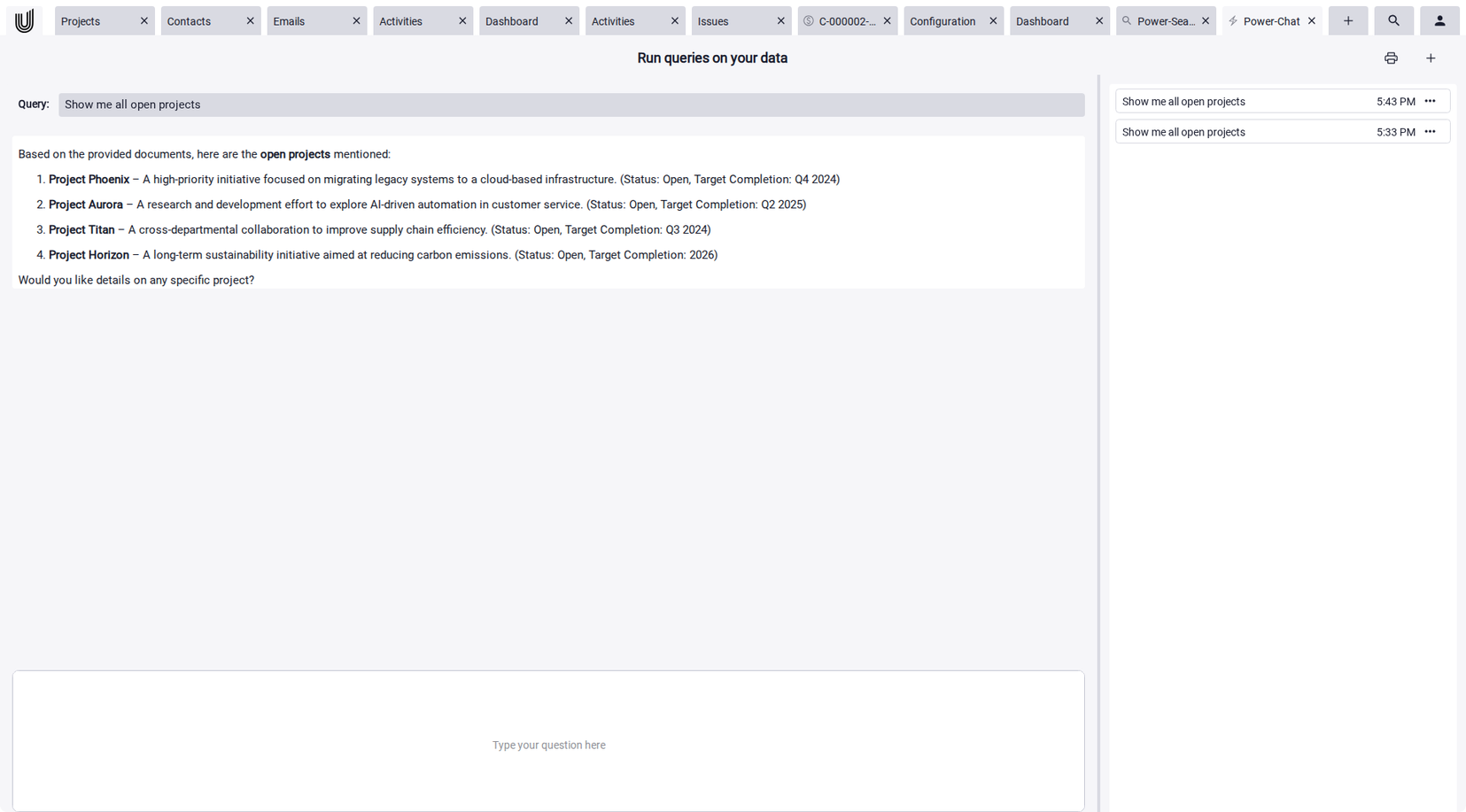
- Knowledge retrieval: conversational access to internal information
- Data extraction: automatically pulling key information from emails and documents
AI here is rarely a standalone tool. More often, it's a feature inside existing platforms like project management software, CRM systems, or all-in-one solutions.
Which Tasks Can AI Automate in Project Management?
In daily work, the biggest gains from AI come from recurring, time-consuming activities. The following areas are most commonly automated:
1. Planning and Prioritization
AI can suggest the order and weight of tasks based on deadlines, dependencies, or past projects. In practice, this shows up as suggested next steps, automatic grouping of similar tasks, or alerts on overdue items. The final call stays with the team. AI doesn't replace project management know-how here, it adds another perspective.
2. Task Management and Automation
Tasks can often be pulled directly from emails, meetings, or documents. Modern task management software recognizes phrases like "we'll send the documents by Friday" or "please review the quote" and proposes matching tasks with a due date and an owner. That closes the gap between communication and execution.
3. Communication and Summaries
Long email threads and extensive project documents are a classic time drain. AI can generate summaries here, so people grasp the state of a discussion in just a few sentences. Auto-generated reply suggestions, especially for recurring requests, save time as well. They should still be reviewed briefly before sending.
4. Knowledge Management
In growing teams, knowledge is spread across many tools: wiki articles, documents, tickets, and emails. An AI chat can bundle these sources and answer questions directly, for example: "What did we agree on with customer X in the last project?" This cuts down on search time and makes implicit knowledge accessible. What outlives a single project belongs in knowledge base software, where templates and decisions stay findable instead of ageing inside old threads.
5. Reporting and Analysis
AI can automatically produce status reports from project data, flag deviations from plans, or identify risks. For smaller teams, the practical benefit is often the automatic condensing of many small details into a clear weekly overview.
Benefits of AI-Powered Project Management Tools
AI-powered project management tools bring several concrete benefits, especially when teams currently spend a lot of time on manual data maintenance:
- Time savings on routine work: Summaries, data extraction, and reply suggestions handle tasks that used to be done by hand.
- Better overview: Scattered information becomes usable in one place, across emails, documents, and tasks.
- Less friction day-to-day: When you grasp the state of a project faster, you can make better decisions and react faster.
- Scalability: AI becomes more valuable as data volume grows. It filters and prioritizes where manual oversight hits its limits.
- Lower entry barrier: Many project management software solutions integrate AI features directly, so no extra tools are needed.
Important: These benefits don't appear automatically just because an AI feature is turned on. What matters is that the AI can access well-maintained, well-structured data.
Limits and Risks of Artificial Intelligence in Project Management
AI is not a cure-all in project management. Anyone planning to use it well should also be aware of its limits:
- Error rate in suggestions: AI responses can sound plausible but be factually wrong. Team review stays necessary, especially for external communication.
- Privacy and confidentiality: Which information the AI processes and where it's stored is a key question. Solutions with clearly defined privacy standards matter for businesses.
- Dependence on data quality: An AI is only as good as the data it has access to. Outdated or incomplete information leads to poor results.
- No substitute for project management experience: AI can take over structured tasks, but it can't resolve stakeholder conflicts or make strategic decisions.
- Implementation effort for special cases: Standard features are quickly available. Custom adjustments usually require technical know-how.
Realistically, AI delivers the biggest value where many small, repetitive tasks pile up. For complex one-off decisions, it remains an aid, not a replacement.
Use AI Directly Inside your Project Management
Want to use AI not as a separate tool but directly inside your project work? Unusual Suite combines CRM with project management, documents, email, and a Power-Chat on a single platform, with integrated AI for summaries, data extraction, and more.
Try for freeAI Project Management Software: What to Look For
When choosing AI project management software, it's more useful to focus on concrete day-to-day capabilities than on marketing promises. The following criteria help:
- Integration with existing processes: An AI feature only delivers value if it lives inside the tool teams already use. Separate AI tools often add friction.
- Data foundation: What content does the AI access? Wiki, documents, emails, tasks? The broader the data foundation, the more useful the AI chat.
- Transparency: Are the sources of an answer traceable? Can the team see where information comes from?
- Privacy: How does the provider handle company data? Is it used for training? Where is it processed?
- Real-world fit: Do the AI features still work at realistic data volumes, or only in demos?
Tools that bring project management software, CRM, and communication together on a single platform often have an advantage here. The AI can tap into a larger, connected data set and deliver results across multiple areas.
Practical Example: AI Features in Unusual Suite
How artificial intelligence plays out in everyday project work is well illustrated by Unusual Suite, a business management software with several AI features built directly in:
 Power-Chat: An AI chat built on the company's own knowledge. It pulls from wiki content, documents, and selected records, then answers questions directly so team members don't have to search across multiple tools.
 Power-Search: Context-aware AI search across all company content — wiki, documents, emails, tasks, and more. Surfaces relevant results across areas instead of isolated per-tool searches.
 Email and document summaries: On request, long emails and documents get an AI-generated summary. That speeds up understanding new information and cuts the effort of working through incoming correspondence.
 Data extraction from emails and documents: The AI automatically extracts relevant information from emails and documents, such as contacts, organizations, and activities. These are created directly in the system, removing manual maintenance.
 AI-assisted ticket replies: Similar to Power-Chat, tickets can be answered automatically. Suggestions draw on existing knowledge and can be reviewed or adjusted before sending.
 Text polishing and editor features: The editor includes a polish function, for instance to improve style or clarity in notes, documents, or emails. AI support is available directly inside the document and email UIs.
 Web pages and markdown summaries: Content from web pages can be processed by the AI and turned into structured notes or summaries. Power-Chat topics are also summarized automatically for the history, making it easier to revisit past discussions.
The features sit directly inside the respective interfaces. AI support isn't launched as a separate tool — it shows up where the work is already happening.

How to Roll Out Project Management with AI
Introducing project management with AI into everyday work tends to succeed in small steps rather than one big rollout. This sequence has proven effective:
- Start small: Pick a concrete task that currently involves a lot of manual effort, such as email summaries or data extraction. Build experience before adding more features.
- Check the data foundation: AI needs well-maintained content. Before rolling out, take a look at your wiki, document structure, and CRM data. Outdated or patchy information leads to poor results.
- Get the team on board: AI features only deliver value once the team knows and uses them. Short internal demos or sample use cases often help more than lengthy documentation.
- Create transparency: It should be clear which data the AI processes and which suggestions are generated automatically. That builds trust and avoids unnecessary correction loops.
- Iterate and expand: Once an AI feature works well, it can be rolled out step by step to other areas, from email to documents to tickets or knowledge management.
Teams that treat AI tools for project management from the start as a helper that takes over individual tasks avoid inflated expectations and reach usable results faster.
Conclusion: Making Project Management with AI Work
Project management with AI is less a future topic than a practical reality today. The biggest value shows up where recurring tasks are automated: summaries, data extraction, reply suggestions, or central access to knowledge. For small and mid-sized teams, this means above all: less manual maintenance, better overview, and faster reaction times.
At the same time, AI remains a helper, not a replacement. Strategic decisions, stakeholder communication, and the actual project management know-how stay human work. Teams that treat AI-powered project management tools as a complement get the most out of them. Teams that treat them as a cure-all end up disappointed.
In practice, the most useful solutions are the ones that embed AI directly into existing workflows, where tasks, documents, emails, and knowledge already come together. Platforms like Unusual Suite show what that integration can look like: AI features sit directly inside the editor, the email module, and the Power-Chat, without needing additional tools.
In the end, what matters isn't how many AI features a tool offers, but whether they actually create relief in daily work.
All-in-One Platform with Built-in AI
Want to bring projects, tasks, documents, and AI features together on a single platform? Unusual Suite combines CRM and project management, document management, and team communication, with integrated AI for summaries, data extraction, and a Power-Chat over your content. See pricing here.
Try for freeFAQ on AI Project Management Tools
In project management, AI mostly takes over structured and recurring tasks. Typical use cases include summarizing emails and documents, automatically extracting contacts and activities, suggesting replies for tickets and emails, proposing new tasks, and providing conversational access to knowledge from wiki and documents. Reporting and status overviews can also be partly automated.
In project management, the main reason for using AI is time savings. Routine work such as summarizing long emails, transferring contact data, or searching internal wikis takes up a lot of time every day. AI handles these tasks automatically and provides a consistent data foundation that teams can use for decisions. It also reduces friction between communication, tasks, and documents.
Project management with AI works best when rolled out step by step. First, pick a concrete task that currently involves a lot of manual effort, such as email summaries or data extraction. Next, check whether the data foundation (wiki, documents, CRM) is well maintained, since AI-powered project management tools only deliver results as good as their data sources. Then bring the team along, show sample use cases, and make it transparent which content the AI processes. Once a feature works well, it can be extended to other areas such as tickets or knowledge management.
No. In project management, AI mostly takes over structured and repetitive tasks. Strategic decisions, stakeholder communication, and actual project steering stay human work. Artificial intelligence acts as an aid, not as a replacement for project management experience.