Project and Task Management Software: Tools, Tips & Free Options
Continue reading
Summary
 12 min.
Task management software helps businesses plan tasks in a structured way, set priorities, and track progress transparently. Instead of scattered notes, emails, or messy to-do lists, teams gain a central workspace where tasks, responsibilities, and deadlines are clearly visible. Many companies rely on business task management software to organize work processes and coordinate teams. Modern project and task management software connects tasks with projects, communication, and documents. This allows organizations to manage complex workflows more efficiently. For small teams and freelancers, free task management software often provides an easy starting point.
What Is Task Management Software?
Task management software refers to digital systems used to plan, organize, and monitor tasks. It plays an important role in modern work management because it structures individual work steps and integrates them into broader workflows.
The goal is to organize tasks efficiently and ensure that the right work is completed by the right person at the right time.
In everyday work, tasks are the smallest unit of work. Multiple tasks form a workflow, and several workflows together create a larger business process. This is where modern task management workflow software becomes valuable. It ensures that tasks are not handled separately but are embedded in structured workflows. Once the handovers between tasks need fixed rules, a workflow management system is the right tool, not a longer task list.
A good task management tool allows teams to clearly define tasks, assign responsibilities, and track progress at any time.
All-in-One Project and Task Management Software
In many companies, task management is closely connected to project work. Projects consist of numerous individual work steps that must be coordinated.
While project management focuses on the overall framework of a project, including scheduling, resources, and budget control, task management focuses on executing the individual steps required to achieve project goals. It answers practical questions such as what needs to be done, who is responsible, and when the task should be completed.
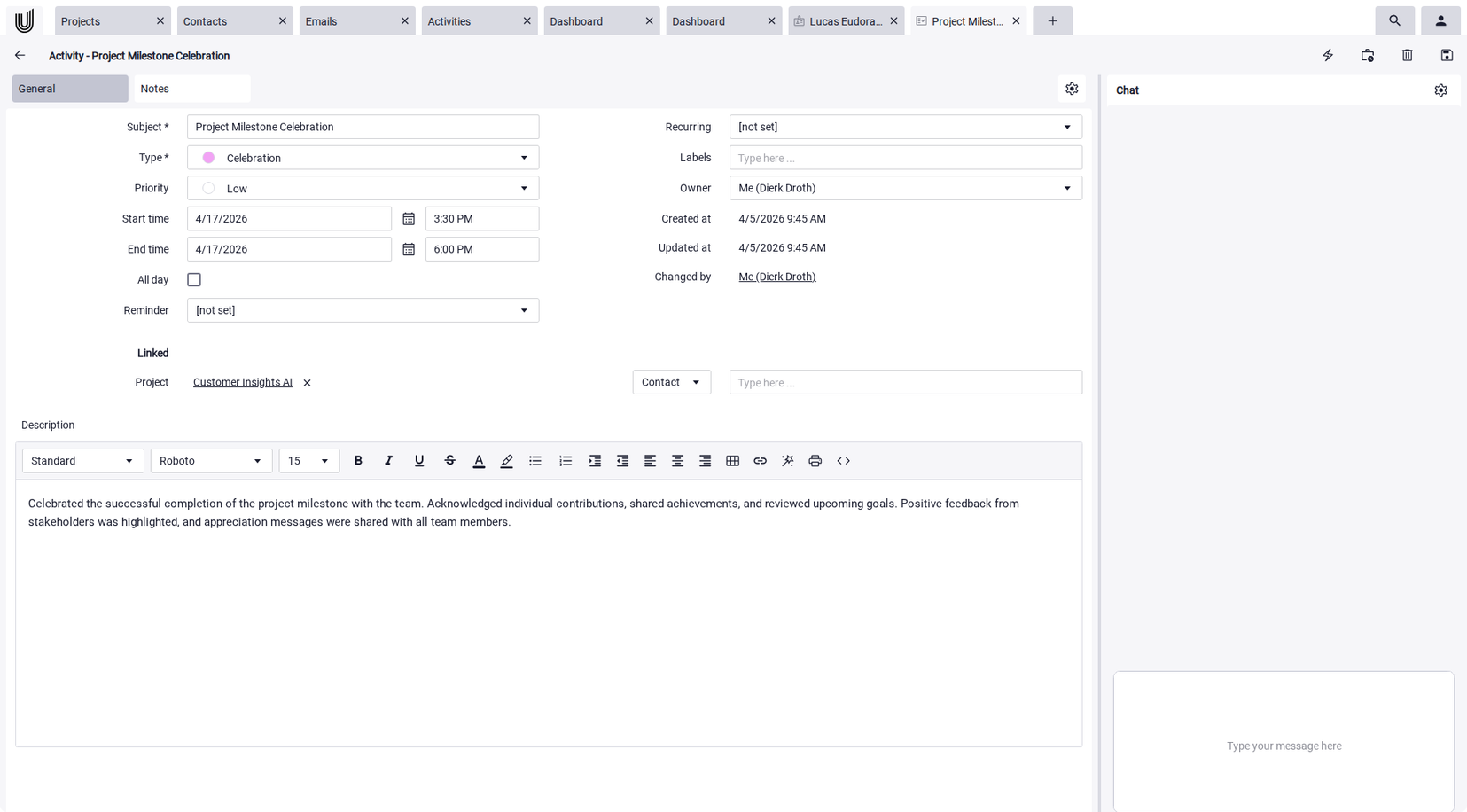
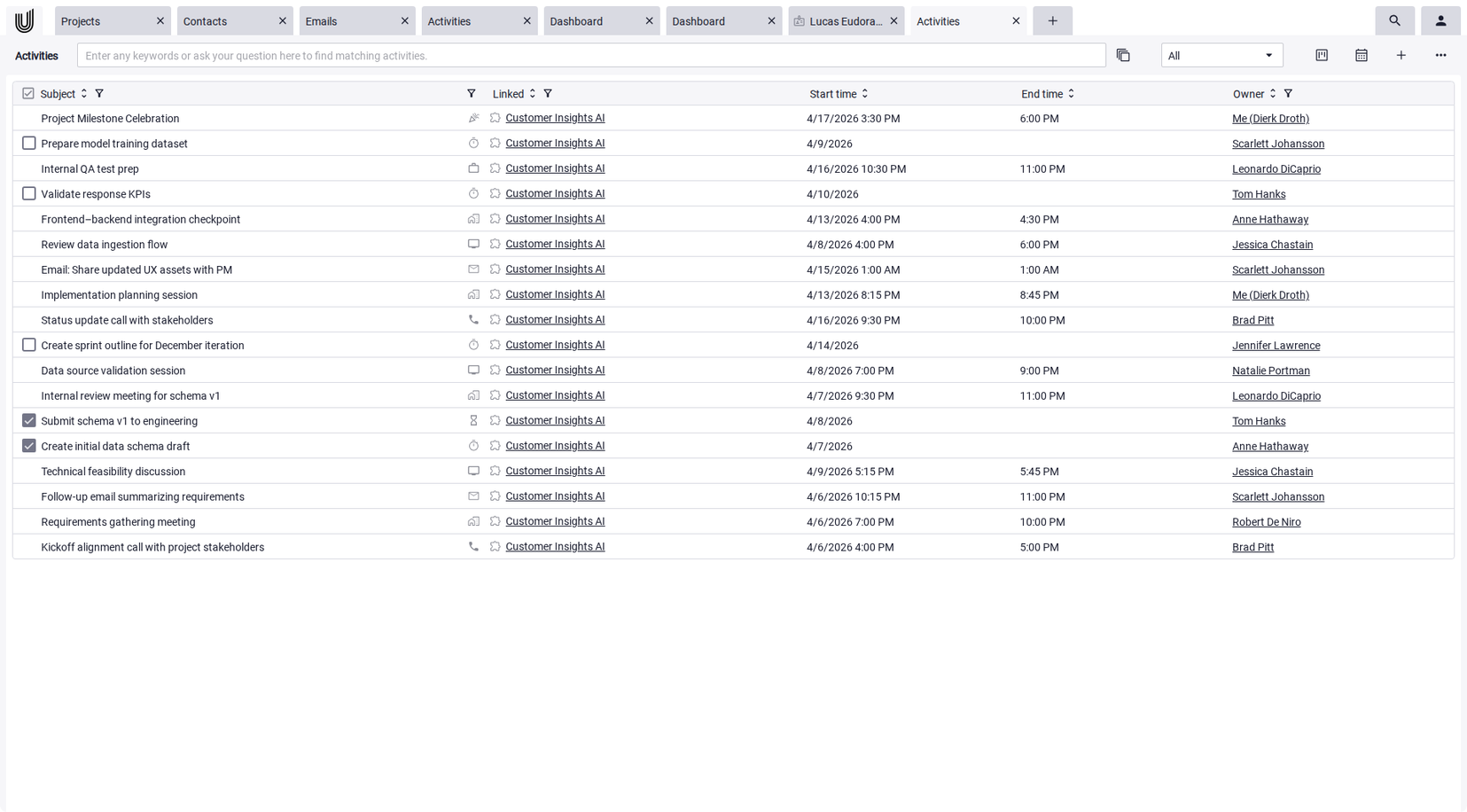
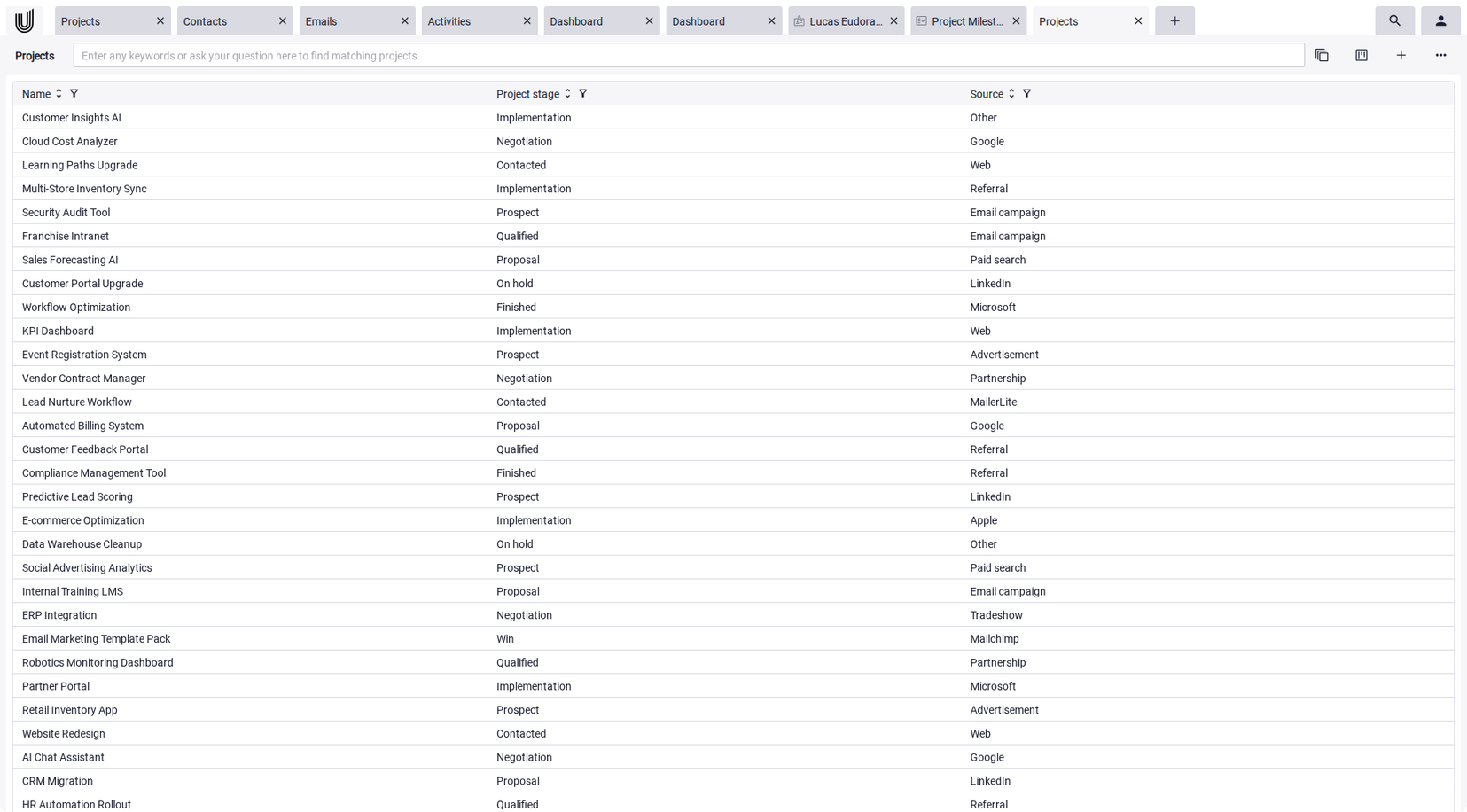
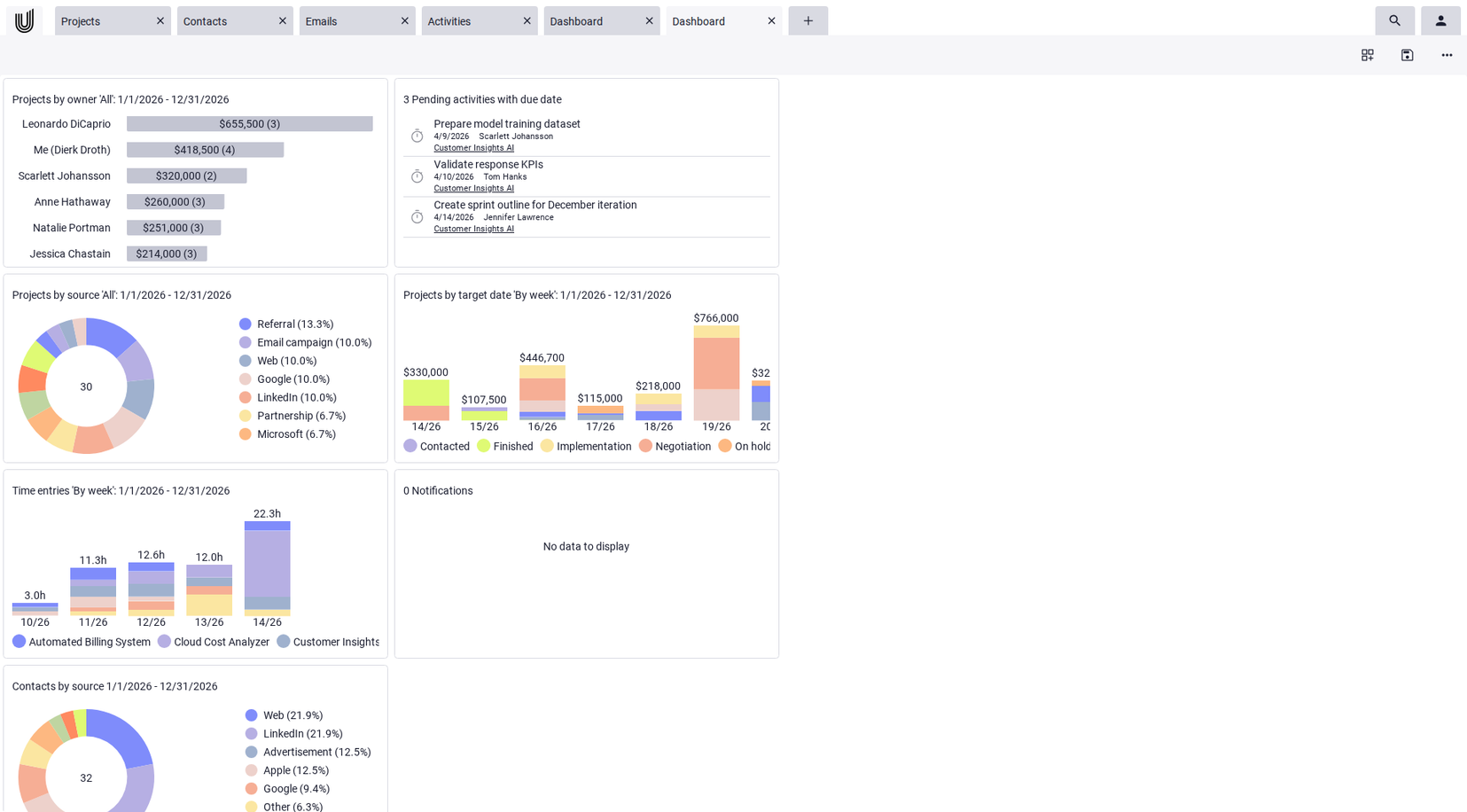
Effective project and task management software connects tasks directly with other work areas. Tasks are not isolated activities but part of a project, a client interaction, or an internal process. In Unusual Suite, tasks can be linked to projects, contacts, organizations, emails, or documents. This provides full context for every activity, allowing teams to immediately see which project a task belongs to and which information is relevant. Especially in complex projects, this connection prevents information from being scattered across multiple tools.
Unusual Suite –
Everything in One Place. Intelligently Connected.
With Unusual Suite, you work within a single, connected system. Customers, communication, tasks, projects, and documents are fully interconnected. AI-powered search and contextual analysis ensure that relevant information is instantly accessible, even as your data grows. This makes Unusual Suite ideal for small businesses that need clarity without complexity.
Start your free trialFree Task Management Software and Other Options
The market for task management software offers a wide range of solutions. Some tools focus on simple task lists or Kanban boards, while others combine task tracking with project management, documentation, and collaboration features.
Many providers also offer a free task management software plan or a limited free version so teams can test the platform before upgrading to advanced features.
Project Management Tools Comparison
| Tool | Pricing | Best for | Key features | Highlights |
|---|---|---|---|---|
| Asana | free / from €10.99/month | Project & marketing teams | Task management, planning, automation | Very intuitive UI |
| ClickUp | free / from $7/month | Custom workflows | Tasks, docs, dashboards | Highly flexible |
| monday.com | free / from €9/month | Complex projects | Project management, automation | Visual planning |
| MeisterTask | free / from €13.50/month | Kanban teams | Boards, tasks | GDPR-focused |
| Notion | free / from €9.50/month | Knowledge management | Notes, databases, tasks | Flexible workspace |
| MOCO | from €15/month | Agencies | Planning, time tracking | Agency-focused |
| Miro | free / from €8/month | Workshops & creative teams | Whiteboards, collaboration | Highly visual |
| Unusual Suite | free / from €29 | Freelancers, teams & companies | Tasks, CRM, projects, AI automation | All-in-one → no tool chaos |
Asana
ClickUp
monday.com
MeisterTask
Notion
MOCO
Miro
Unusual Suite
💡 Cost-saving tip with Unusual Suite
At first glance, Unusual Suite may seem more expensive than many individual tools. In reality, it replaces multiple solutions at once, including project management, CRM, time tracking, documentation, and invoicing.
Instead of paying for and integrating multiple tools, you use one central platform. This reduces long-term costs, eliminates tool chaos, and simplifies your workflows.
How Tasks Should Be Structured
For tasks to be handled efficiently, they must be clearly defined. Each task should include a description, a responsible person, and a clear priority.
The status of a task is equally important. It shows whether a task is planned, in progress, or completed. Start dates and deadlines provide additional structure and make it easier to estimate the required effort.
Tasks are rarely isolated. They are often linked to projects or recurring activities. Modern task management workflow software therefore includes features such as recurring tasks, reminders, and automatic notifications.
Many platforms integrate these functions into automation processes that trigger recurring actions automatically and reduce manual work. In Unusual Suite, tasks can be created with deadlines, priorities, and optional recurring task options. Users can also configure reminders so that upcoming activities are never missed.
Methods for Effective Task Management
Software alone does not guarantee effective task management. Teams also rely on different working methods to organize tasks and set priorities.
The simplest method is the classic to-do list. It is particularly useful for individuals or small teams that need a straightforward overview of upcoming tasks.
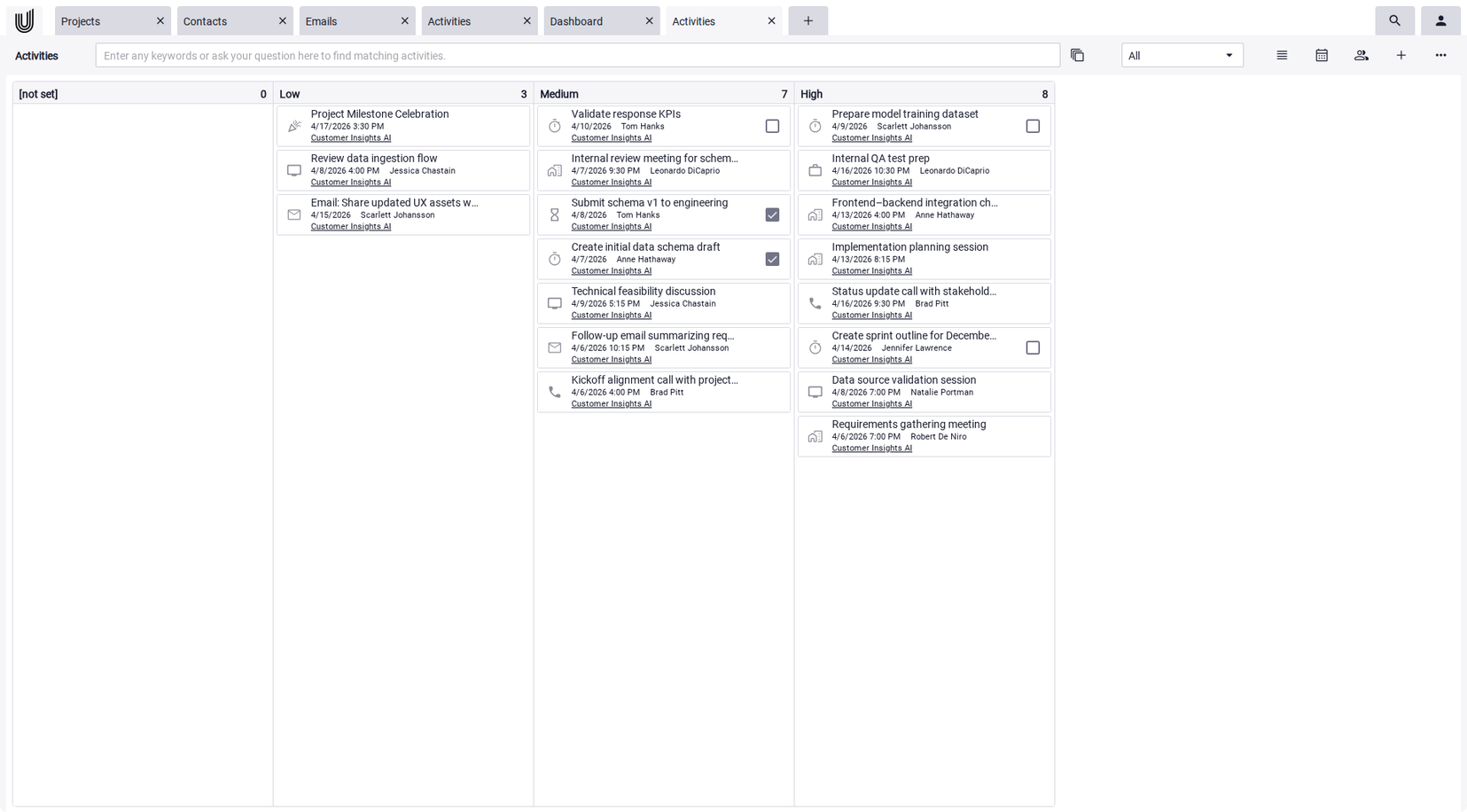
Many teams prefer visual methods such as Kanban. Tasks are represented as cards and moved through different stages, making progress easy to track.
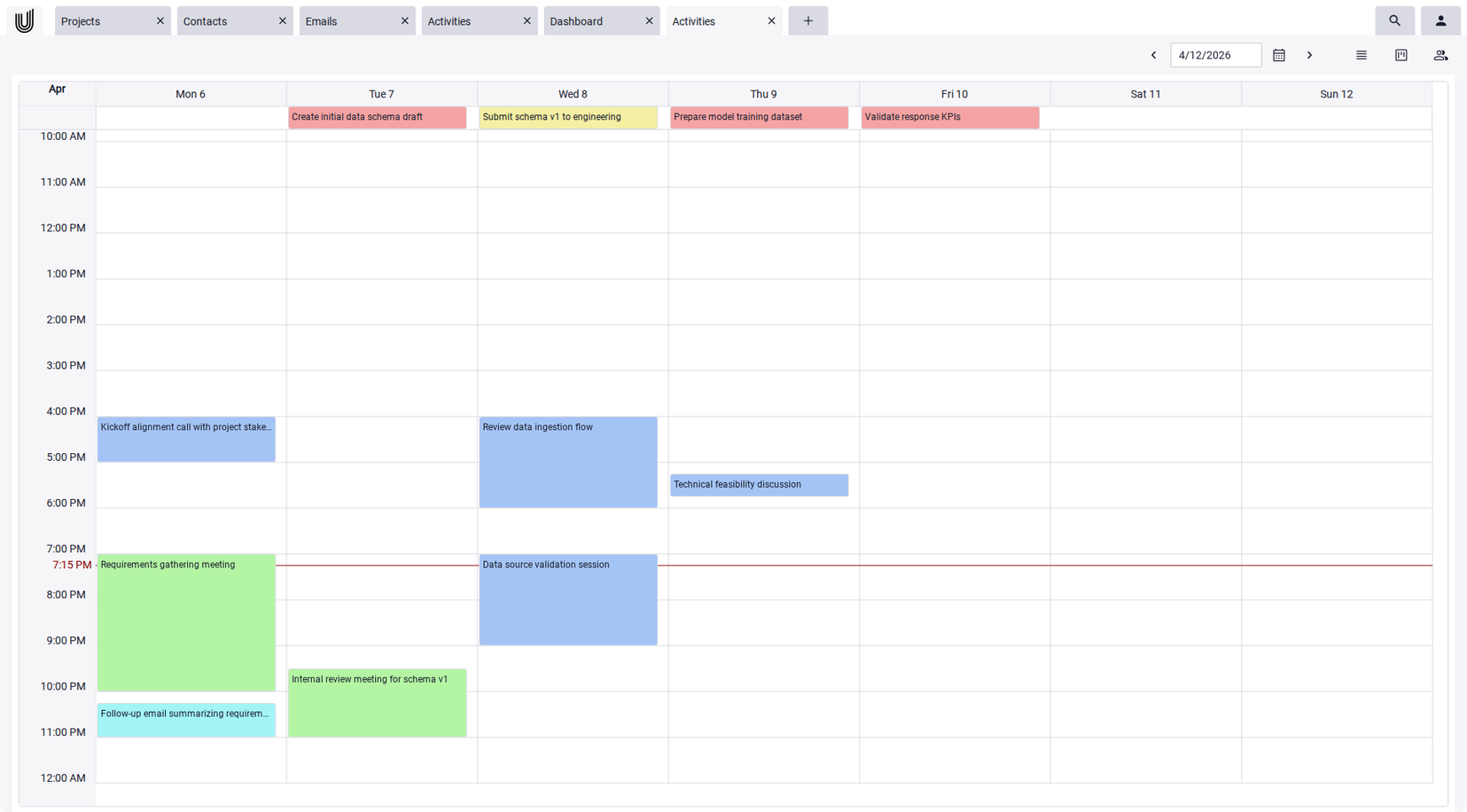
Time management techniques such as timeboxing or the Pomodoro method help schedule tasks within fixed time blocks. Prioritization frameworks like the Eisenhower Matrix or systems such as Getting Things Done are also widely used. Modern task management programs support these different approaches. In Unusual Suite, tasks can be organized in multiple views. Teams can manage activities in structured tables, visualize them in boards, or schedule them in a calendar. This flexibility allows teams to adapt their task management process to their preferred workflow.
Teams Working with Task Management Programs
As soon as multiple people collaborate on tasks, complexity increases. Task management requires transparency above all else. Team members must be able to see who is currently responsible for a task, which activities have priority, and which tasks are already completed.
Good project and task management software supports collaboration by enabling clear task assignments. In Unusual Suite, tasks can be assigned directly to specific users. The responsible team member receives a notification and can begin working immediately.
Team members can also communicate directly within a task. Comments and messages remain linked to the activity, ensuring that discussions always stay in context.
How to Recognize Good Task Management Software
Good task management software helps teams plan, prioritize, and complete tasks efficiently together. Several factors play a crucial role in this.
Automations
Modern business task management software enables automations that automatically trigger recurring tasks or processes. This helps reduce routine work and significantly improves workflow efficiency. Unusual Suite integrates important AI features such as Power-Chat and Power-Search, which help streamline work processes.
Clear Collaboration Within Teams
Transparency is especially important for team collaboration. Good task management software enables clear task assignments, shows responsibilities, and makes progress visible to everyone involved. Comments, notifications, and status updates make collaboration easier.
Integrations
Powerful task management software can connect with other systems. These may include email programs, document management systems, CRM tools, or project management software. Integrations prevent information from being scattered across different applications.
Scalability
A good solution should be able to grow with the company. While small teams may initially only need simple task lists, larger organizations often require more complex workflows, automations, or project structures.
Data Protection and Security
In addition to functionality, data protection also plays an important role. Especially for companies in Europe, it is crucial that task management tools comply with GDPR requirements. This includes secure data transmission, transparent data processing, and clearly defined access rights for team members.
Conclusion: Why Task Management Software Is Essential for Teams
Task management software has become a fundamental part of modern work. It helps companies structure tasks clearly, prioritize work, and make responsibilities transparent.
For teams, reliable business task management software ensures that work is coordinated efficiently and projects stay on track.
When tasks are no longer scattered across emails, notes, or isolated lists but organized in a shared system, teams gain a much clearer overview. This transparency forms the foundation for productive collaboration.
Stop wasting time.
Try Unusual Suite for free.
Start free trial
FAQ About Task Management
A task management tool is software that helps teams plan, organize, and monitor tasks. Users can create tasks, assign responsibilities, set priorities, and track deadlines. This creates a centralized overview of all upcoming work and improves team coordination.
Task management refers to the structured planning, organization, and tracking of tasks. The goal is to prioritize work, assign responsibilities, and complete activities efficiently and on time. Task management can be used by individuals as well as teams and is often part of project management.
Unusual Suite provides integrated task management within a broader business management platform. Tasks can be connected with projects, contacts, emails, or documents so that all relevant information is available in one place. Teams can collaborate on tasks and track progress transparently.
Many traditional task management tools focus primarily on task lists or boards. Unusual Suite goes further by connecting tasks with projects, communication, documents, emails, time tracking and invoicing. This creates a central workspace where tasks are managed within the broader context of company operations.
Unusual Suite is particularly well suited software for small businesses and freelancers that want to organize tasks, projects, and communication within a single platform. By linking tasks with projects, contacts, emails, and documents, teams can manage complex workflows more efficiently.
The best task management tool depends on a team's specific needs. Popular options such as Asana, ClickUp, monday.com, and Trello provide powerful features for task tracking and project coordination.
Unusual Suite goes further by connecting tasks directly with projects, contacts, emails, and documents. This creates a centralized platform for task management and collaboration.
The ideal solution ultimately depends on how complex the workflows are and how strongly tasks need to be integrated with other business processes.
Protecting your data is our highest priority. All data is stored exclusively in Germany — on servers at Hetzner in Falkenstein and in StackIT Object Storage, both German companies operating under the GDPR. Each customer receives their own isolated database instance, ensuring that data is never mixed with information from other users.
Access is managed through a granular role and permission system. You can define exactly which users are allowed to view or edit projects, contacts, documents, or tickets. Sensitive data such as passwords is stored in encrypted form. For maximum control, on-premise hosting can also be offered upon request.