Proposal Software Instead of Word Templates and Spreadsheets
Most teams start with a quote template in Word: swap the header, retype the line items, look up prices in a spreadsheet, save as PDF, send by email. That holds up as long as one person writes the quotes and the price list stays still. It breaks the moment prices change, several people start quoting, or a customer says yes six weeks later.
Then the hunt begins: which version was the last one, what discount was promised, has this already been invoiced? Beyond the wasted time, work occasionally goes unbilled entirely, because nobody noticed the quote was never turned into an invoice.
Proposal software clears this up. Products and prices live in one place, every quote is attached to the right customer, every change is traceable, and the path to the invoice is a click instead of a round of retyping.
Unusual Suite takes that route consistently: quoting is part of an all-in-one business management software in which contacts, products, quotes, projects and invoices come together.
Build Quotes from a Product Catalog with Quotation Software
A new quote starts with the recipient: pick a contact or an organization straight from Unusual Suite, then add a quote number, an expiration date, a short introduction, payment terms and a footer. Line items come from the central product catalog you maintain in the configuration area: choose a product, and its price and description appear automatically, ready to adjust for this one quote. The total at the top updates in real time.
Discounts go in as a fixed amount or a percentage. Because prices come from the catalog, a price change takes effect immediately in every new quote, with no template to maintain afterwards. That is the real difference to the Word template: you maintain the price once, not in every document.
You control the look. Use a standard layout or upload your own HTML template in your corporate design. Variables drop in the customer name, line items and amounts when the quote is composed, so every quote looks the same no matter who wrote it, and nobody assembles text blocks from an old document again.
What Belongs in a Professional Quote
A quote is more than a price list. It is the basis for the job you are about to win and, if anything is disputed later, the document both sides refer back to. These details should never be missing:
- Sender and recipient: complete company details on both sides, taken straight from the contact record in Unusual Suite
- Quote number and date: makes the document unambiguous in follow-up calls and on the later invoice
- Expiration date: how long you stand behind the price and terms, stored as a dedicated field on the quote
- A description per line item: what exactly is delivered, in what quantity, at what unit price
- Prices and tax: unit prices, discounts, total and the tax shown separately
- Payment and delivery terms: payment window and conditions, as their own field on the quote
- A reference to your terms and conditions: attached to the quote email as a document, so the conditions demonstrably went out with it
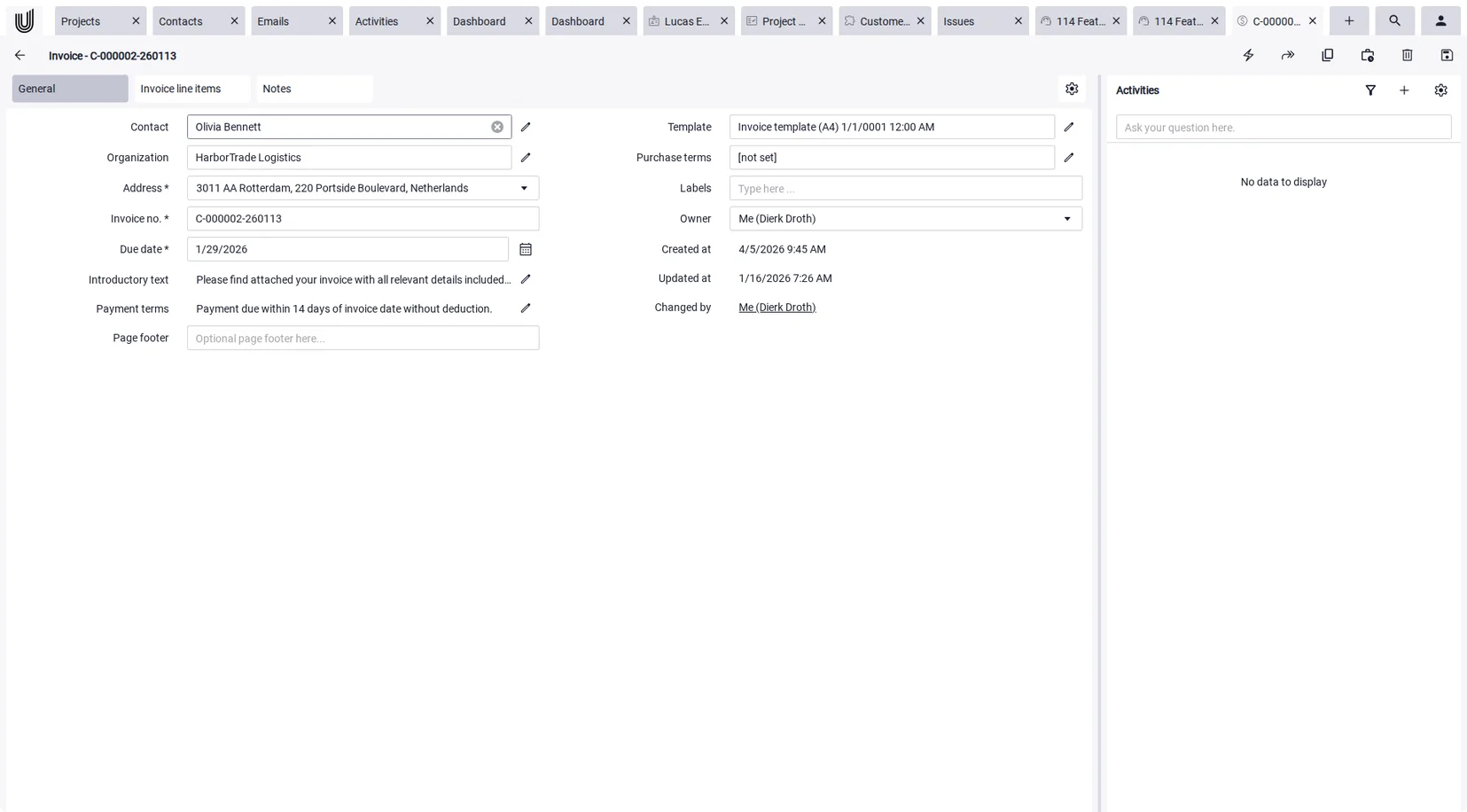
The expiration date is the one people forget most often, and the most expensive to forget: without it, you may be held to a price long after your own costs have moved. In Unusual Suite it is a dedicated field on the quote rather than a sentence somebody types into the body text and leaves out next time.
Quote Management: From the Sent Quote to the Paid Invoice
Once the quote is ready, use Compose quote to generate a preview and send it by email. An email template gives the message the right wording, and your terms attach automatically as a document. Prefer to hand it over in person? Export it as a PDF. Every change is recorded in the quote's timeline, and the team aligns through the built-in chat on the quote itself.
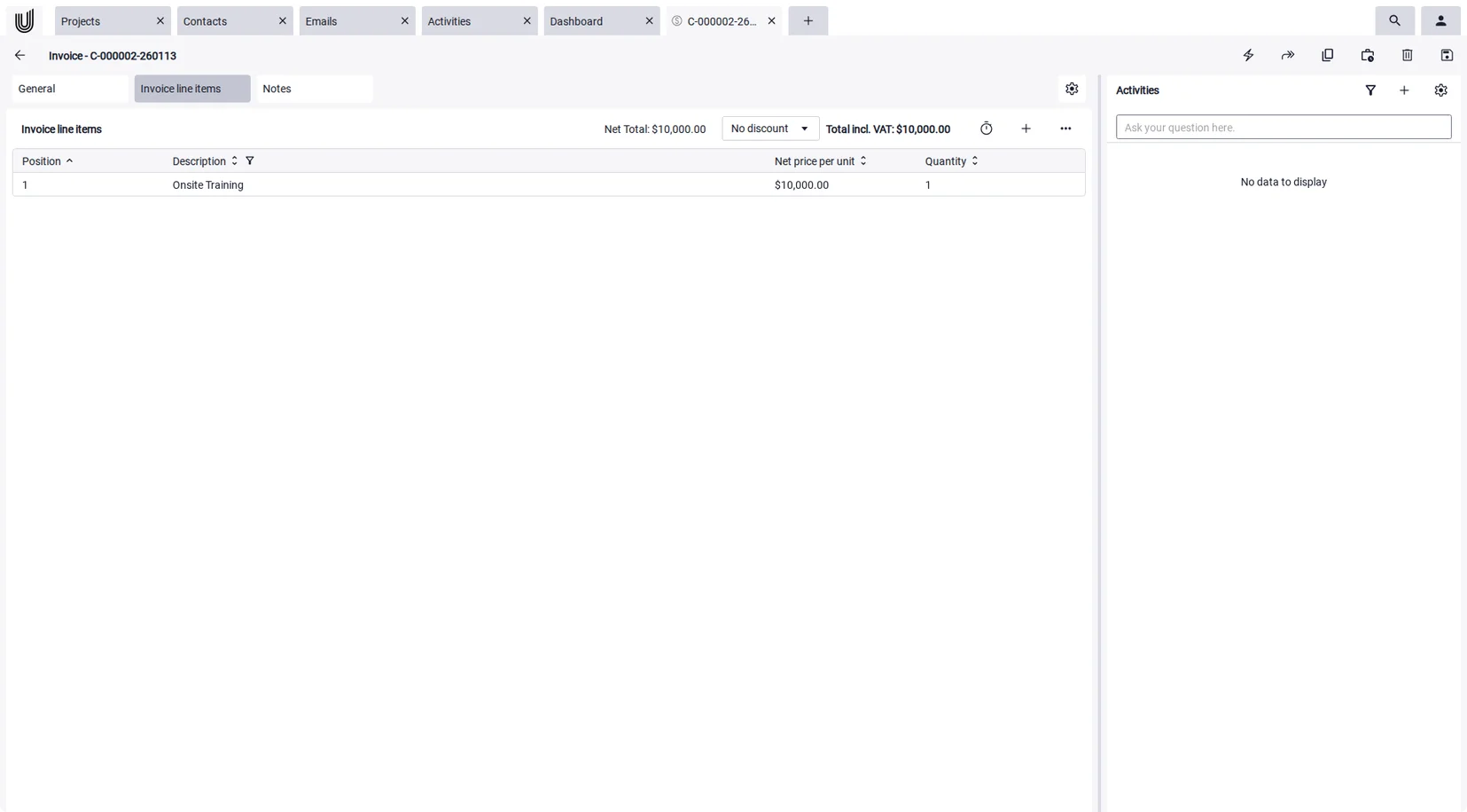
When the customer accepts, the Create invoice icon at the top of the quote turns it into an invoice and carries the line items straight over. Invoices comply with the XRechnung 3.0.1 standard, so they are ready for the German e-invoicing mandate if you sell into that market. You do not need a separate invoicing software alongside this: quote and invoice are created in the same place, from the same data.
For project work it goes one step further. When a quote becomes a project, log the hours with the built-in time tracking software and add them to the invoice as line items later: pick the project, set the time range and the rounding, done. That makes this a single quoting and invoicing software covering the whole path from the first quote to the paid invoice.
Start your free trial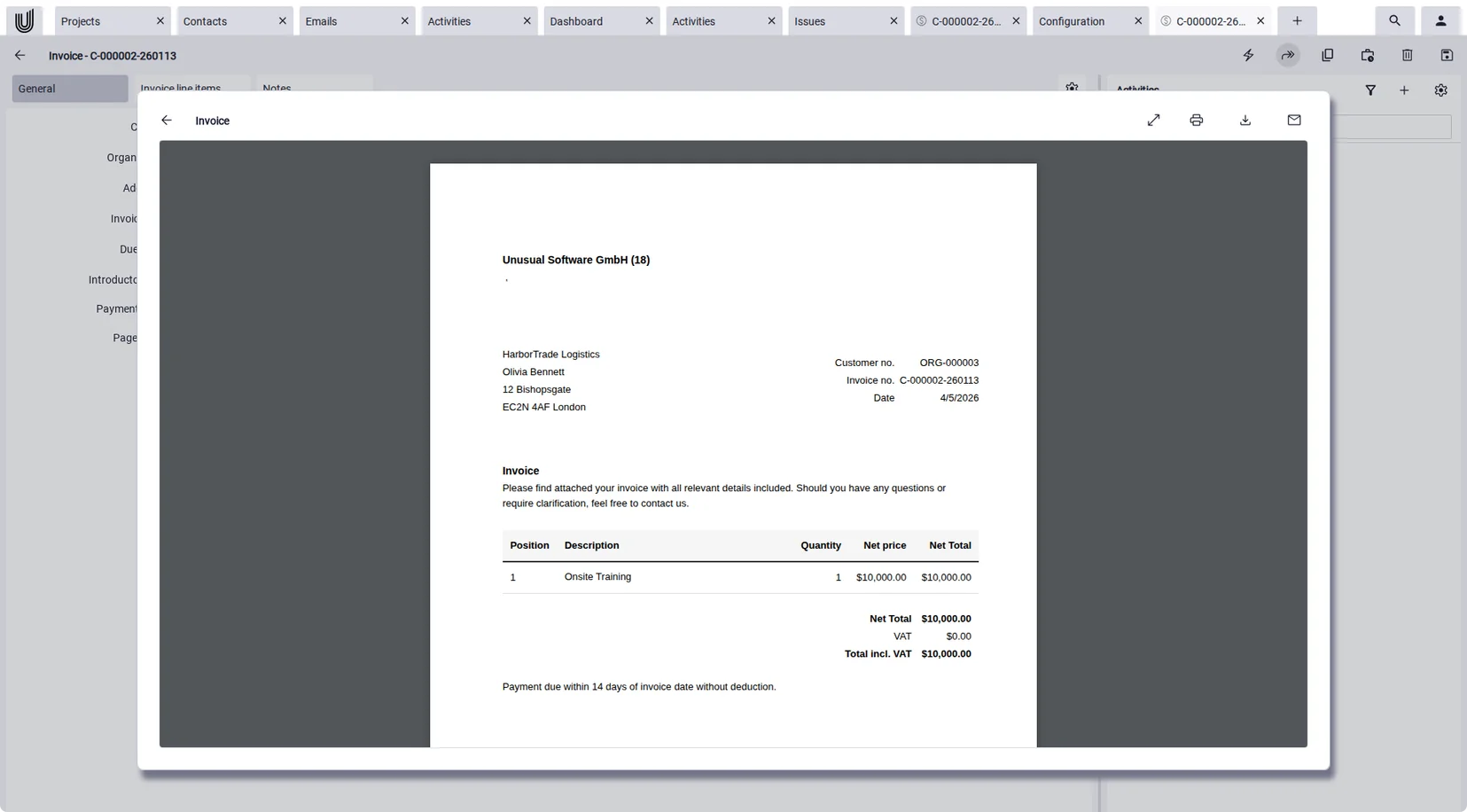
Keep Track of Every Quote, and Review Them with AI
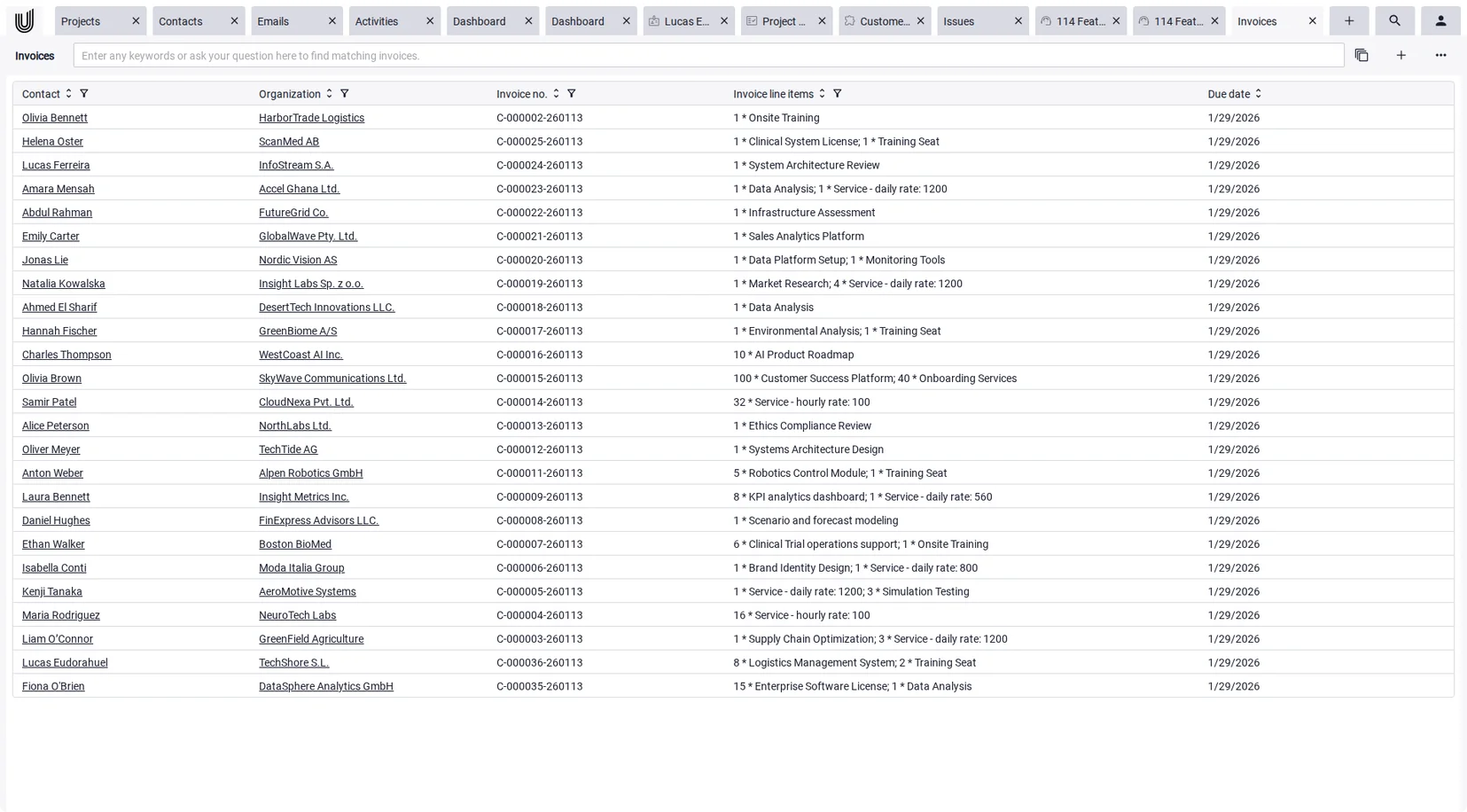
Quoting regularly means you need more than a good-looking document, you need an overview. In Unusual Suite every quote sits in a Power-Grid you can sort, filter and arrange by your own columns. At a glance you see which quotes are still open, which are about to expire and which have already been invoiced.
For a targeted search, Power-Search scans every area of the platform in a single query, from quotes and contacts to documents and invoices. Even content inside PDF files and text in images is found through text recognition, so a quote from last year is back in seconds.
Power-Chat answers questions with AI based on your own data and cites its sources with every answer, for example when you ask it to summarize a customer's open quotes. For more on how AI in CRM supports day-to-day work, see the linked page.
What this quotation app
can do at a glance

Quotes
Create quotes with a recipient, quote number, expiration date, introduction, payment terms and footer, pull line items from the product catalog and apply discounts as an amount or a percentage.

Product catalog
Maintain products with a price and description in the configuration area. They are ready as line items whenever you build a quote, and price changes take effect immediately in new quotes.

Templates & variables
Use a standard layout or upload your own HTML template in your corporate design. Variables drop in the customer name, line items and amounts when the quote is composed.

Sending by email or PDF
Compose the quote as a preview and send it straight by email, or export it as a PDF. A document with your purchase terms can be attached automatically.

Invoices
An invoice is created from a quote or from logged project time, compliant with XRechnung 3.0.1. Cancellation invoices are supported and sending works just like quotes. The invoicing software page has the details.

Contacts & organizations
Pick the recipient from contacts and organizations. The same records power the built-in CRM, so addresses and contact people are maintained only once.

Timeline & team chat
Every change to a quote is recorded in its timeline. The built-in chat lets the team align on the quote itself rather than in a separate channel.

Documents
Terms and purchase conditions are stored as documents and attach to the quote email. Full-text search finds content inside those documents too.

Power-Search & Power-Chat
The global search scans every module in one query, including text recognition in PDFs and images. The AI assistant answers questions about your quotes and provides the sources with every answer.
Free Quoting Software, and Your Data Stays Yours
Plenty of tools offer a free trial and switch you to a subscription afterwards. Unusual Suite works differently: the Free Edition is free forever for one person and includes every function, quotes, product catalog, invoices and AI included. Nothing is held back behind a paid tier. As your team grows you buy the Pro Edition at 29 euros per user per month, and you can try it free for 90 days first. All the conditions are on our pricing page.
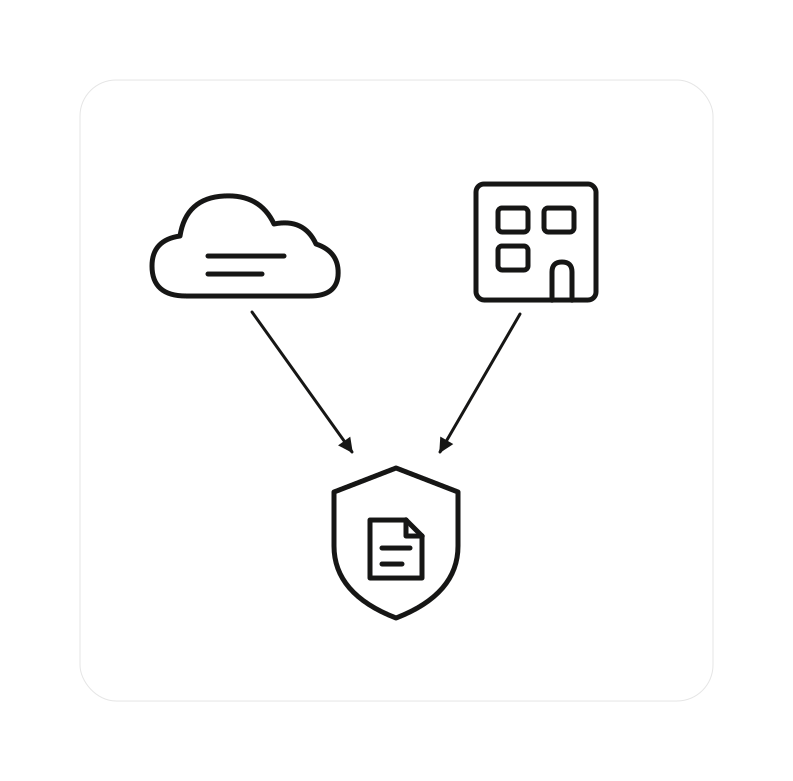
There is one more thing most cloud-only vendors cannot offer: you keep full ownership of your quote and customer data. By default Unusual Suite runs on servers in Germany — at Hetzner in Falkenstein, with documents and emails in StackIT Object Storage, both German companies operating under the GDPR. Each customer gets a fully separate database instance. If your policies require it, you can run the software entirely on your own servers (on-premises), so your costing and customer pricing never leave your infrastructure.
Frequently Asked Questions About Quoting Software
Quoting software is a program for creating, sending and managing quotes. Line items come from a product catalog rather than a template, the total is calculated automatically, and the quote goes to the customer in your own design as an email or a PDF. In Unusual Suite, quoting ties directly into contacts, products, projects and invoices.
The essentials are a central product catalog with current prices, customizable templates in your own design, discounts as an amount or a percentage, an expiration date, sending by email or PDF, and a seamless handoff to the invoice. An overview in which every quote can be sorted and filtered matters just as much.
Yes. Unusual Suite is free forever for one person, not just for a limited trial period. The Free Edition includes every function, quotes, product catalog and invoices included. The Pro Edition only becomes relevant once more users join.
Yes. When the customer accepts, the Create invoice icon at the top of the quote generates an invoice and carries the line items over. The invoice can then go out by email as an XRechnung-compliant e-invoice.
Yes. Besides the standard layouts you can upload your own HTML template. Variables drop in the customer name, line items and amounts when the quote is composed, so every quote looks consistent no matter who wrote it.
No. Quotes go out as an email or a PDF, and acceptance is confirmed the usual way, by the customer replying or signing the document you sent. Dedicated proposal tools add electronic signatures and notifications when a quote is opened. Unusual Suite instead covers the whole chain around the quote: the customer record, the project, the logged hours and the invoice.
That is your call, set through the expiration date on the quote. Two to four weeks is common, depending on the industry. Without a limit you risk a customer accepting months later at prices that no longer cover your costs, which is why every quote should carry one.
Dedicated quoting tools typically run between 10 and 30 euros per user per month, depending on how much they do. With Unusual Suite the Free Edition is free forever for one person, because quoting here is part of a complete business software rather than the product itself. The Pro Edition costs 29 euros per user per month and can be tried free for 90 days. You will find all the details on our pricing page.
Yes, that is what Unusual Suite is built for. Quote, invoice, customer and project live in the same system, and the invoice is created from the quote or from logged project time. You do not need quoting software plus a second program for billing, you work in one business management software.
Yes. Every quote sits in a Power-Grid that can be sorted and filtered. Power-Search additionally scans every module in a single query and finds content inside attached PDF files and images through text recognition.