XRechnung Format Explained: E‑Invoicing in Germany and How to Create an XRechnung
Read article
Summary
 12 min
An XRechnung is not an invoice to look at but an invoice to process. It consists of structured data in XML format that software reads directly, without anyone retyping amounts. The standard is maintained by KoSIT, the German Coordination Office for IT Standards, on behalf of the IT Planning Council of the federal and state governments. Technically, it is the German implementation of the European standard EN 16931, with two permitted syntaxes: UBL 2.1 and UN/CEFACT CII. A PDF sent by email is explicitly not an XRechnung, even when it comes out of invoicing software. If your company is based outside Germany, the German obligation to issue e-invoices does not apply to you directly, but your German customers may still ask for structured invoices. This guide explains the format, shows what the file looks like, compares XRechnung with ZUGFeRD, clarifies what the German rules mean for foreign suppliers and walks you through creating one.
What is XRechnung?
XRechnung is a data format for electronic invoices that Germany introduced as the standard for invoices to its public administration. It describes every part of an invoice as a separate data field: invoice number, service period, VAT rate, payment terms, bank details. Software on the receiving side reads these fields and processes them automatically.
E-invoice is the umbrella term for any invoice that is issued, transmitted and received in a structured format that allows automatic processing. XRechnung is one way to meet that requirement. A scanned paper invoice or an ordinary PDF is not an e-invoice, because to software, its content is just pixels or meaningless text.
Because it is a pure data format, it carries no layout. There is no font, no logo and no page structure. That is the point: the recipient decides whether to display the invoice, print it or feed it straight into its accounting system. To read it, people need a viewer, which we cover below.
The name is German: Rechnung simply means invoice. You will also come across spellings such as X-Rechnung or xRechnung. They all refer to the same standard. The official spelling is XRechnung, written as one word.
XRechnung format: structure, syntax and mandatory fields
The format works on two levels. At the top sits the semantic data model of EN 16931, the list of all invoice elements and what they mean. Below it sits the syntax, the technical way these elements are written in XML. XRechnung specifies the model more precisely for Germany, adds its own business rules and allows two syntaxes.
One is UBL 2.1, the other UN/CEFACT CII. Both are equally valid and both describe the same content. So when you create an XRechnung, you are not choosing between two meanings, just between two notations. Recipients in German public administration must be able to process both.
On top of the details every invoice needs under VAT law, the standard requires five additional pieces of information. These five are the most common reason an invoice is rejected on the first attempt.
| Mandatory field | What it means |
|---|---|
| Buyer reference | For invoices to public authorities, this is the Leitweg-ID. It tells the administration which office pays the invoice, and it belongs in a field of its own. |
| Payment terms | Due date, IBAN and payment method each have their own field. The usual sentence in the footer does not count, because no software can read it. |
| Service period | When the service was provided belongs on the invoice, for the whole invoice or per line item. For services, it is mandatory. |
| Seller contact | In addition to the address, the standard requires an email address for questions about the invoice. |
| VAT rate per line item | Each line item carries its own VAT rate. Only then can validation check whether line totals, tax amounts and the grand total match. |
Each version of the standard comes with a set of validation rules. A validator uses them to flag not only missing fields but also inconsistent combinations, for example a tax amount that does not match the sum of the line items. The standard is updated regularly and published in versions, each with a fixed validity period. If you rely on software to create it, check which version it produces.
What does an XRechnung look like? An XML example
Open the file in a text editor and you see XML: nested elements with descriptive names and the values in between. It does not make for easy reading, but it is the actual invoice. Legally, this file is the original, not its printout.
Here is a shortened excerpt from the beginning of an XRechnung in CII syntax. It shows the identifier of the standard, the invoice number, the invoice type and the issue date:
<rsm:CrossIndustryInvoice>
  <rsm:ExchangedDocumentContext>
    <ram:GuidelineSpecifiedDocumentContextParameter>
      <ram:ID>urn:cen.eu:en16931:2017#compliant#urn:xeinkauf.de:kosit:xrechnung_3.0</ram:ID>
    </ram:GuidelineSpecifiedDocumentContextParameter>
  </rsm:ExchangedDocumentContext>
  <rsm:ExchangedDocument>
    <ram:ID>INV-2026-0142</ram:ID>
    <ram:TypeCode>380</ram:TypeCode>
    <ram:IssueDateTime>
      <udt:DateTimeString format="102">20261002</udt:DateTimeString>
    </ram:IssueDateTime>
  </rsm:ExchangedDocument>
  ...
</rsm:CrossIndustryInvoice>
Type code 380 marks a commercial invoice, and the date follows the pattern year, month, day. A complete invoice continues with seller, buyer, line items, tax breakdown and totals, each in its own element. The namespace declarations at the top of the file are left out here for readability.
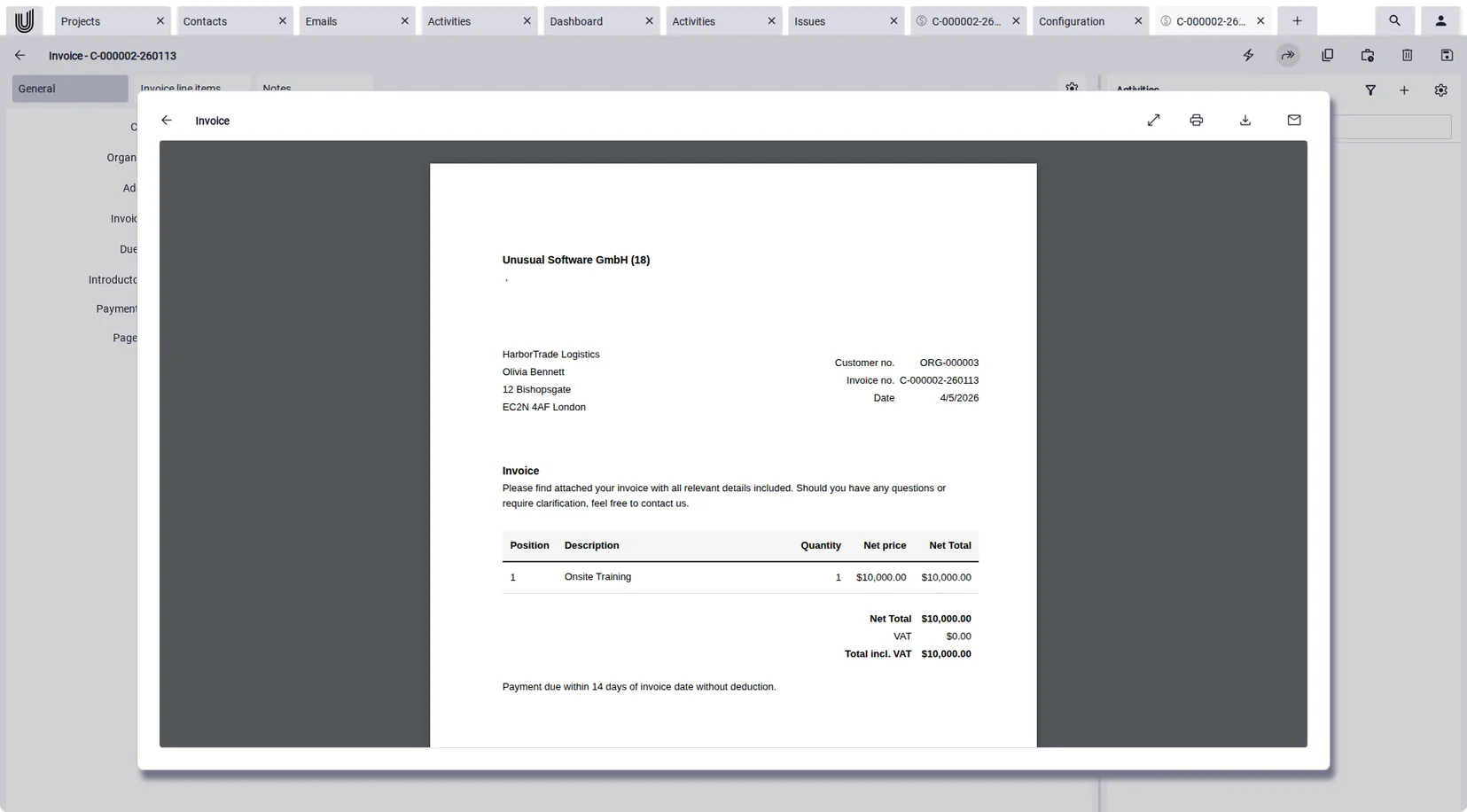
To check an invoice by eye, you use a viewer. It lays the data out in a familiar invoice view with header, line items and totals. Viewers are built into many invoicing programs, government portals and free tools. Just keep the distinction in mind: the view is a representation, the data is the invoice.
If you invoice customers who cannot yet process the format, in practice you often send both: the XML file as an attachment for processing and a readable version for the person who approves it. For archiving, the structured file is what counts.
XRechnung vs ZUGFeRD: the difference
Both formats meet EN 16931, but they take different approaches. XRechnung is a pure data file. ZUGFeRD is a hybrid format: a PDF with the same data embedded as XML. People see the PDF, software reads the XML inside. Its French counterpart Factur-X is technically identical.
| Feature | XRechnung | ZUGFeRD |
|---|---|---|
| Structure | pure XML file without layout | PDF with embedded XML |
| Human-readable | only with a viewer | directly as a PDF |
| Where it is accepted | required by German public clients, equally valid between businesses | common between businesses, accepted by authorities only to a limited extent |
| Permitted syntax | UBL 2.1 and UN/CEFACT CII | CII inside a PDF container |
If you need to support both, go by what the recipient needs, not by personal preference. German public clients state the format and the Leitweg-ID in their tender documents, and companies settle on what their accounting system can process.
Do companies outside Germany have to use XRechnung?
There are two separate cases. For invoices to German federal authorities, electronic invoicing has been mandatory since November 27, 2020, and XRechnung is the expected format. This applies regardless of where the supplier is based, with a few exceptions such as small direct orders. The federal states and municipalities set their own rules, so thresholds and portals differ. If you win a public contract, the requirements will be set out in the tender.
For B2B invoicing, the German rules only cover transactions between companies established in Germany. Since January 1, 2025, every such company must be able to receive e-invoices, with no transition period and no turnover threshold. Issuing is being phased in. For 2025 and 2026, invoices may still be sent on paper or, with the recipient's consent, as a PDF. In 2027, this relief only applies if the previous year's turnover did not exceed €800,000. From 2028, e-invoices are mandatory for all domestic B2B transactions.
According to the German Federal Ministry of Finance, companies without a registered office, place of management or permanent establishment in Germany are not required to issue e-invoices. A design studio in Amsterdam invoicing a client in Munich can carry on sending PDFs.
In practice, that is only half the story. Your German customers have set up their accounting for structured invoices, and many of them would rather receive an XRechnung than type a PDF into their system. Being able to send one on request makes you easier to work with, and it costs you nothing if your invoicing software produces the format anyway.
E-invoicing in Europe: does XRechnung apply elsewhere?
Not as such. XRechnung is a German format, but the idea behind it is European. Under the EU directive on e-invoicing in public procurement, public authorities in every member state must accept invoices that comply with EN 16931. Each country implements this in its own way. France accepts Factur-X among other formats, Spain uses Facturae for invoices to the public sector, and many countries exchange invoices through the Peppol network.
The next step has already been decided. Under the EU package VAT in the Digital Age, known as ViDA, e-invoicing is set to become mandatory for cross-border B2B supplies within the EU from July 1, 2030. Until then, national rules apply. In practice, an XRechnung covers your German customers, but it does not automatically cover invoices to France, Italy or Spain.
Ready when a German
customer asks.
With Unusual Suite, you create invoices in XRechnung format in the same software that holds your projects and time entries, and you start with an edition that is free forever for one user. Unusual Suite is a product of Unusual Software GmbH, which publishes this blog.
Try for freeHow to create an XRechnung
There are three ways to do it, and they differ mainly in how much effort each invoice takes. The first is entering the invoice in a portal. The German federal government and the states provide online forms where you enter an invoice field by field. It costs nothing and works for a handful of invoices a year. You have to register first, and you retype everything for every new invoice.
The second is converting existing invoices with a converter. It sounds convenient, but there is a catch: a converter can only guess at the data in a PDF rather than read it reliably. Someone still has to check what ends up in the fields. As a permanent solution, this is the most expensive route, because the error checking never goes away.
The third is invoicing software that outputs the format directly. You create the invoice as usual, and the software generates the structured file and sends it. It is the only way that does not get more expensive as the number of invoices grows, and it has a second advantage: the data comes from the system where it originates anyway.
Whichever route you take, validate the file before you send your first real invoice, and you do not have to buy anything for it. The official tool is the KoSIT validator, published by the same office that maintains the standard. It is freely available and checks a file against the rules of the current version, but it runs locally on your own computer. Online validators are more convenient: you upload the XML file and get a list of errors straight away. The federal invoicing portals also check every invoice themselves before accepting it. When an invoice is rejected there, the cause is almost always a missing buyer reference, incomplete payment details or totals that do not add up.
Five mistakes that get a first XRechnung rejected
Missing buyer reference
This is the most common reason for a rejected invoice. For public clients, the buyer reference is the Leitweg-ID, and it does not belong in the cover letter but in a dedicated field. If you put it in the subject line or the footer, the validation rules treat it as missing.
Payment details as free text
On a paper invoice, “payable within 14 days to the account below” is enough. In an XRechnung, due date, IBAN and payment method are separate data fields. A sentence in the footer is invisible to software, and the invoice fails validation.
Totals that do not add up
Because each line item carries its own VAT rate, line totals, tax amounts and the grand total must match exactly. Small rounding differences go unnoticed in a PDF but are caught immediately by validation. Software that rounds per line and software that rounds on the total arrive at different results.
Forgotten service period
The service period is mandatory for services and often forgotten, because traditional invoice templates often mention it only in passing. If you build line items from recorded time, it is included automatically.
Archiving the printout instead of the file
The invoice is not the printout or the readable view but the structured file. It must be kept unchanged, in a system where you can find it again. A folder of printed views does not meet this requirement.
Which software for XRechnung?
There is no single right answer, but five questions will tell you whether a program is up to the job. They separate software that genuinely handles the format from tools that just produce a PDF with “e-invoice” in the file name.
- Does the software create a real XML file? You should be able to view and download it. If all you get is a PDF, you do not have an XRechnung.
- Does the vendor keep up with new versions of the standard? The standard is updated regularly, and each version is only valid for a limited time. Ask which version the software produces today.
- Is there a field for the buyer reference? This matters mainly if public authorities are among your customers. There, the buyer reference is called Leitweg-ID and is required on every invoice under Section 5 of the German E-Invoicing Ordinance (E-Rechnungsverordnung).
- How does the invoice reach the recipient? Can it be sent straight by email with the file attached, or do you export a file and forward it yourself?
- Where does the invoice data come from? This is the question with the biggest impact on everyday work. If line items are built from projects and recorded time, half the work disappears, because nobody copies hours from a spreadsheet into an invoice form.
Only then should price and contract terms come into it. Software that is cheap but outputs only a PDF instead of a structured file will cost you more than you saved the first time an invoice is rejected. The same is true for business software that does everything else well but whose invoicing module only produces PDFs.
Five questions,
one real invoice.
The quickest way to put these questions to the test is with a real invoice. In Unusual Suite, you create it, output it in XRechnung format and send it, without copying figures from a second tool.
Try for freeExample: creating an XRechnung with Unusual Suite
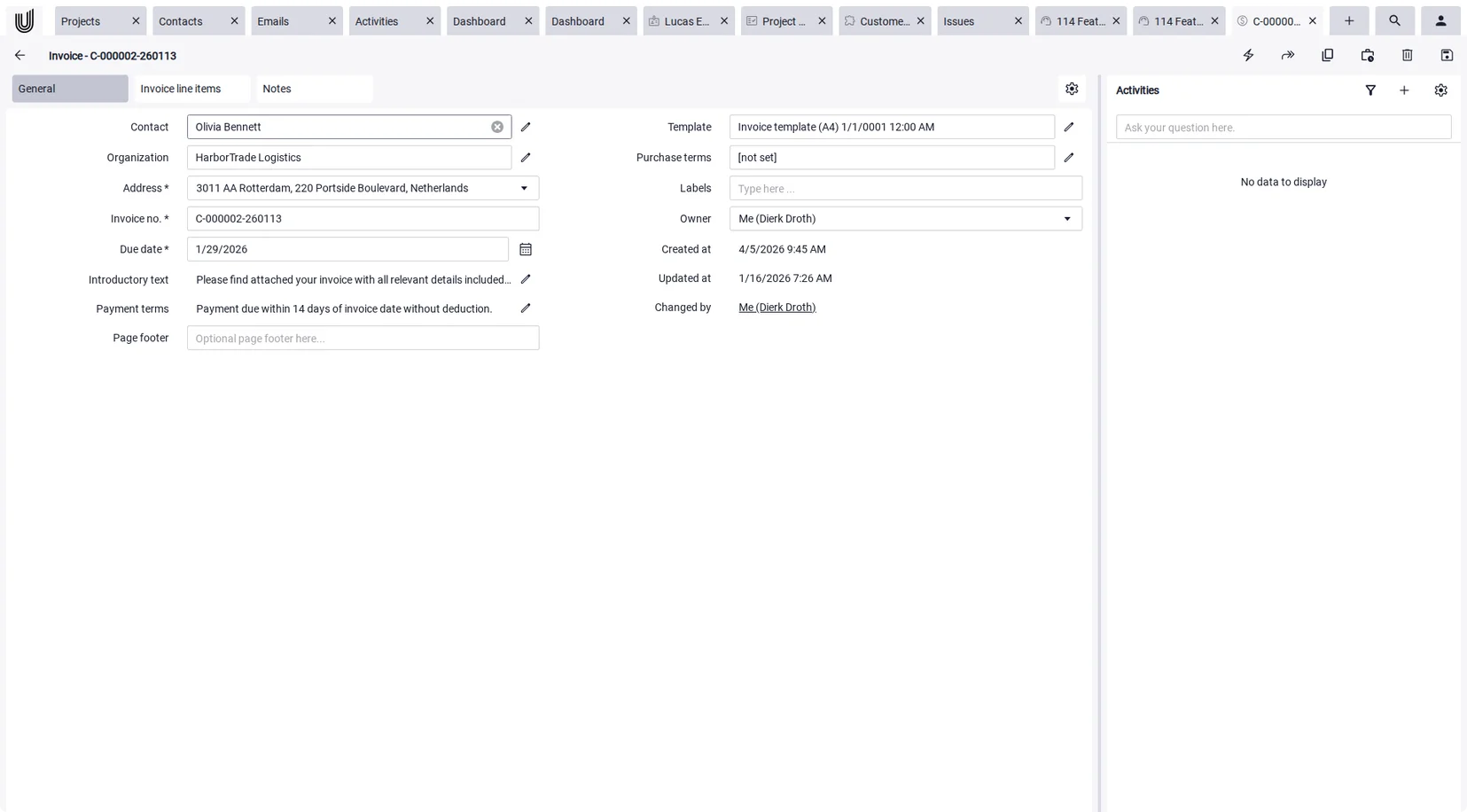
Unusual Suite is not pure invoicing software but business software in which contacts, projects, documents, time and invoices live in the same system. For XRechnung, that matters for one reason: the invoice is created where the work was documented.
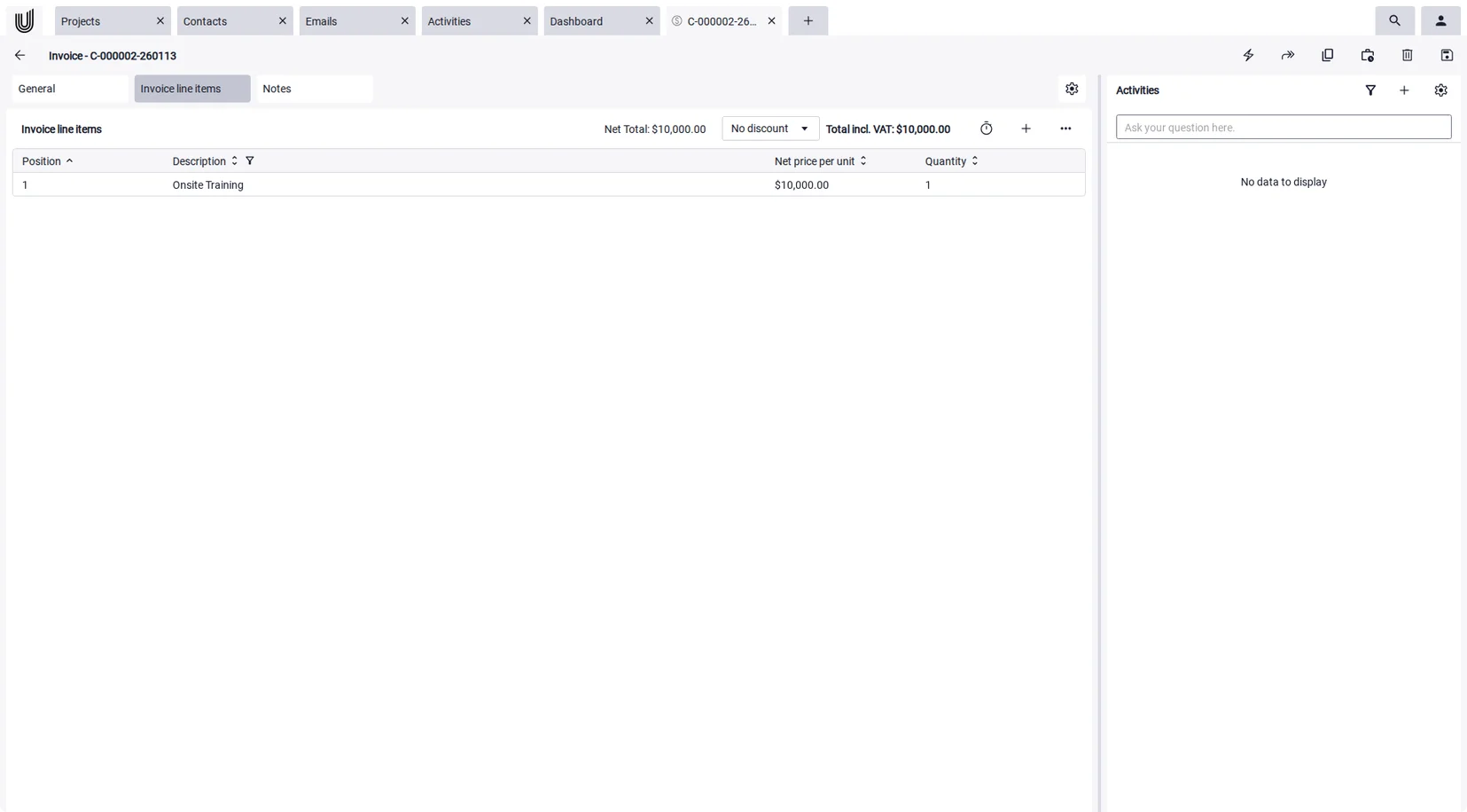
In an invoice draft, you select a project and a period, set the rounding, and the entries from project time tracking become invoice line items. Nothing is retyped, and the line items stay linked to the project. For service businesses, this step is the real time sink in invoicing.
| Feature | What it means for your XRechnung |
|---|---|
| XRechnung in CII format | invoices are generated to the XRechnung standard in CII syntax, which German public authorities can process |
| Line items from project time | select a project and a period, set the rounding, and the line items are created automatically |
| Invoice details as fields | invoice number, due date, payment terms, introduction and footer are separate fields |
| Your own template | use the standard layouts or upload your own HTML design, including variables |
| Sending from the system | send the invoice directly by email, with your terms and conditions attached if you wish |
| Discounts | a fixed amount or a percentage per invoice |
| Free Edition | free forever for one person, with all features |
Just as important is what the software does not do. It does not produce ZUGFeRD PDFs, there is no connection to the Peppol network, and there is no validator for third-party invoices. Incoming invoices are stored as documents and can be found via full-text search with OCR, but their XML data is not read out. For dedicated inbound processing, you will need a different tool. Unusual Suite focuses on invoices between businesses. If you regularly invoice German public authorities, check in advance how the Leitweg-ID gets into the invoice.
Conclusion: understand the format first, then choose the tool
XRechnung is not an extra form but a different way of delivering the same invoice: as structured data instead of an image. Once that is clear, the remaining decisions are easy. The format depends on the recipient, the mandatory fields are fixed and the validation rules are public.
For a company outside Germany, the question is less whether you must and more what your customers expect. German businesses already have to be able to receive e-invoices, and from January 1, 2027 many of them will issue them as well. Suppliers who can send an XRechnung fit seamlessly into these processes. It makes sense to test the workflow once with a real invoice instead of waiting until a customer asks.
From logged hour
to finished e-invoice.
Try the whole journey from logged hour to finished e-invoice on a real project. The Free Edition is free forever for one person. Unusual Suite is a product of Unusual Software GmbH, which publishes this blog.
Try for freeFAQ about XRechnung
An XRechnung is an invoice in the form of a structured XML file that software can process directly. It follows the European standard EN 16931 and is maintained by KoSIT in Germany. The permitted syntaxes are UBL 2.1 and UN/CEFACT CII.
E-invoice is the umbrella term for any invoice in a structured format that can be processed automatically. XRechnung is one specific form of it and the German format for invoices to public administration. A PDF sent by email is neither.
XRechnung is a pure data file without layout. ZUGFeRD is a PDF with embedded data, so people can read it directly. Both meet the standard, and the choice depends on the recipient.
Not under the German B2B rules. The obligation to issue e-invoices applies to businesses established in Germany. Invoices to German federal authorities are different: they must be electronic regardless of where the supplier is based, apart from a few exceptions.
No, XRechnung is German. Other countries use their own formats based on the same standard EN 16931, such as Factur-X in France. E-invoicing for cross-border B2B supplies within the EU is planned from July 1, 2030.
In an editor, you see XML, data fields with values. The invoice becomes readable through a viewer that lays the data out in a familiar invoice view. The original remains the file, not the printout.
Any program that creates a real XML file, keeps up with the current version of the standard, can send the invoice and, if you invoice public authorities, offers a field for the buyer reference. In day-to-day use, the biggest difference is where the invoice data comes from.
Yes. Invoices are generated to the XRechnung standard in CII syntax, and line items can be built from project time. ZUGFeRD, Peppol access and a validator for third-party invoices are not included.