Why could Unusual Suite be the Best Business Management Software for you?
Unusual Suite provides the most important features for your business in a single solution.
Do away with complex and incompatible tool stacks. Focus on the features which are important to your business and leave aside edge cases. If you're searching for the best business management software to streamline daily work, this is your no-nonsense choice.
Stop wasting time, be efficient!

Make the most
- with the least Distraction
Unusual Suite connects all your data for a true 360° view at your fingertips. With Power-View, you can visualize and interact with all relevant information in a single, customizable dashboard. No redundant records. No folder trees to babysit. Just fast access to what matters, perfect for growing companies needing a scalable company management software.
Get started for free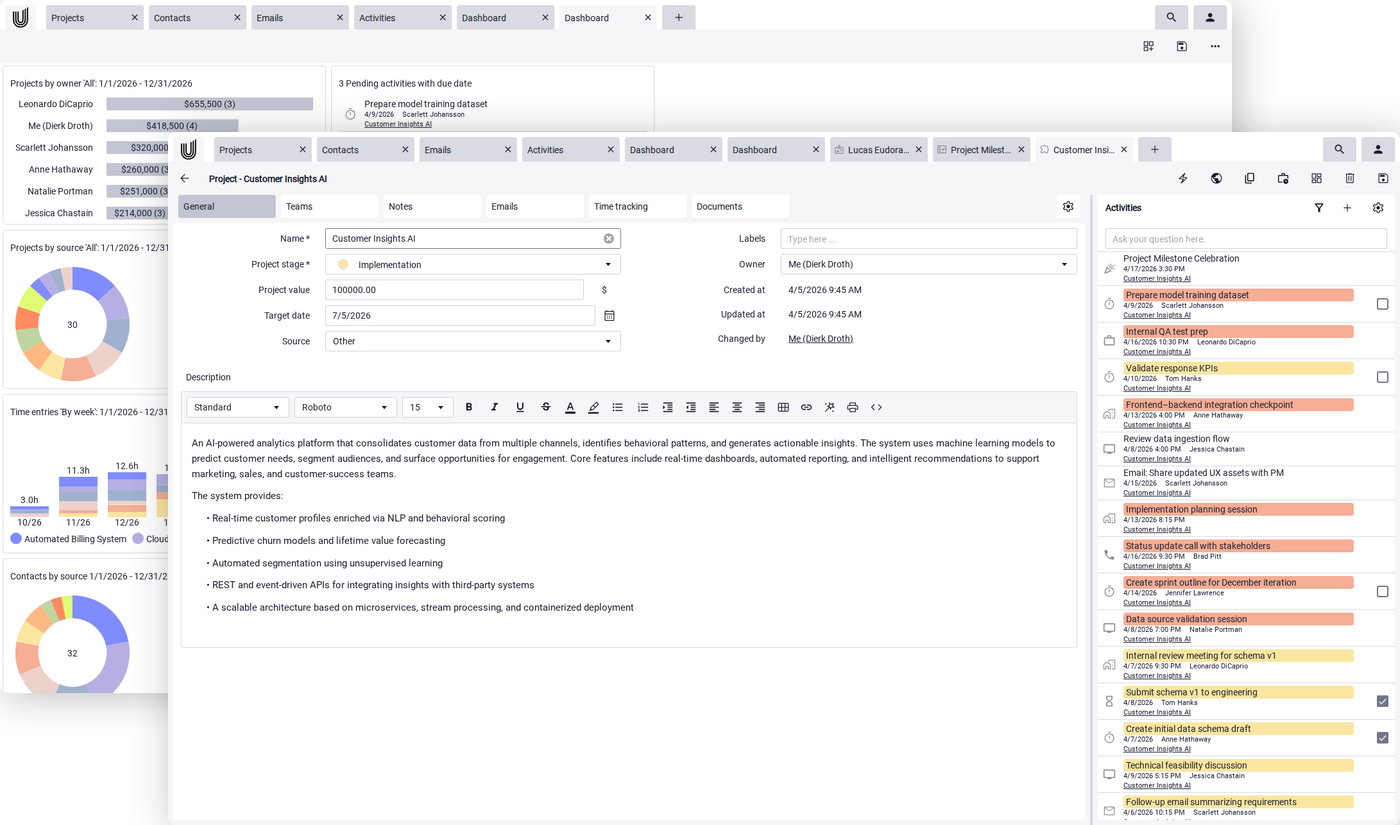
All-in-One Business Software
- everything in one place

Projects
Manage your projects, internal and external project teams, activities, mails, sales as well as documents and notes associated with that project directly in your all in one business management software.

Power-Search
Run full-text, deep search queries on your complete data pool. Find matches even in linked data like notes or documents. Type a few words in any order and Power-Search finds the records that hold them all, with each word completed as you type, so 'inv' finds 'invoice'. With this powerful all in one business software feature, you'll save hours otherwise spent looking for files or communication threads

Documents
Keep your company's documentation organized and accessible. Link files to projects or activities, and use our business management software to run full-text searches across all documents.

Mails
Create, manage, send and receive HTML and text mails. Contact data is compiled by parsing signatures from incoming mails and by scraping the web for associated information.

Activities
Manage activities and related documents and notes. Collaborate with your team by commenting on activities. Link activities to contacts, mails, projects, organizations and users.

Time tracking
Track the time you are working on projects with ease. Edit and aggregate time entries to create invoices directly within your company management software.

Invoicing
Generate invoices of time entries and project sales. Manage invoices as documents persisted to the database.

Power-Chat
Power-Chat is your AI-powered assistant that answers questions directly with knowledge from your documents, emails, and wiki articles, including source references. This allows you to quickly and reliably find the information you really need.

Support tickets
Manage support email queues and have your support team working tickets. Monitor the success of your support team in the dashboard.

Dashboards
Track the success of your business by configurable tiles.

Wiki
Create records on your and your team's know-how.
Everything in one place – clear and simple
No more expensive standalone tools and constant searching. With Unusual Suite, you have everything in one place – connected, organized, and easy to use. The all-in-one business management software that makes your work noticeably easier.
Get started for freeFAQ about our All-in-One Business Management Software
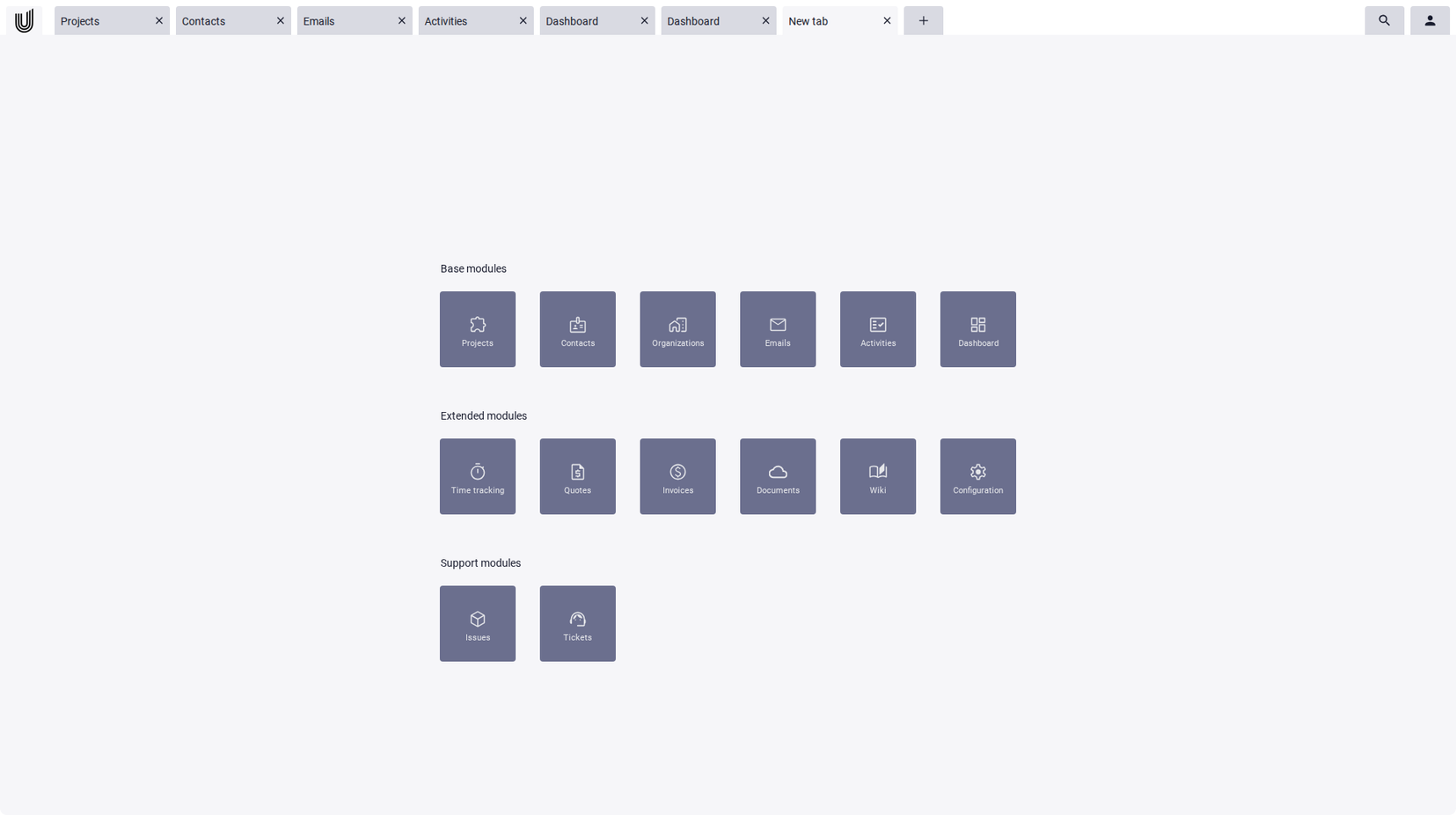
Unusual Suite adapts to your needs. Add, remove, rename, or move tabs to design the workspace that fits your business management software workflow. Configure available modules and switch between light or dark mode for a personalized experience.
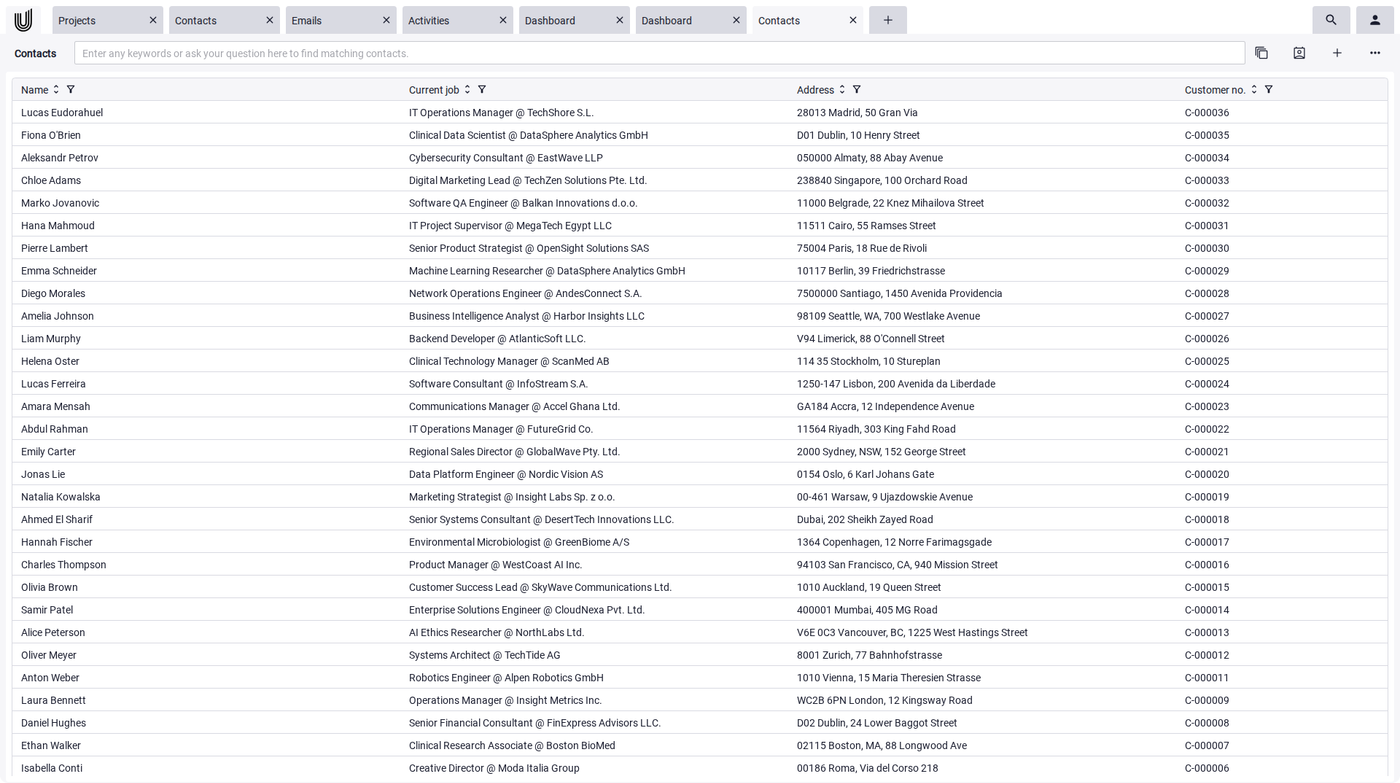
Our all in one business software uses intuitive Power-Grids to visualize data:
- data is visualized as list of configurable columns
- columns can be sorted, filtered and ordered
- use different column configurations for different purposes
- use Power-Search to filter a grid down to matching records
- use quick action buttons to trigger most used workflows
- run reports
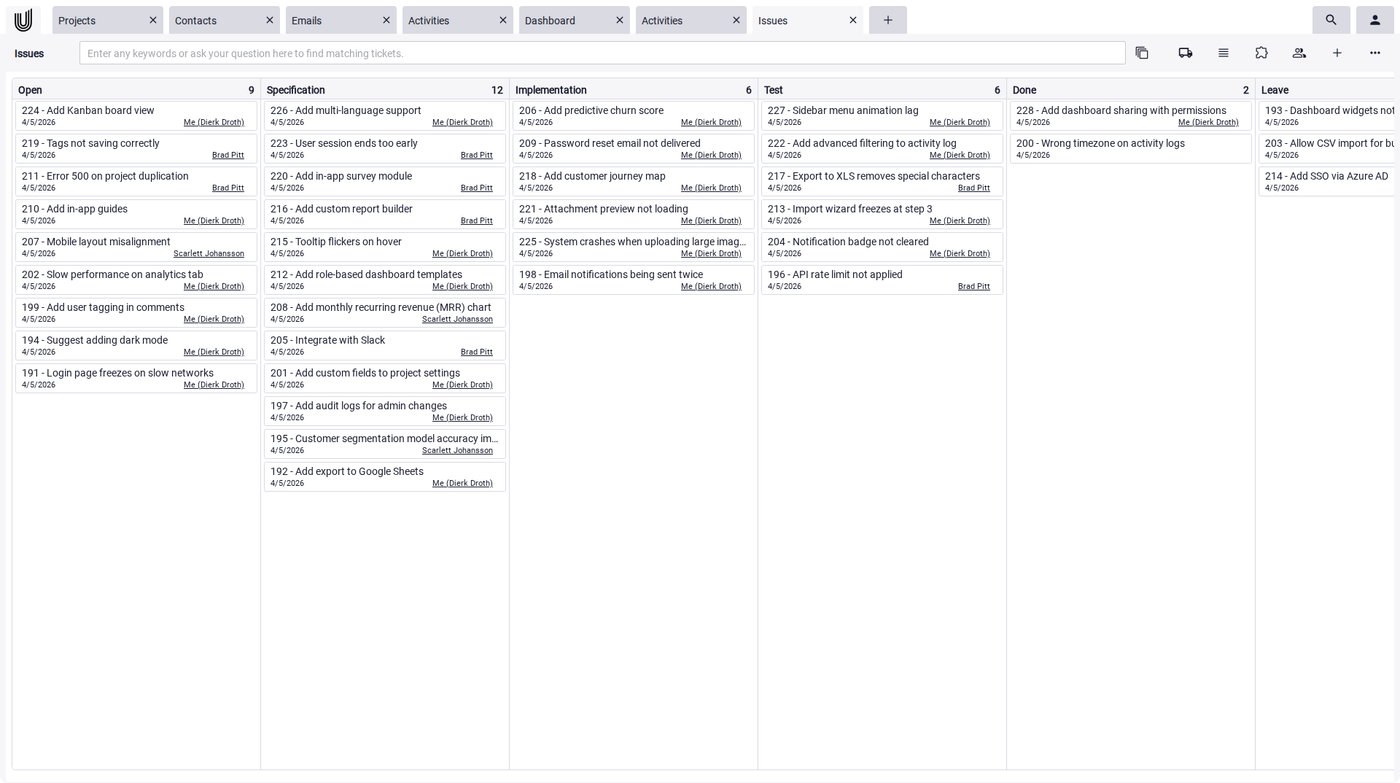
- Kanban boards are used for activities, projects, support tickets and issues
- drag and drop items between swim lanes
- sort the priority within lanes by drag and drop as well
- edit items by clicking on an item
This feature makes Unusual Suite one of the best business management software options for teams who love agile work methods.
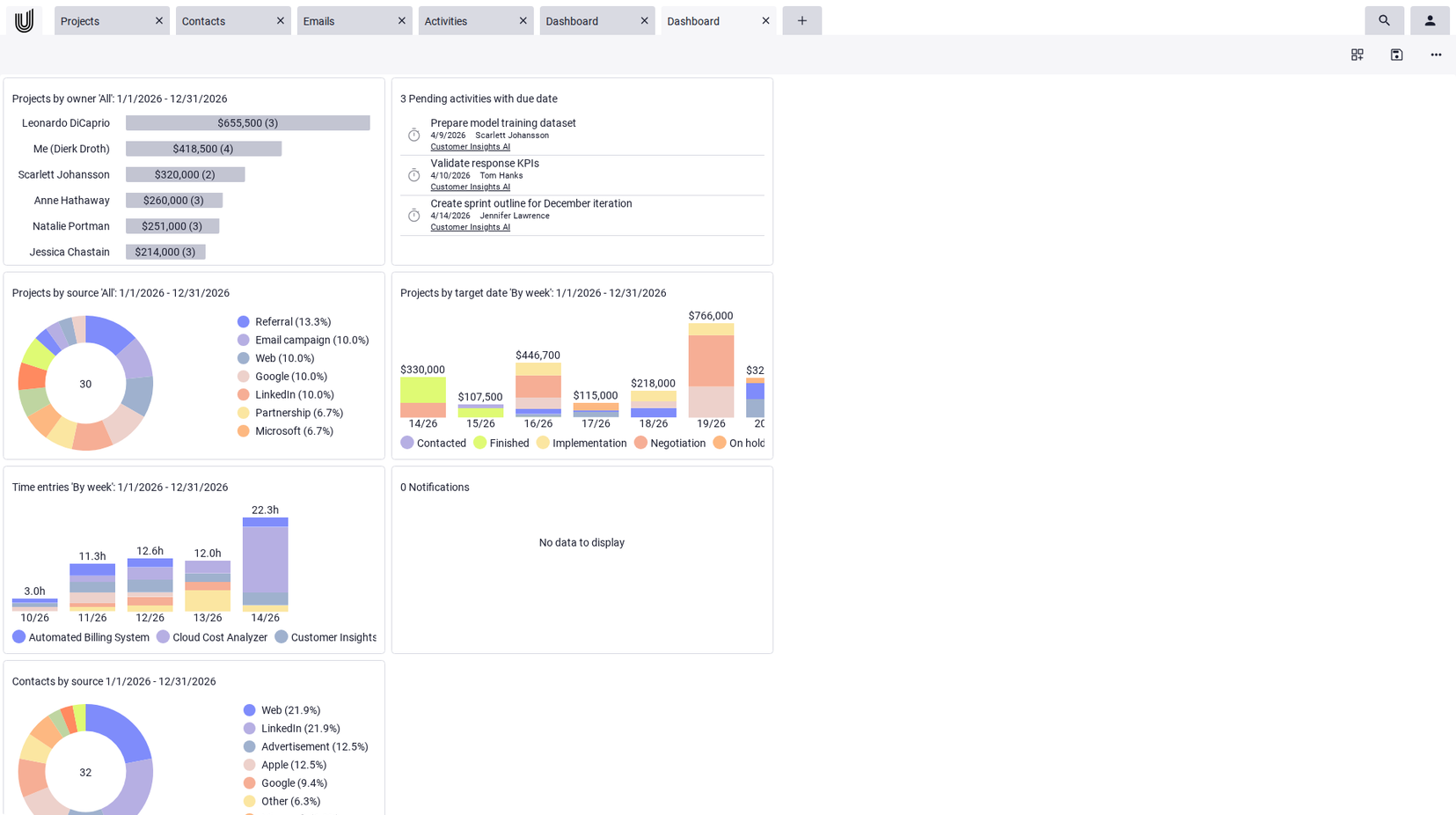
Power-View provides a holistic view of all relevant data by bringing together information from contacts, organizations, and projects into a single, interactive dashboard. Instead of switching between tabs, users can see all key details at a glance. With customizable tiles, the dashboard can be tailored to individual workflows, for example, in sales, project management, or customer support. This not only increases efficiency but also enhances transparency and enables faster, data-driven decision-making.
- dashboards track the success of your business
- configure different dashboards for different purposes
- configure tiles for optimal data visualization
- expand tiles to fullscreen
- drill down on details
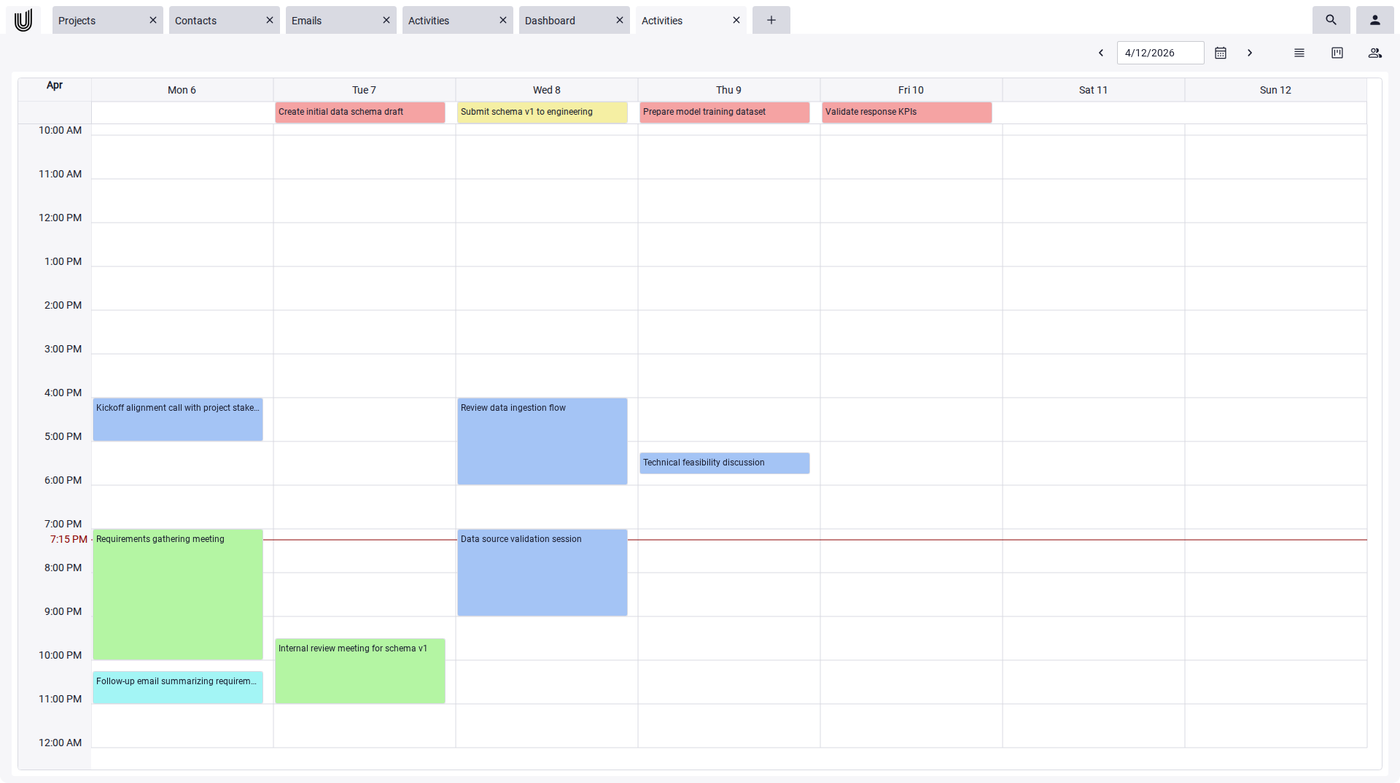
- work with the calendar view to manage activities
- use favorites to access your most recently used data points
- edit content and reference data points by Power-Links
- apply custom labels to categorize and filter your data points
- enhance your data by custom fields
- track changes on your data by browsing the history
- protect your sensitive data by defining roles and profiles and assigning them to your team
- implement custom contact forms for your website to collect contact information
- MS Windows 11, MS Windows 10 as MS Windows app
- MS Windows 11, MS Windows 10 by using Chrome, Edge or Firefox browser
- iOS/MacOS by using Safari or Chrome browser
- Android OS by using Safari or Chrome browser
- Export/import data to/from Apple iCloud, Google cloud, Microsoft 365
- export data from Power-Grids to CSV, XML or JSON files. Filtering and/or sorting may be applied
- export your complete database as a set of XML files
English, German and Spanish
- use the Unusual Suite Service Center
- watch the video guides
- send an email to support from within Unusual Suite.
- send an email to support@unusual-suite.com