Project Management Software Under the Microscope: Free Solutions & AI Tools
Project Management Software: Free Solutions & AI Tools
Reading Time: 9 minutes

Summary
 9 min.
Summary
9 min.
Project management software forms the organizational backbone of modern projects. It supports structured planning, task coordination, document management and transparency across timelines, resources, and budgets. When connected with intelligent CRM and AI-driven capabilities, project management evolves from pure organization into active control and decision support.
Free Project Management Software Tools
Many teams search for free project tracking tools or free project management software because they’re easy to access, affordable and quick to implement. Popular options like Trello are built around intuitive Kanban boards that make organizing tasks and visualizing workflow simple, which is especially useful for freelancers or small teams that prefer drag-and-drop planning. Asana goes a step further with structured task lists, timelines, and basic reporting features that help coordinate team activities. ClickUp offers dashboards, documents, and goal tracking in its free version, providing a broader feature set for growing teams. Meanwhile, Notion combines notes, databases, calendars, and boards in a highly flexible workspace that can be adapted to individual workflows.
However, these tools typically focus on specific aspects of project organization. As a result, critical business information often remains distributed across multiple applications, even when using premium editions.
Unusual Suite takes a fundamentally different approach. As an all-in-one business management software, its Free Edition already provides the complete range of functionality within one fully integrated environment. All project data, communication, documentation, and planning remain centralized from the beginning. The limitation of the Free Edition is that it is designed for a single user, making it ideal for entrepreneurs who want a professional all-in-one solution without functional restrictions. Additionally, there is a limit to the amount of storage space and credits, compared to the Pro Edition.
Why Free Project Tracking Tools Often Reach Their Limits
In the early stages, free project management software often seems like a great option to structure and manage tasks and deadlines. This may be sufficient for very small teams or simple projects. However, as projects grow in complexity, clarity gradually decreases. Tasks become scattered across emails, documents, and separate applications, while project status updates require increasing coordination, especially when multiple initiatives run in parallel or external stakeholders are involved.
This challenge is not limited to free solutions. A key limitation of many project management tools in general lies in fragmented data management. Project plans, communication, documents, and customer information remain separated across different systems. Teams must constantly switch between tools and manually consolidate information, which increases administrative effort and reduces efficiency.
A comprehensive project management solution such as Unusual Suite eliminates this structural fragmentation by centralizing all project-related data within one unified system. Instead of connecting multiple isolated tools, users work in a single environment where planning, communication, documentation and even invoicing are fully integrated. This creates transparency, reduces coordination effort, and ensures that projects remain manageable as organizations grow.
Simple Project Management Software as a Stable Foundation
Professional project planning software ensures that initiatives are executed in a controlled and transparent way. Timelines, milestones and dependencies are structured and continuously updated. Delays become visible, so teams can intervene early.
Modern systems use flexible structures that adapt as projects change. Changes to tasks, budgets or deadlines automatically affect dependent areas. In integrated solutions such as Unusual Suite, project plans are directly connected with documents, emails, activities and billing processes. This creates a consistent overall view without manual synchronization. For small and growing organizations in particular, simple project management software must provide clarity without unnecessary complexity. Ease of use and structured processes are more important than overloaded feature lists.
Unusual Suite –
Everything in One Place. Intelligently Connected.
With Unusual Suite, you work within one continuous system. Customers, communication, tasks, projects, and documents are fully interconnected. AI-powered search and contextual analysis ensure that relevant information is instantly accessible, even as your data grows. This makes Unusual Suite an affordable project management software for small businesses that need clarity without complexity.
Key Capabilities of Project Management Software in Daily Operations
Powerful project management software supports every phase of a project and ensures that daily operations are not handled in isolation but as part of a continuous process. Planning, execution, time tracking, and control are connected within one structured workflow rather than treated as separate activities.
This holistic approach is particularly important for project management software for small companies, where limited resources require maximum transparency and efficiency. Instead of relying on disconnected tools, teams work within a unified environment that keeps all relevant data aligned. Project leaders gain real-time visibility into current progress, while team members clearly understand which tasks matter most, how time and effort are allocated and how their work contributes to the overall objective. When enhanced by modern AI project management tools, reporting and analysis become even more precise and actionable.
The result is more structured, traceable project execution that is significantly less dependent on manual coordination. Even simple project management software can deliver strong value when it connects processes instead of fragmenting them.


1. Flexible Views for Different Working Styles
Project work is not uniform. While project managers focus on metrics, budgets and deadlines, team members need structured task lists and clear priorities.
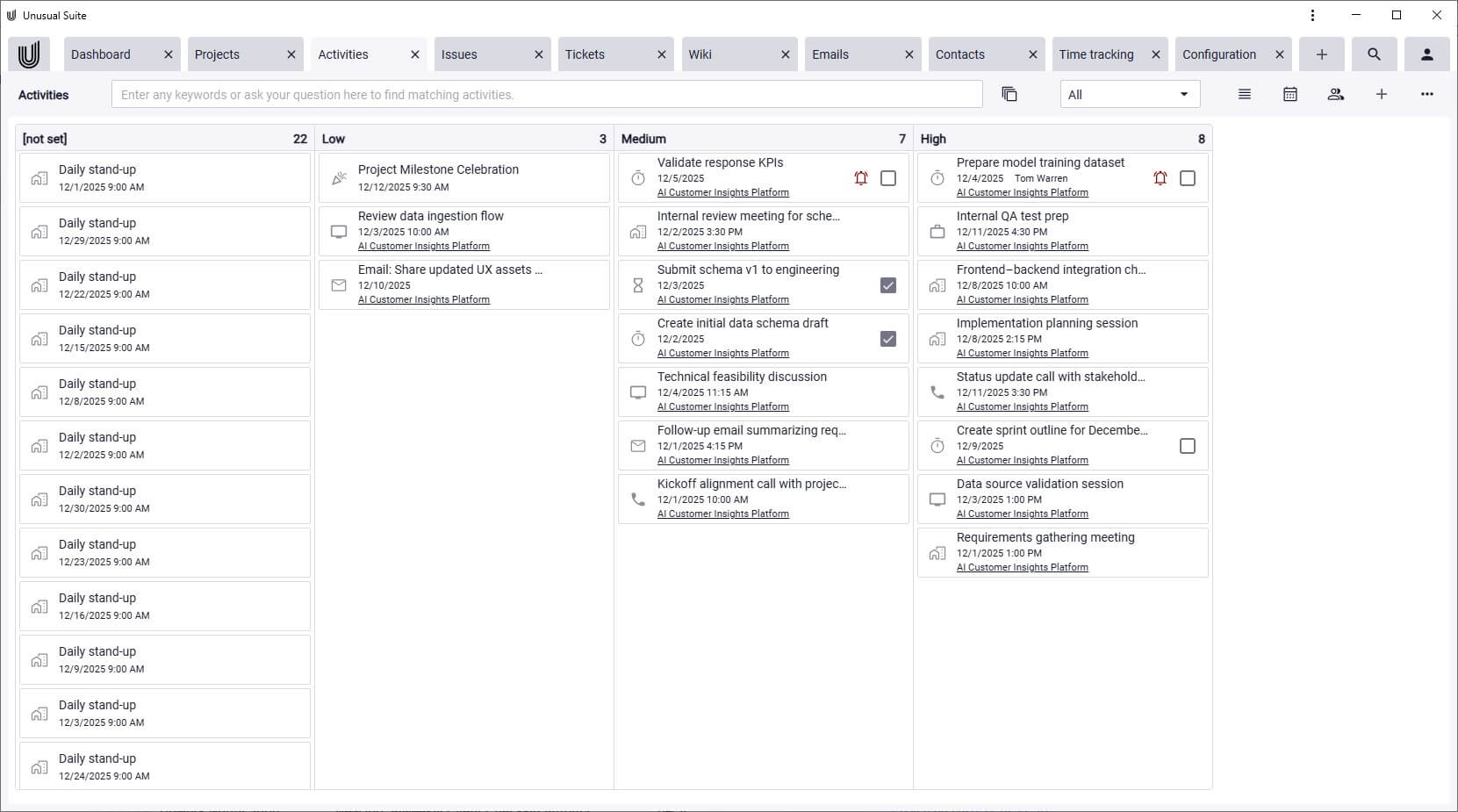
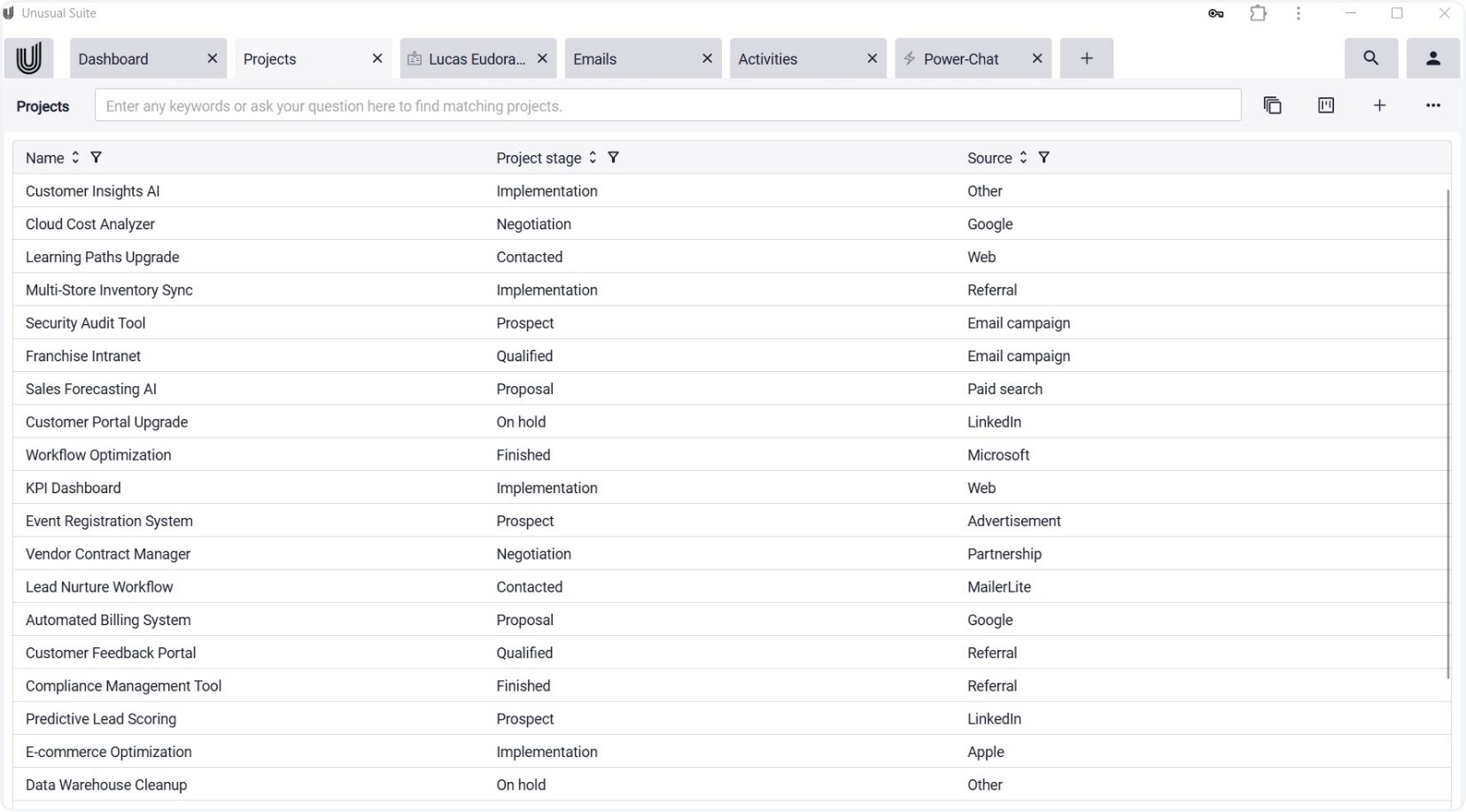
Modern systems take these differences into account. In Unusual Suite, Power-Grid, Kanban Boards and Power-View offer different perspectives on the same data structure. Filters, sorting options and customizable layouts allow information to be displayed according to the needs of each role. This flexibility reduces friction and prevents teams from relying on separate tracking tools just to get the view they need.

2. Automation and simple AI Project Management Tools
A growing share of administrative project work can now be automated. Recurring tasks, scheduling coordination and document creation are increasingly handled through rule-based processes.
Examples include automated follow-up activities, calendar synchronization and the recognition of tasks from emails. AI project management tools like Unusual Suite analyze communication content and convert it directly into structured project activities. Document workflows such as OCR processing, invoice templates and quote templates are also integrated. As a result, the focus shifts from organizational routines to meaningful project execution.
3. Seamless Collaboration Within One System
Effective collaboration requires short communication paths. Project-related discussions increasingly take place directly inside the system rather than in external messaging platforms.
Chats, comments and linked documents create transparent and traceable communication. All changes are chronologically documented and remain accessible. External stakeholders can securely access selected project information without seeing internal workflows or unrelated data. An integrated knowledge base further supports recurring workflows and structured documentation.
Why Project Management and CRM Belong Together
Projects are almost always connected to customers, partners or internal stakeholders. Disconnected CRM leads to data silos and duplicated effort.
Integrated CRM and project management ensure that communication history, contacts and project progress exist within the same context. Information from emails, documents and activities is automatically structured and assigned. This reduces manual maintenance and improves overall data quality. Unusual Suite consistently implements this approach by designing project management and CRM as one connected system rather than isolated modules.
AI Project Management Tools as a Strategic Advantage
Artificial intelligence delivers the greatest value when information converges. Within a project environment, this means faster access to relevant data and more informed decisions. By integrating CRM intelligence into project workflows, a central knowledge base is created that connects customer context, documentation and operational activities. Unusual Suite provides two specialized capabilities that demonstrate this clearly.
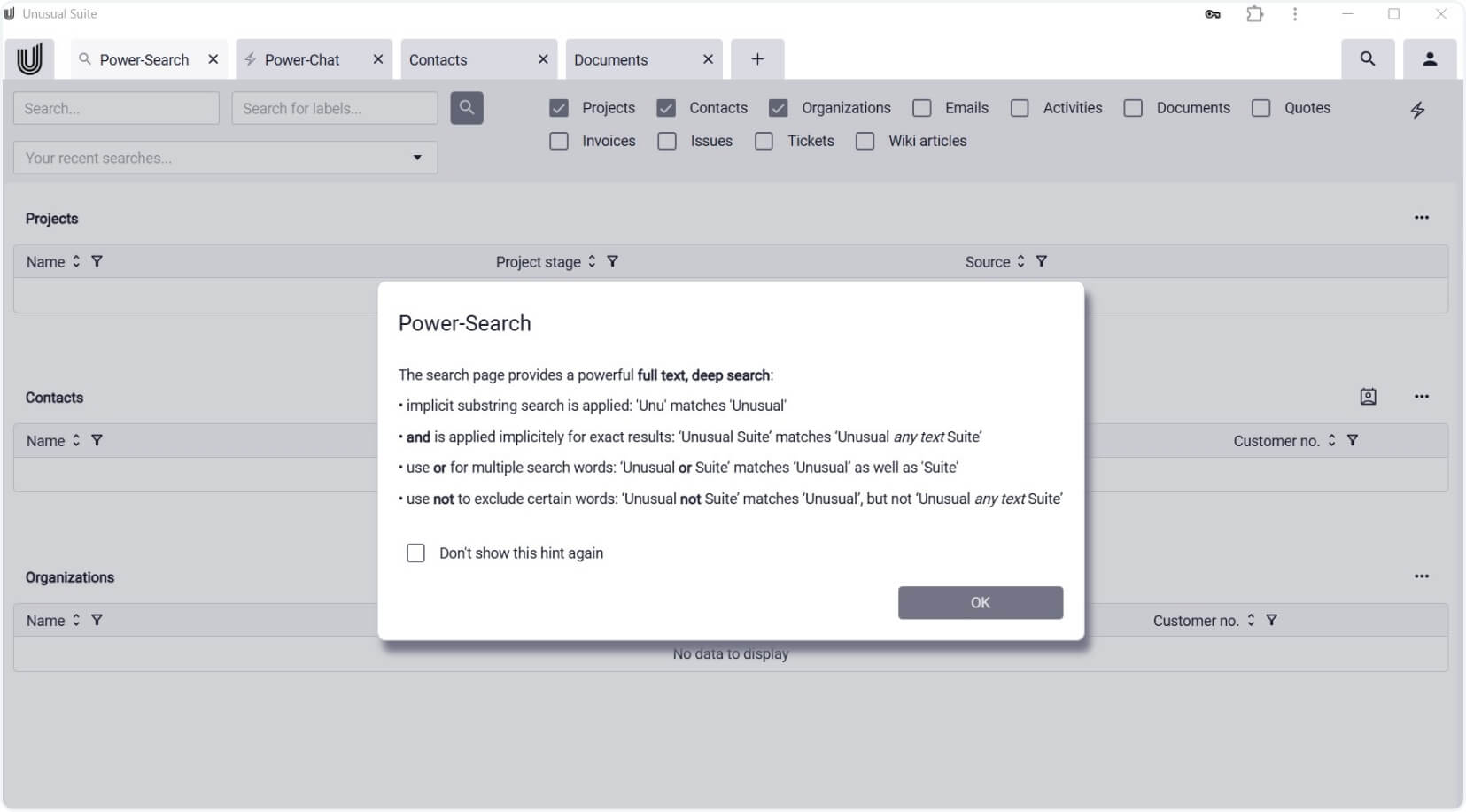
Power-Search in Unusual Suite provides deep search capabilities, making projects, documents, emails, and conversations searchable across the entire system. Information is available instantly, regardless of where it resides within the platform.
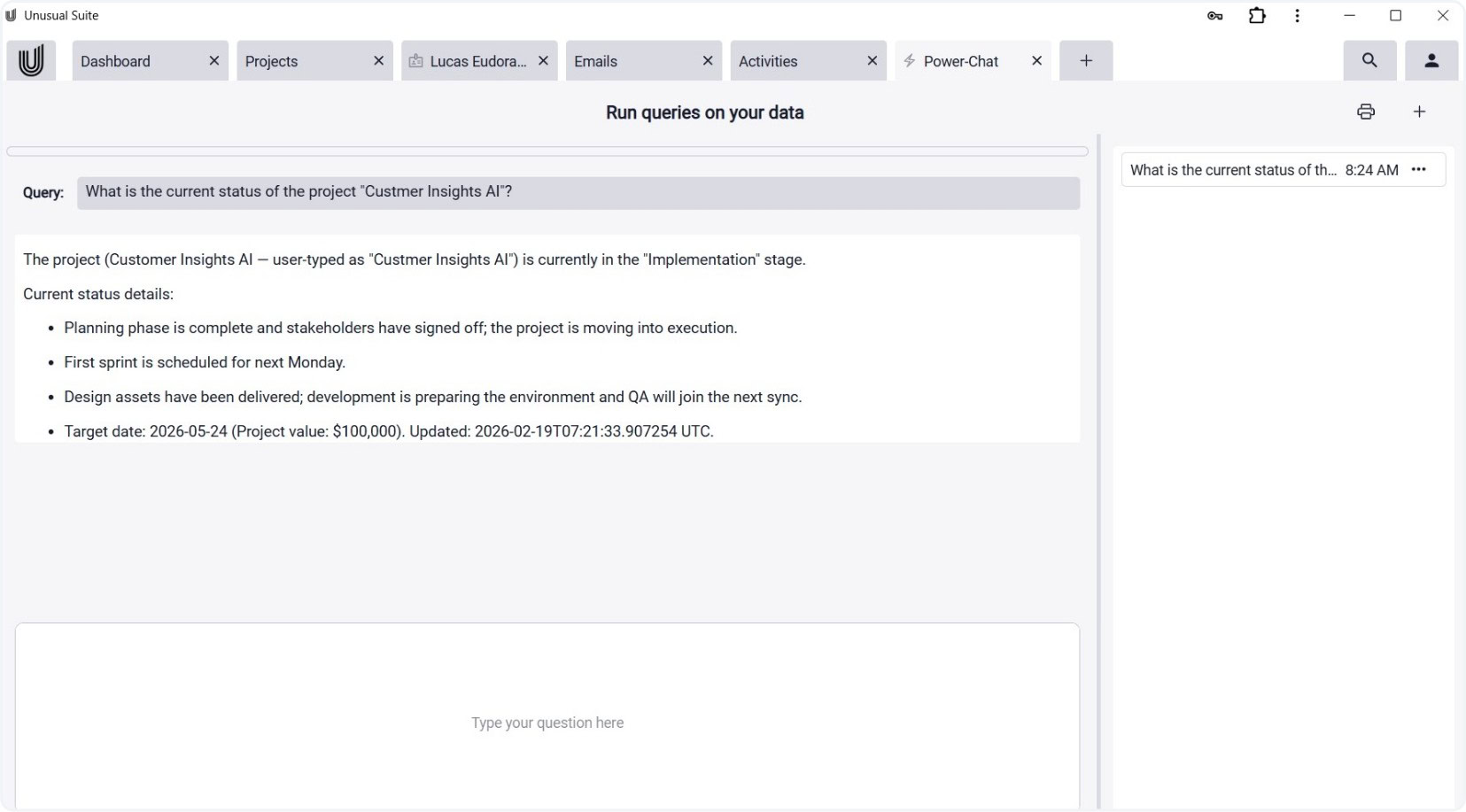
Power-Chat is another core feature of Unusual Suite. It answers project-related questions directly based on existing data. Content from projects, CRM, and documentation is intelligently connected and placed into a clear context. This accelerates decision-making and relieves teams from time-consuming research.
When Project Management Software Becomes Essential
Professional project management software becomes essential when multiple projects run simultaneously or when transparency requirements increase. Growing teams and external stakeholders further increase the need for clear structures and reliable information.
While some teams may begin with free project management software or individual tracking tools, scaling organizations typically require integrated workflows, centralized data and automation. This is particularly important for project management software for small companies that expect future growth. An all-in-one business software such as Unusual Suite combines structured planning, CRM integration and AI-enhanced workflows within a single environment.
Project Management as a Central Control Platform
Modern project management software is more than a task organizer. It develops into a central control platform where planning, execution, communication and reporting converge.
When project management and the combined power of CRM and AI operate within one coherent system, organizations gain transparency, reduce friction and significantly improve decision-making speed.
