
CRM Software for Small Businesses: Less Tool Chaos. More Clarity.
Reading Time: 6 minutes

Summary
 6 min.
Summary
6 min.
Many small businesses lose valuable time every day because customer data, emails, tasks, and documents are spread across multiple disconnected tools. A CRM for small business environments is designed to bring order to this chaos, yet many solutions fail due to excessive complexity or ongoing administrative overhead. A CRM only delivers real value when it is not used in isolation. Lasting clarity emerges when customers, communication, tasks, projects, and documents are consistently connected. A modern client management software for small businesses replaces individual tools and becomes the central foundation for daily work.
Why Excel Is No Longer Sufficient
Many small businesses operate for years without a dedicated CRM system, or with one that exists but is barely used in daily operations. This is rarely due to a lack of willingness. In most cases, the system simply does not fit existing workflows.
Customer information lives in email inboxes, appointments sit in calendars, tasks are tracked in separate to-do apps, and documents are scattered across various cloud services. While CRM software is often introduced with good intentions, it frequently creates additional administrative overhead without delivering immediate, tangible benefits. As a result, adoption quickly drops and the CRM fades into the background.
A CRM software for small businesses must therefore integrate seamlessly into everyday workflows. Information needs to be available exactly where it is created, within emails, tasks, projects, and documents, without forcing teams to duplicate work.
What a Simple CRM Software for Small Businesses Really Needs to Do
At its core, a simple CRM software for small businesses is not about offering the longest feature list. It is about structure, visibility, and connectivity. A well-designed CRM with project mangement must reliably answer four fundamental questions:
- Who is the customer, and who are we in contact with
- What has been communicated, and when?
- What is the current status of the relationship or project
- What is the next step, and who is responsible?
To achieve this, contacts, organizations, communication, tasks, and documents must not only be stored but also systematically linked. Many traditional CRM systems fail because customer management and operational work are treated as separate worlds, creating gaps instead of clarity.
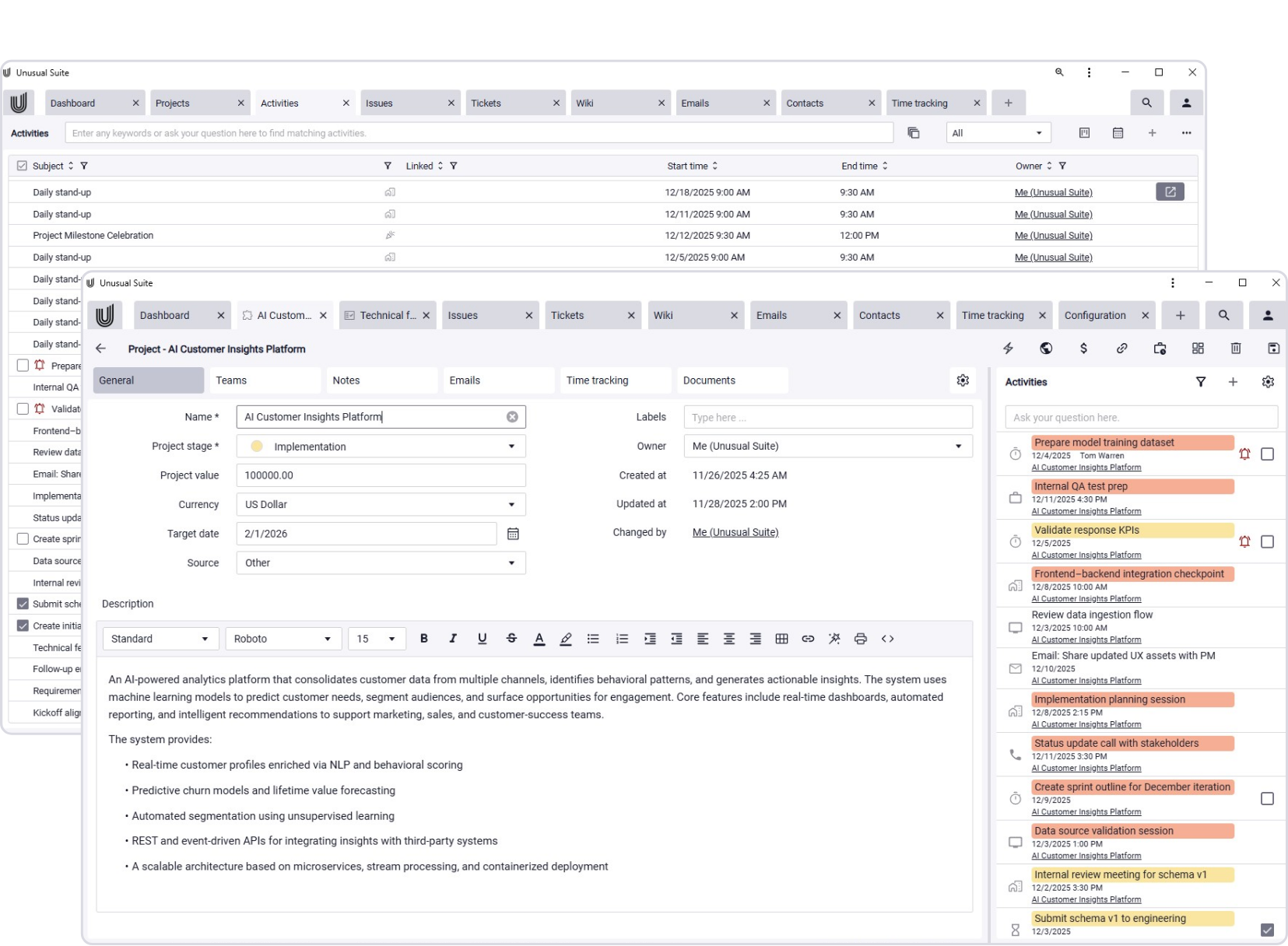
Unusual Suite –
Everything in One Place. Intelligently Connected.
With the Unusual Suite, you work within one continuous system. Customers, communication, tasks, projects, and documents are fully interconnected. AI-powered search and contextual analysis ensure that relevant information is instantly accessible, even as your data grows.This makes the Unusual Suite an affordable CRM software for small businesses that need clarity without complexity.
Core Capabilities of a CRM Solution for Small Businesses
A CRM becomes valuable to small businesses only when it is actively used, not merely maintained. The decisive factor is whether daily work, replying to emails, planning tasks, managing projects, happens directly within the CRM. When it does, context is created automatically, without extra effort or duplicate processes.
1. Contact Management as a Foundation, not a Data Graveyard
Small teams rarely have the time for extensive manual data maintenance. CRM software for small businesses only makes sense if it actively supports the creation and upkeep of clean, reliable contact data.
CRM software for small businesses should therefore:



In the Unusual Suite, contacts and organizations serve as central records. They can be imported, linked, and consolidated, allowing small teams to build a stable, structured data foundation with minimal effort.
2. Email as an Integral Part of the CRM
Email remains one of the most important communication channels for small businesses. Yet in many CRM solutions, it exists outside the core workflow. As a result, critical information stays trapped in inboxes and must be manually transferred, or is lost altogether.
A modern CRM for small businesses and SMEs integrates email directly into the system. Messages can be assigned to customers, organizations, or projects, attachments are stored as documents, and relationships remain transparent and traceable.
In the Unusual Suite, email is a dedicated module. Messages can be linked to relevant records, including attachments, tasks, and project references. AI features assist with summarizing content, extracting key information, and quickly retrieving what matters.
3. Clearly Managing Tasks, Appointments, and Responsibilities
For small businesses, a CRM is not just a documentation tool, it is also a coordination and control system. Teams need clear visibility into what needs to be done and who is responsible. Tasks should be flexible in how they are displayed, whether as lists, Kanban boards, or calendars, and always remain connected to a customer, project, or email. This ensures that context is never lost.
The Unusual Suite offers a central activities module with multiple views, prioritization options, and reminders. Tasks are not managed in isolation but are fully embedded within the CRM.

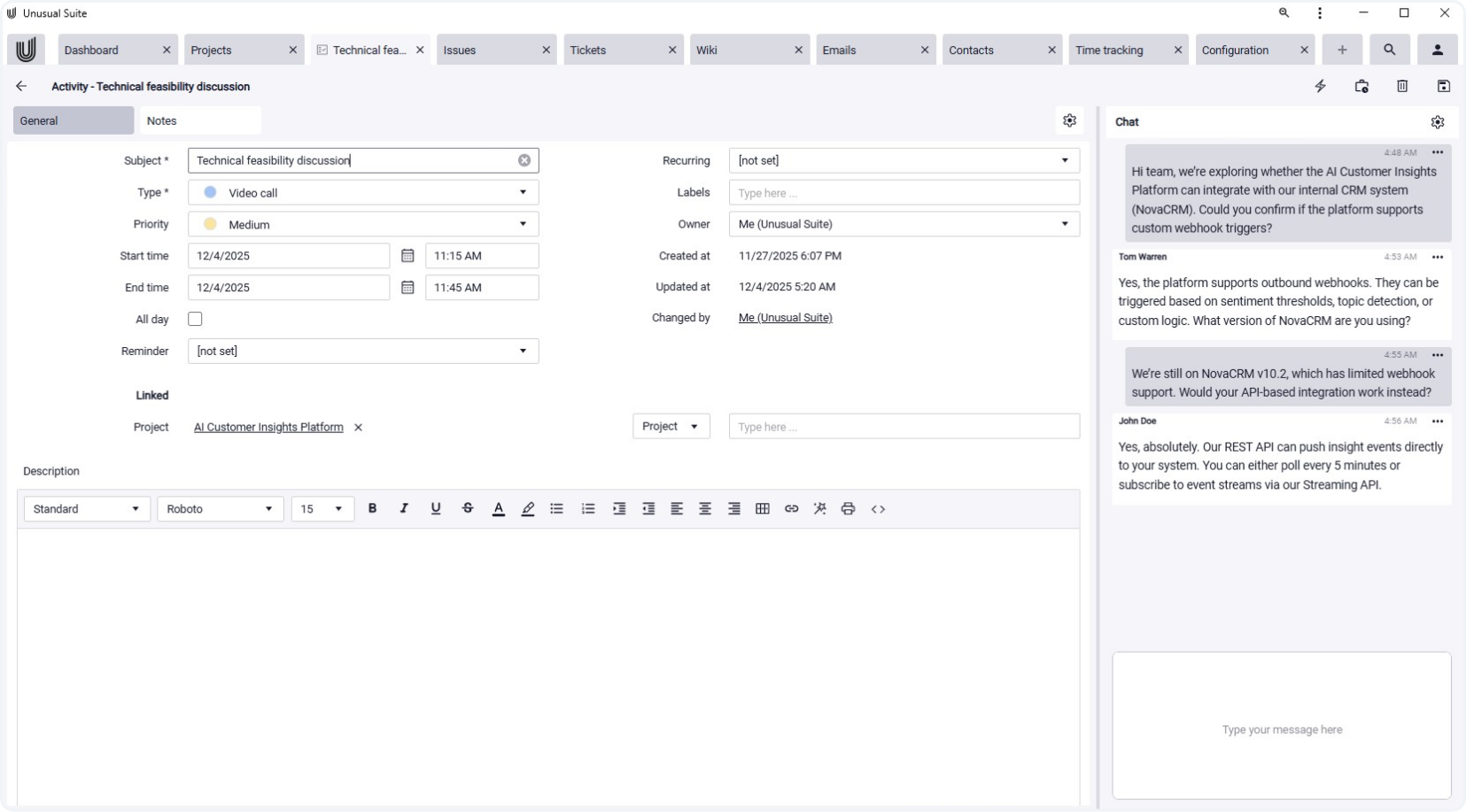

4. Bringing Projects, Services, and Invoicing Together
Many CRM systems stop at basic customer management. Projects, services, and invoicing are handled in separate tools, leading to fragmented workflows and information silos.
A truly holistic CRM for SMEs includes projects, services, and billing as part of the same system. The Unusual Suite follows this all-in-one approach. Projects bring together all relevant information, from the initial contact to execution and invoicing—turning the CRM into a central work platform rather than just a database.
Why CRM Search is a Game Changer
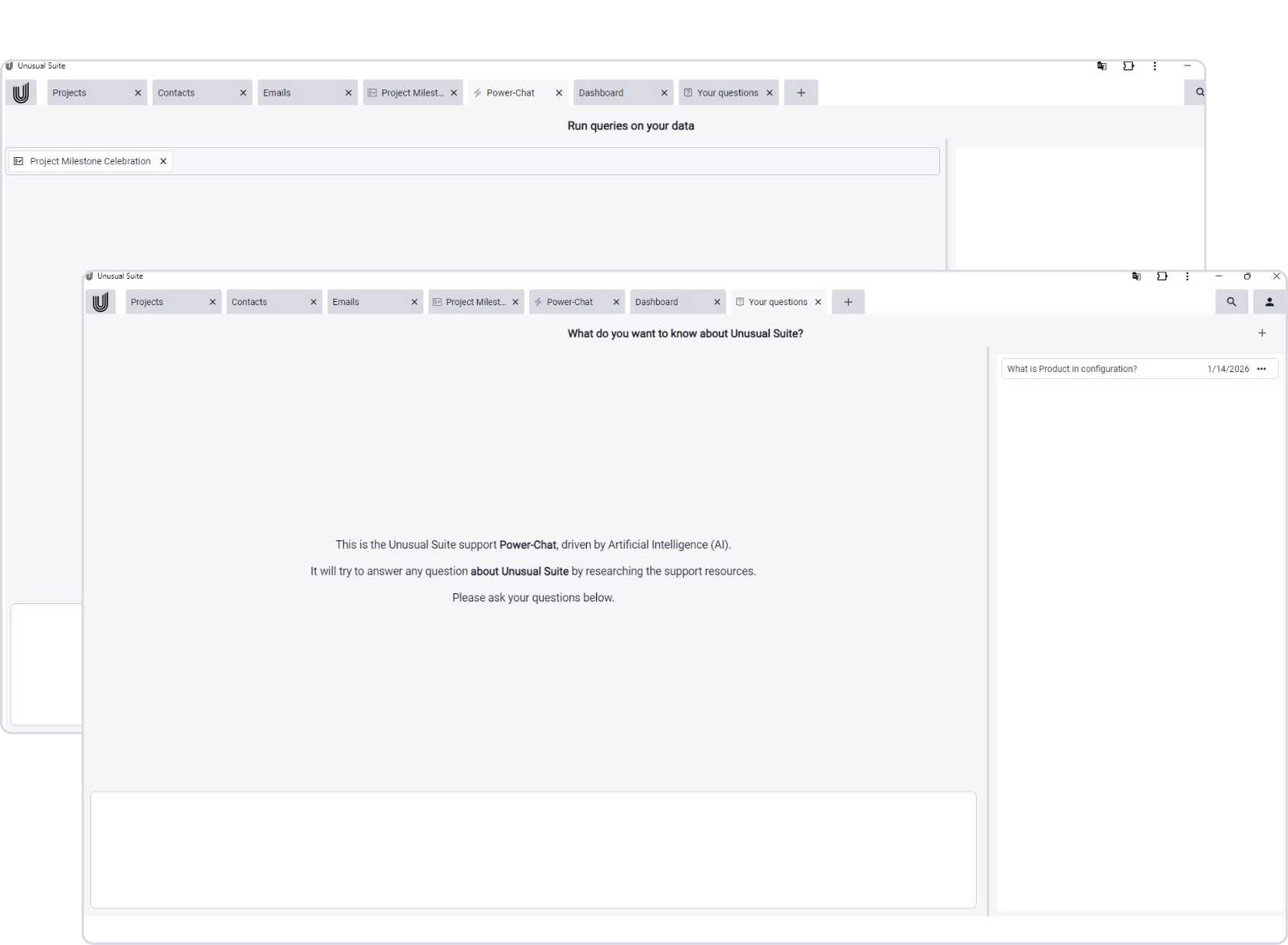
Search functionality is often underestimated when selecting CRM software for small businesses. As long as only a few records exist, this limitation may go unnoticed. As a business grows, however, search becomes a critical productivity factor. Traditional CRM systems limit search to individual modules. Modern CRM solutions enable system-wide full-text search across contacts, emails, documents, projects, and tasks. The Unusual Suite’s Power-Search is built for exactly this purpose. It is complemented by Power-Chat, which makes information usable in context and presents relationships in a clear, understandable way.
Selection criteria for CRM software in small companies
When choosing a CRM, real-world usability matters far more than feature lists. A strong and affordable CRM software for a small business should:
- Connect tools instead of creating isolated solutions
- Require minimal maintenance and remain cost-efficient
- Reflect real operational workflows
- Manage documents in context
- Remain fast and searchable as the business scales
Conclusion: Scalability as the Key Factor for CRM Success
CRM solutions for small businesses succeed when they are not perceived as an extra task, but as the central foundation for daily work. This does not require isolated specialist tools, but a connected system.
The Unusual Suite demonstrates what a modern, affordable CRM software for small businesses can look like: customer management, projects, email, documents, time tracking, search, and invoicing combined in a single all-in-one solution, built for SMEs that want to grow in a structured, sustainable way.
