Project Tracking Software: See Where Every Project Really Stands
Read article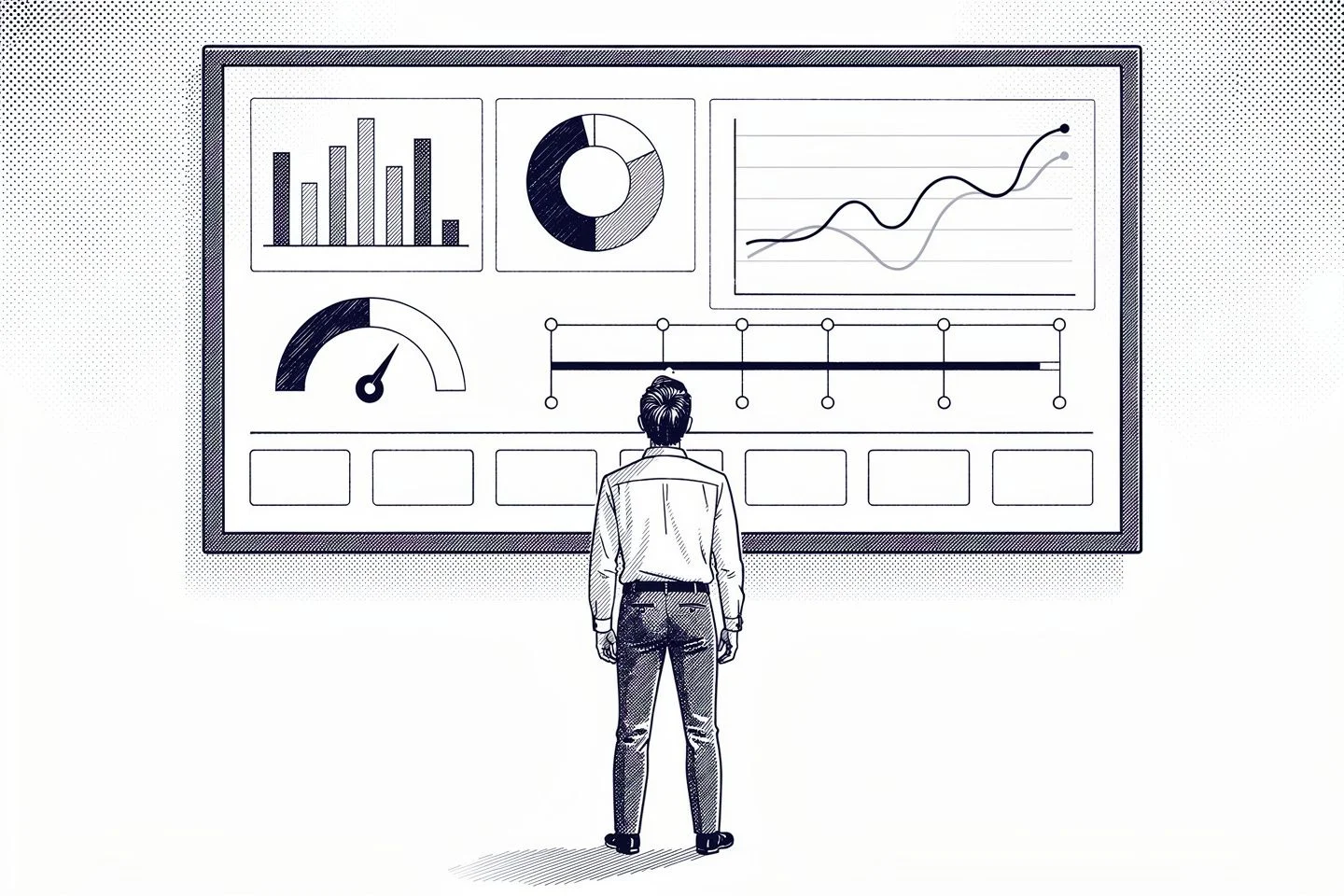
Summary
 13 min
Good project tracking software answers one deceptively simple question at any moment: where does each project actually stand? Are we on schedule, how many hours have gone in, who is overloaded and is the work still profitable? Instead of chasing those answers across spreadsheets, chat threads and timesheets, a solid tool keeps the status in one place and up to date. The key idea is that tracking is not paperwork you fill in after the fact. It is an early-warning system: it should surface slippage while you can still react, not once a deadline has already passed or the budget is gone. This guide explains what project tracking really means, what you should track, which features a good project tracking tool needs, why spreadsheets break down as teams grow and how to choose the right one for your team.
What is project tracking software?
Project tracking software is a tool that keeps the status, time and progress of your projects visible throughout their life, from kick-off to delivery. It records what is happening, compares it against the plan and makes the gap easy to see, so decisions are based on facts rather than gut feeling.
It helps to separate three related terms that often get mixed up. Task tracking follows individual to-dos. Project tracking rolls those up into the status, timeline and effort of a whole project. Full project management software adds planning depth on top, such as dependencies and detailed scheduling. Many teams need reliable tracking long before they need heavy planning.
Depending on how you work, a project tracking platform is used in a few typical ways:
- Single-project tracking: following one project closely by status, effort and deadlines.
- Multi-project tracking: a portfolio view across projects, for example total team workload or competing priorities.
- Client and billing tracking: for service teams, keeping tracked hours tied to what can be billed.
Project tracking vs project management vs task tracking
These three terms overlap, and choosing the wrong category is a common way teams end up paying for far more software than they need. The difference is mostly about scope and depth:
| Category | What it does and when you need it |
|---|---|
| Task tracking | Follows individual to-dos: what is assigned, in progress or done. Enough for a single person or a very small team with simple work. |
| Project tracking | Rolls tasks up into the status, timeline, effort and workload of a whole project or portfolio. The focus is visibility: knowing where things stand and spotting slippage early. |
| Project management | Adds planning depth on top: task dependencies, critical path, Gantt scheduling and resource planning. Useful for complex, tightly sequenced projects. |
Most small and mid-sized teams need reliable tracking long before they need heavy planning. If your projects are not tightly sequenced but you still lose the overview across several of them, a project tracking tool is usually the right level, and often part of broader project management software rather than a standalone purchase.
What to track: the four things that actually matter
Feature lists are long, but useful tracking comes down to four dimensions that every project shares. Keeping these visible is more valuable than any single fancy report.
Progress and deadlines
Is the project on schedule? The core signals are the percentage complete, whether milestones are being hit and how many days a task is behind. An early warning on a critical item is the most useful signal you can get, because delays tend to compound toward the end.
Time and effort
How much work has gone in versus what was planned? Tracked hours per project are the foundation here. Without reliable project time tracking, every other number is a guess, and for teams that bill by the hour this is where the margin is won or lost.
Status and ownership
What is open, in progress or done, and who owns it? A clear board or list view removes the need to ask around for updates. When everyone updates status in the same place, the weekly status meeting gets much shorter.
Workload and capacity
Who is working on what, and is anyone overloaded? Workload across projects is easy to miss until something slips. Overcommitment is one of the most common silent causes of missed deadlines, and it only shows up when work is tracked in one place.
Note: More metrics are not automatically better. A lean set of three to five signals that people actually look at every week beats a dashboard with thirty numbers that nobody reads.
Key metrics to track in a project
Once you know the four dimensions, a handful of concrete metrics make them measurable. You do not need all of them, but these are the ones teams reach for most:
| Metric | What it tells you |
|---|---|
| Percent complete | How much of the planned work is done. The basis for any progress and performance view. |
| Schedule variance | The gap between planned and actual timing, often in days. Flags slippage early. |
| Budget burn | Actual cost or hours against the planned cost. The everyday tool for cost control, showing whether the project budget will hold. |
| Cost Performance Index (CPI) | Earned value divided by actual cost (EV / AC). Below 1 means the work is costing more than planned. |
| Schedule Performance Index (SPI) | Earned value divided by planned value (EV / PV). Below 1 means you are behind schedule. |
| Team utilization | Booked versus available capacity. Reveals who is over- or under-loaded across projects. |
| Contribution margin | Project revenue minus the cost you can attribute to it, usually hours times the hourly rate. The clearest read on profitability for work billed by effort. |
How project tracking works: the tracking cycle
Tracking is not a one-off setup, it is a cycle that repeats throughout a project. Four steps feed into each other:
- Plan and set targets: define deadlines, effort, cost and milestones as your baseline. Without clean targets there is nothing to compare against later.
- Capture the actuals: log hours, cost and status as the work happens, ideally where the work already takes place, not in a separate sheet.
- Compare and analyse: put plan against actual, then run a variance analysis, judging each gap and understanding what is driving it.
- Act and adjust: turn the analysis into concrete moves, such as re-prioritising, renegotiating scope or shifting people, which feed back into an updated plan.
At project closure the cycle pays off twice: a post-project review turns the final numbers into lessons learned, and the next estimate starts from evidence instead of a hunch.
Features a good project tracking tool should offer
Rather than being dazzled by feature counts, look at what a project tracking application genuinely needs day to day:
Time tracking tied to projects
Effort and cost only exist as data if hours are captured against the right project. Built-in, project-based time tracking is what turns tracking from a status board into a real basis for effort and billing.
Boards and status views
Tasks, stages and milestones should be easy to see and update. Views such as a Kanban board or a project grid show at a glance what is open, in progress or done, without a separate status report.
Dashboards and reporting
A dashboard makes the current state visible without anyone maintaining reports by hand. Being able to filter and sort the underlying data is often more useful than rigid, fixed reports, because every team watches slightly different numbers.
A link to billing
For service work, tracking is only complete when hours flow into invoicing without re-keying. Then you see not just the effort spent, but how much of it has already been billed.
History and traceability
Who changed what, and when? A clear change history builds accountability and helps you learn from finished projects when you plan the next one.

Project data and reporting in one place
Tired of spreading project hours, status and reporting across several tools? Unusual Suite combines projects, time tracking, dashboards and billing in one platform, so the data you track flows together without extra work.
Try for freeSpreadsheets vs software: when to make the switch
A spreadsheet is quick to set up and perfectly fine for tracking a single, small project. It starts to hurt the moment several projects run in parallel, more than one person edits the same file, or the numbers need to be current without someone updating them by hand.
Typical limits of spreadsheets in day-to-day tracking:
- Freshness: the numbers are only as recent as the last manual entry. Between updates, you are flying blind.
- Double entry: hours are logged somewhere first, then copied into the tracking sheet. Every copy is a chance for error.
- Version chaos: once several people edit the same file, competing versions appear.
- No portfolio view: reporting across many projects gets messy fast in separate sheets.
Moving to project tracking software pays off most when the data is already created in the system anyway, because hours are logged there and projects are run there. Then tracking delivers its numbers almost as a by-product, with no extra spreadsheet to maintain.
How to choose the right project tracking software
Once the basic features are clear, a few criteria help you separate the strong options from the rest:
- Source of truth, not another island: are the actuals (hours, status, cost) created directly in the system, or imported from other tools? The closer capture and reporting sit, the more reliable the tracking.
- Configurable views: can dashboards and reports be adapted to your projects, instead of forcing you into fixed templates?
- Low day-to-day effort: a tracking tool lives on current data. The less manual upkeep it demands, the more likely it is actually used.
- Fits project and billing: does it cover task management and billing too, or does it stay one more standalone tool beside the rest?
- Scales with you: does it grow from your first project to multi-project work, with roles and permissions for a larger team?
- Data ownership: where does project data live, and is there an option to run the system on your own infrastructure for sensitive work?
Note: A dedicated project management suite offers more depth in planning, such as Gantt charts and dependencies, and a specialised business-intelligence tool offers more analytical power. For most small and mid-sized teams, though, the real question is not analytical depth but whether the numbers are current, complete and captured without double work.
A practical example: project tracking with Unusual Suite
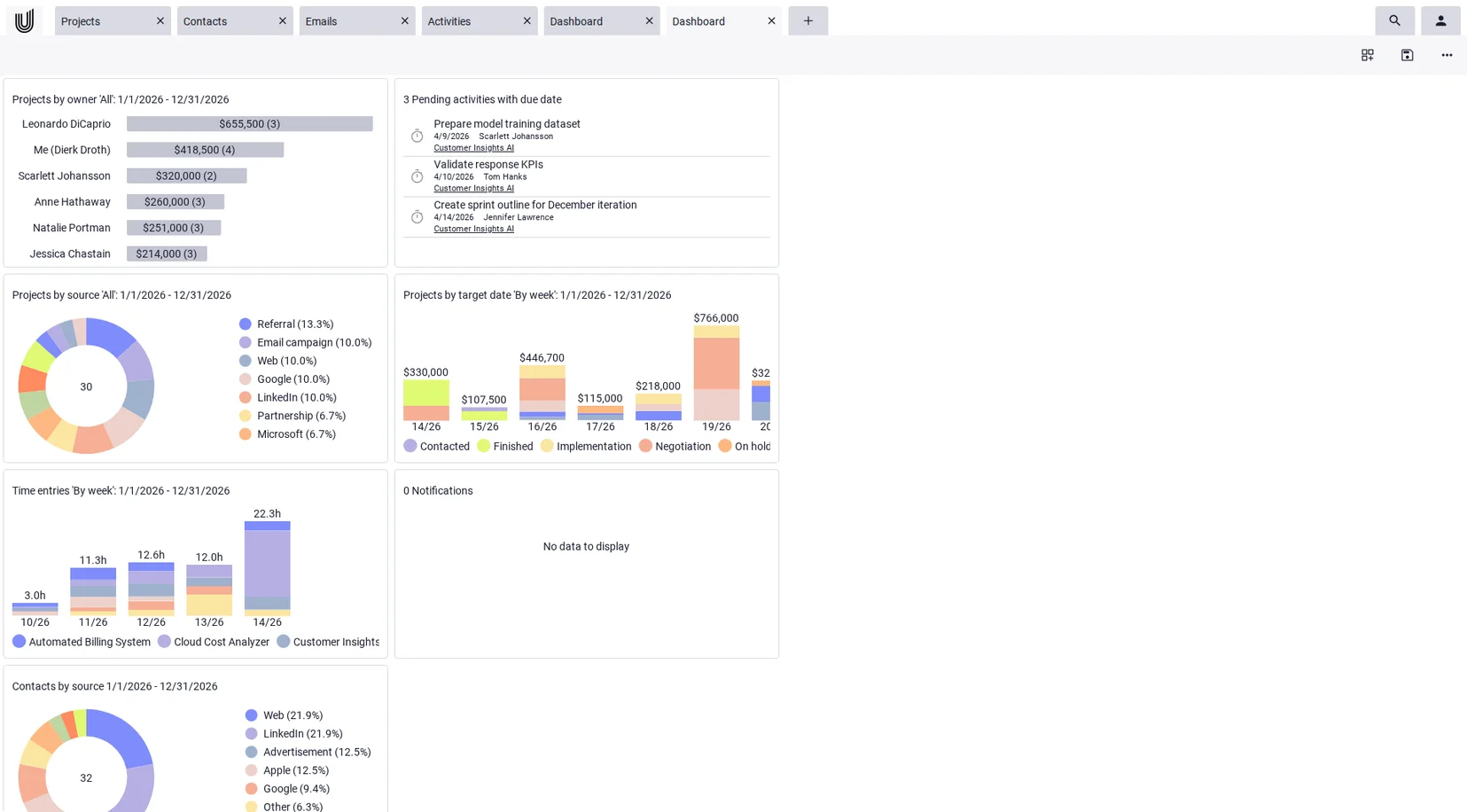
To make this concrete, here is how tracking works from a single system in Unusual Suite, an all-in-one business software that connects projects, time tracking, dashboards and billing, which is also why it is used as service business management software. Because the data is created there anyway, it is ready for tracking without any transfer:
| Feature | What it means for tracking your projects |
|---|---|
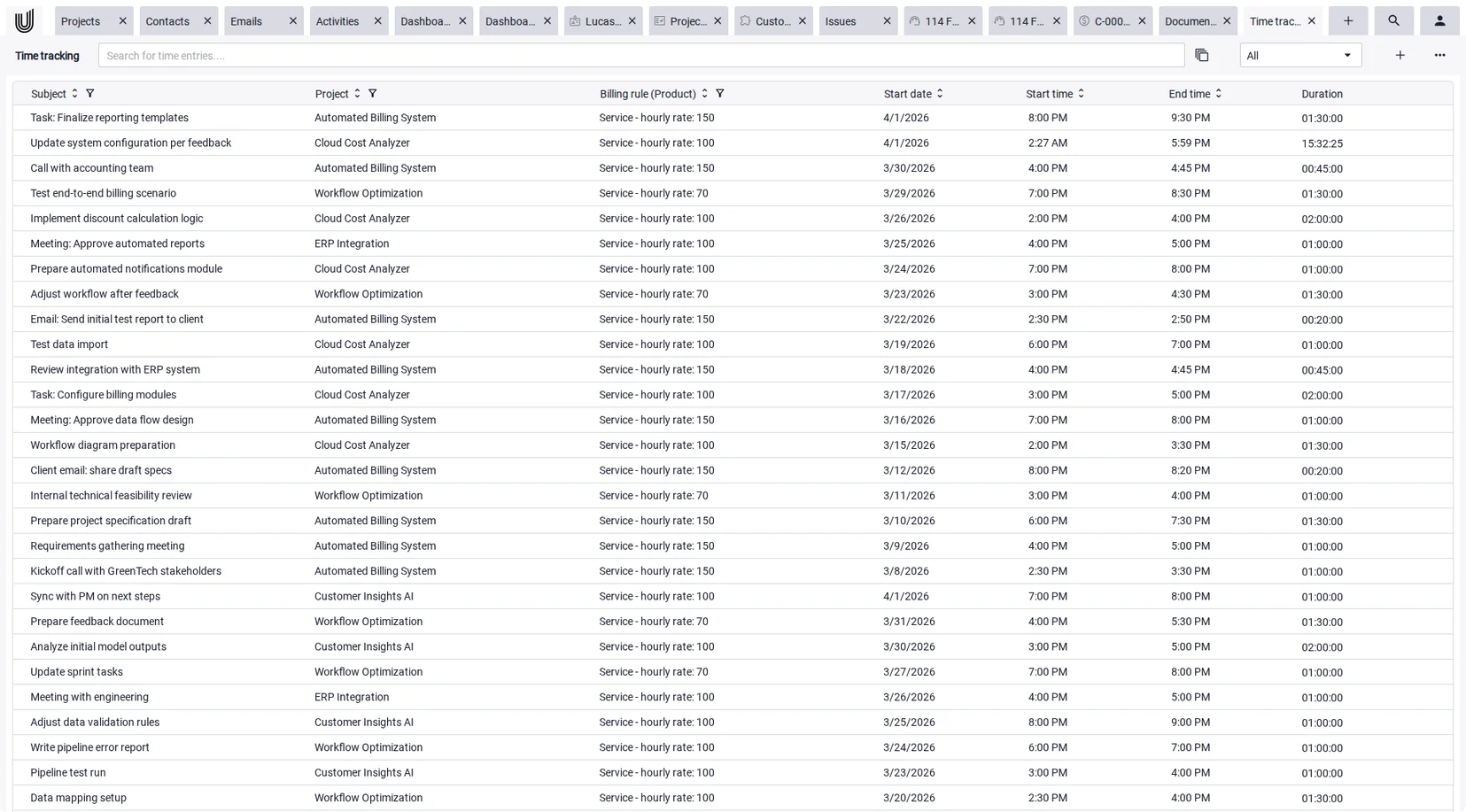
| Project-based time tracking | Hours are always logged in the context of a project. Billable hours per project are visible directly and can be filtered on the fly, the foundation for any view of effort and cost. |
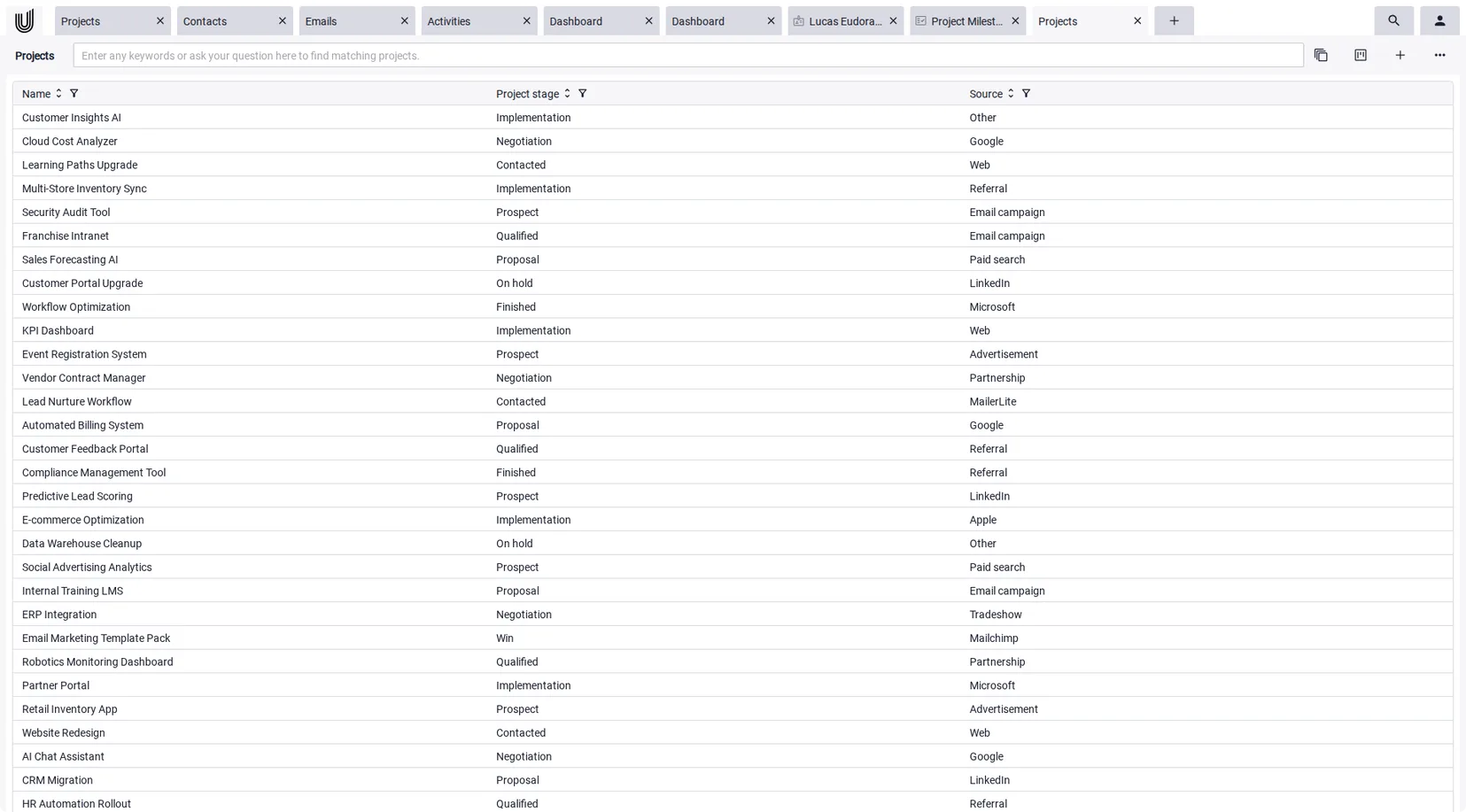
| Project overview and status | Projects can run as a Power-Grid or Kanban board with configurable stages, so progress per project is always visible without a separate status report. |
| Dashboards with key numbers | Configurable dashboards bring current and past projects plus general business statistics together as widgets you can arrange and save. |
| Reports from the raw data | A report can be created from a Power-Grid view. In time tracking, hours per project are also available as a PDF report and as an Excel export. |
| From hours to invoice | Tracked project hours can be turned into invoice line items automatically, per project with a date range and a rounding rule. Effort reaches the invoice without re-keying. |
| History and data ownership | Changes to projects are logged with the user and the timestamp. Alongside running in the browser, an on-premises install on your own infrastructure is possible with a Pro subscription. |
An honest assessment: Unusual Suite is an integrated business platform, not a specialised project management suite or a business-intelligence tool. It does not ship Gantt charts, a work breakdown structure, task dependencies, critical-path scheduling, automatic earned-value calculation or formal budget-versus-actual forecasting as dedicated modules. Its strength is keeping the operational actuals (tracked hours, project status, billable amounts) reliable, current and in one place, and making them visible through dashboards and reports. If you need deep scheduling or financial analysis, pair this data foundation with a specialised tool.
Conclusion: picking project tracking software that fits
Good project tracking does not depend on the number of metrics, but on the quality of the underlying data. When deadlines, effort and status are current and in one place, even a handful of signals become a reliable early-warning system. When the data is scattered across sheets and standalone tools, no dashboard can save it.
For many small and mid-sized teams, the best choice is therefore not the most analytically advanced tracker, but a solution where project data is created anyway and reporting comes as a by-product. Teams that need complex scheduling or financial forecasting can pair that data foundation with a specialised tool.
Integrated platforms like Unusual Suite show what the operational side can look like: projects, time tracking, dashboards and billing work together instead of living in separate programs. In the end, what matters is that the numbers are right and visible in time, not how many reports are theoretically possible.
Track projects
without chasing the data.
Unusual Suite brings projects, time tracking, dashboards and billing together, free forever for one person and free to trial for 90 days as a team. Unusual Suite is a product of Unusual Software GmbH, which publishes this blog.
Try for freeFAQ about project tracking software
Project tracking software keeps the status, time and progress of your projects visible throughout their life. It captures or gathers actuals such as logged hours and project status, compares them against the plan and surfaces the gaps through dashboards and reports, so you can react before a deadline or budget slips.
Project tracking focuses on visibility: where a project stands by status, time and progress. Project management software adds planning depth on top, such as task dependencies, detailed scheduling and Gantt charts. Many teams need reliable tracking well before they need heavy planning features.
Four things cover most needs: progress and deadlines, time and effort, status and ownership, and workload across the team. Keeping this lean set current and in one place is more useful than tracking dozens of metrics that nobody reviews.
For a single, small project a spreadsheet can be fine. Once several projects run in parallel, more than one person edits the same file, or the numbers need to stay current, spreadsheets hit their limits: double entry, stale data and version chaos. That is when tracking software, ideally one where the data is created anyway, pays off.
You track project progress by comparing where the work actually stands against the plan, on a regular cadence. In practice that means setting targets for deadlines, effort and cost, capturing actuals such as logged hours and completed tasks as the work happens, then reviewing the gap through a board, dashboard or short status check. The point is to catch slippage early enough to act on it.
A useful core set is percent complete, schedule variance, budget burn and team utilization, plus the Cost and Schedule Performance Indices (CPI and SPI) if you use earned value. Most teams do better with three to five metrics they review every week than with a large dashboard nobody reads.
There is no single best tool, because it depends on how you work. Teams that mainly bill by the hour benefit from tracking tied to time and invoicing, while teams with complex plans lean toward dedicated project management suites. The practical test is whether the actuals are captured in one place, kept current and easy to report on.
Unusual Suite is an integrated business platform that connects projects, time tracking, dashboards and billing, which gives it strong project tracking out of the box. It does not include Gantt charts, task dependencies or formal budget forecasting as dedicated modules. For deep scheduling or financial analysis, the tracked data can be combined with a specialised tool.