
Employee Time Management Software
– ideal for small businesses
Employee Time Management Software
– for small businesses
With Unusual Suite, small and medium sized businesses record their working time directly in the project context. This employee time management software makes time tracking a clearly structured, audit proof process that connects project planning, billing and reporting.


Time tracking software for small and medium sized businesses
As a Timekeeping software, ideal for small businesses, Unusual Suite is deliberately simple:
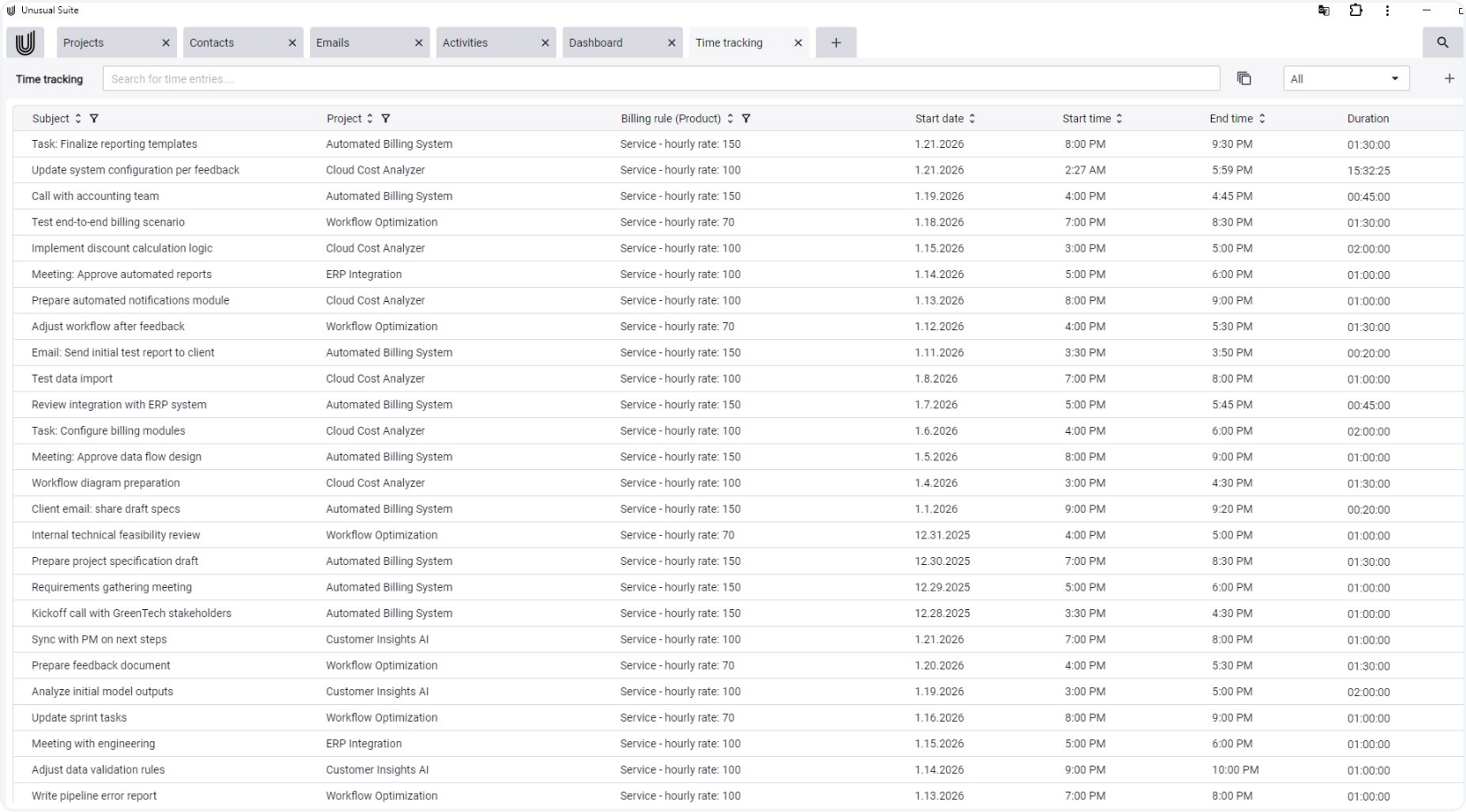
With a single click you create a new time entry, assign a subject and link the entry to a project. You then start the timer directly from the entry and stop it just as conveniently. Stopped entries can be edited afterwards, which ensures consistent data.
Because time entries are always created directly in the project, they are automatically available for analysis, billing and reporting. This makes Unusual Suite an all-in-one business software for time tracking, especially for small and medium-sized businesses that want to record, analyse and bill working hours in a structured way. All without additional tools.
Transparent billing and reporting
Especially for service providers, the combination of time tracking and billing is crucial. Unusual Suite supports you with integrated evaluations:
The clear advantage: you work in a single system in which time tracking, billing and reporting belong together end to end. Without media breaks and without data chaos.

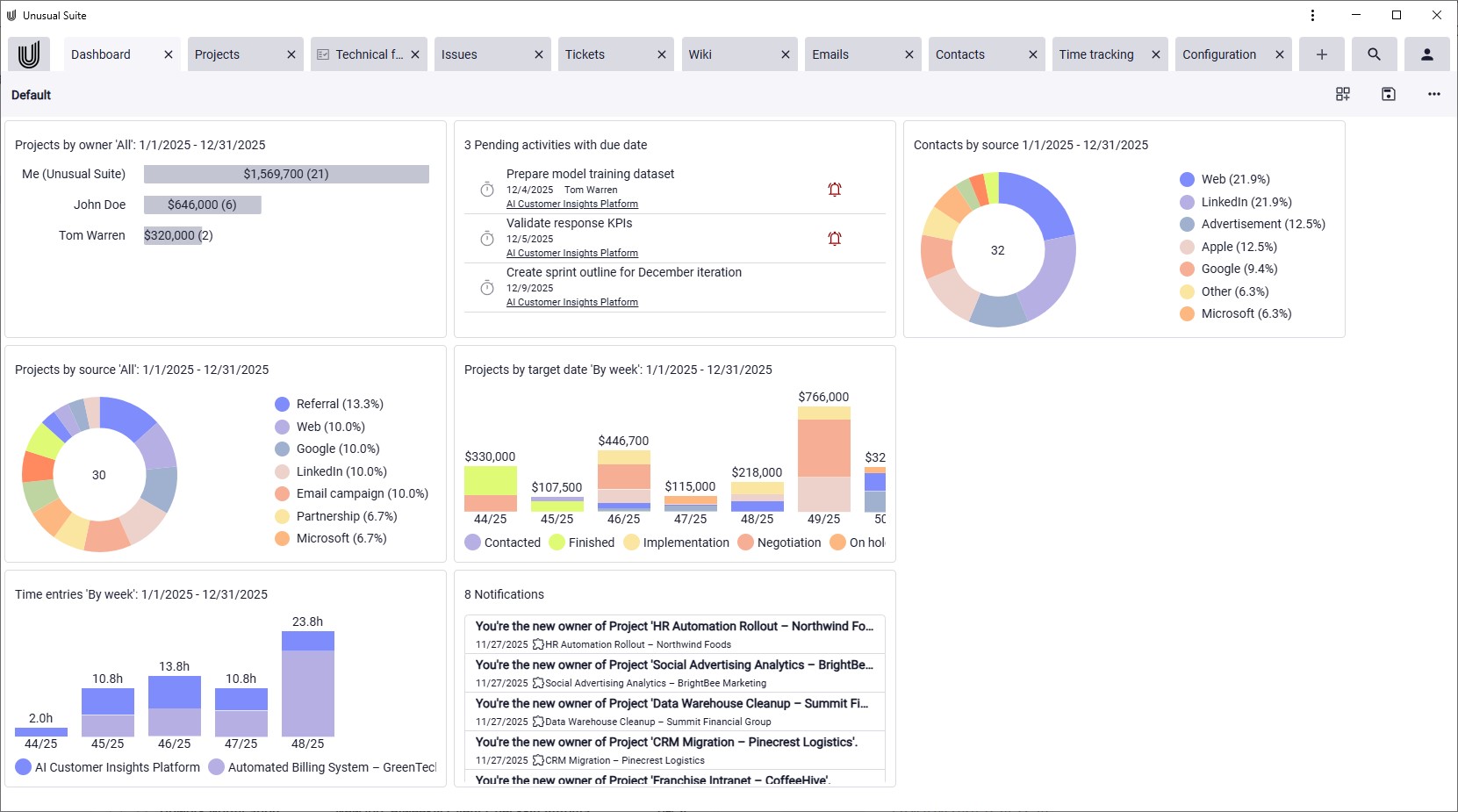

Project management and time tracking in one system
Project managment and time tracking all in one.

Assign working hours
Assign working hours
In the team time tracking software you create an entry, assign a subject and link the time booking to a project. This makes it traceable what time was spent on and which tasks or projects are associated with the

Aggregate times
In the project view, all recorded times per project are aggregated. The total of billable hours is clearly visible, can be filtered and exported into separate Excel sheets.

Control billing
Control billing
For projects you can control how recorded times are calculated via products and billing rules. These include, for example, hour equivalents, minimum times, rounding intervals or maximum billable hours per day. Our team time tracking software thus follows the stored billing logic and supports a consistent calculation of billable hours.

Reporting
Reporting
Create time reports directly from the employee time management software and save them as PDF or export your data to Excel, including project-based worksheets. Via Power-Chat you adapt exports individually and save reports as templates. The finished reports can easily be shared with customers or internal stakeholders and provide full transparency on worked and billable hours without additional effort.

Power-Search

Power-Search
With Power-Search you quickly find relevant projects, activities or tickets and jump directly into the appropriate time tracking view. There you evaluate all related times clearly using filters and totals.

Power-Chat
Power-Chat prepares your time tracking data as needed. For Excel exports you simply define columns, groups and filters. From this you generate tailored evaluations for management, project leads or customers.

Integration into invoices
In the invoice mask you can use the time entries icon to select project-specific time periods and rounding options. From the matching time entries, Unusual Suite automatically generates invoice line items. This turns recorded hours into billable services with just a few clicks, without needing to transfer times manually or recalculate them.

